
Quick Answer: Is Vimm’s Lair Safe
Yes, Vimm’s Lair is widely considered a safe retro gaming site that provides ROMs and emulators for classic consoles. However, users should still be cautious when downloading files:
- Avoid fake sites that may contain malware.
- Scan downloaded files with antivirus software before opening them.
What Is Vimm’s Lair
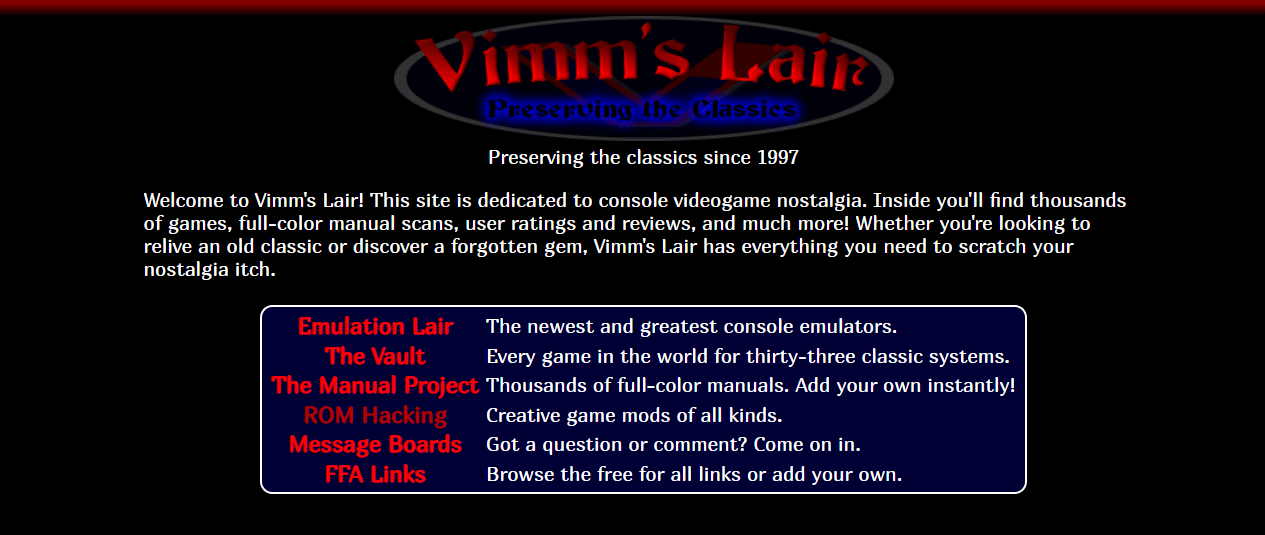
Vimm’s Lair is a popular website designed to preserve and archive retro video games for classic gaming consoles, including PlayStation, PlayStation 2/3, Nintendo 3DS/64/DS, etc.
On this site, users can find thousands of games, full-color manual scans, user ratings, and reviews.
Its main sections include:
- The Vault
- Emulation Lair
- ROM Hacking
- FFA Links
- The Manual Project
- Message Boards
Is Vimm.net Safe?
The official website of Vimm’s Lair is safe. Operating since 1997, it has earned a strong reputation for safety and reliability. According to Reddit users, it is a good place to download what they want, and some of them have been using it for a long time without any issues.
How safe is Vimm’s Lair? The following are details.
#1. HTTPS Encryption
Its site (vimm.net) uses HTTPS. It is a secure, encrypted version of HTTP, ensuring the data communication on the website, including ROM downloads, is private and protected from hackers.
#2. Clean File Formats
Downloaded files are typically provided in ZIP and ISO (non-executable formats), rather than EXE. This means harmful software is generally not installed on the device automatically.
#3. No Third-Party Redirects
All files are downloaded directly from the servers of Vimm’s Lair. This minimizes the likelihood of redirects to harmful websites and helps protect users from malware, viruses, and phishing attacks.
#4. No Malicious Ads
Unlike many ROM websites, Vimm’s Lair does not offer aggressive ads, misleading redirects, or fake download buttons. This means it doesn’t use these ads to spread adware, malware, or viruses.
#5. Professional Management
A user from Reddit says that the majority of the ROMs of Vimm’s Lair are safe for they are verified by No-Intro, Redump, or GoodNES.
No-Intro is an organization that essentially catalogs ROM dumps. It offers DAT files that hold the hashes and names of the best possible dump of a game, closest to the original game.
Those DAT files can be used to compare your ROM collection with the best possible ones and inform you if any of your collections aren’t the best.
Vimm’s Lair scans its ROMs every night and replaces ROMs that are not the best. Therefore, the ROMs on Vimm’s Lair are always the best.
Redump does the same as No-Intro for disc-based titles.
Is Vim Safe to Download?
Though many people reported the Vimm’s Lair slow download speed, it does not mean that the items downloaded from Vim Lair are not safe.
It may be that the website needs to keep as much bandwidth as possible. So, it provides a poor download speed. Anyhow, it is safe to download things from Vimm.net.
Safe ROM Download Checklist
Although Vimm’s Lair does not intentionally distribute malware, there are several risks users should know:
- Fake Vimm’s Lair clone sites
- Malicious ads on unofficial mirror websites
- Corrupted ROM downloads
- Modified emulator files from third-party sources
To stay safe:
- Only use the official site
- Avoid downloading EXE files from unknown pages
- Scan all files with reputable antivirus software
- Keep your browser and operating system updated
Is Vimm’s Lair Legal?
Downloading copyrighted ROMs from Vimm’s Lair is technically illegal.
In most regions:
- Downloading copyrighted ROMs that users do not legally own violates copyright laws.
- Emulators themselves are usually legal, but downloading a digital copy (ROM) of a game is illegal.
- The website frequently complies with takedown requests to remove some content.
Since copyright rules vary, users should review local laws before downloading ROM files.
How to Use Vimm’s Lair Safely
- Keep Firewall and Antivirus Software on
- Scan Your Computer Regularly
- Back up Data on Schedule
Option 1: Keep Firewall and Antivirus Software on While Surfing on Vimm’s Lair
Though the Vimm’s Lair website itself is safe, some sly viruses may rely on your browser to attack your system. Even worse, they may hack the Vimm’s site and infect its visitors.
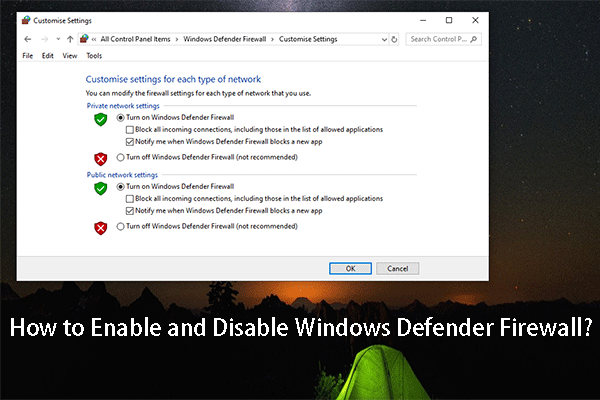
Therefore, it is of great necessity to give real-time protection to your machine by keeping your firewall on.
Also, give double insurance to your computer by keeping at least one security program running at the same time, especially when you are downloading something from Vimm’s Lair!
Step 1: Open Windows Security through Search.
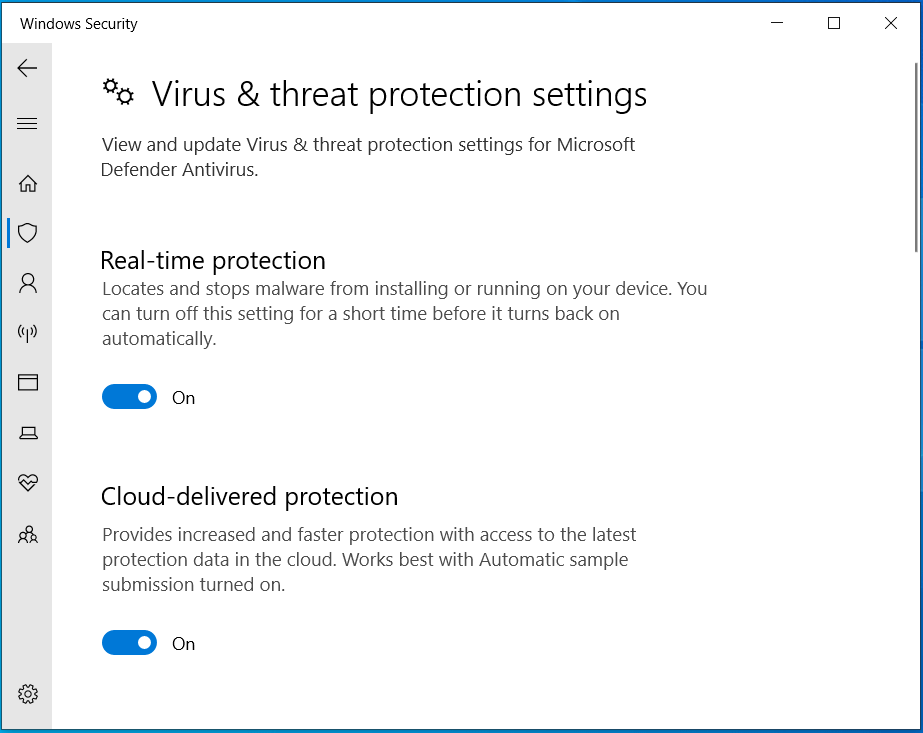
Step 2: Enable Firewall & network protection.
Step 3: Go to Virus & threat protection > Manage settings.
Step 4: Enable Real-time protection.
Option 2: Scan the Downloaded Files and Regularly Scan the Whole Computer
Even if you have successfully downloaded the games or emulators from Vimm’s Lair without any alarm message from the antivirus application, it doesn’t mean the downloaded items are completely safe.
Some viruses have an incubation period.
- During this period of time, they look like normal files, stay quiet, and won’t attack your computer.
- However, sometime later, when you are fooled by them and think there is no threat to your machine, they will start to take action and infect your system unexpectedly.
To scan the PC:
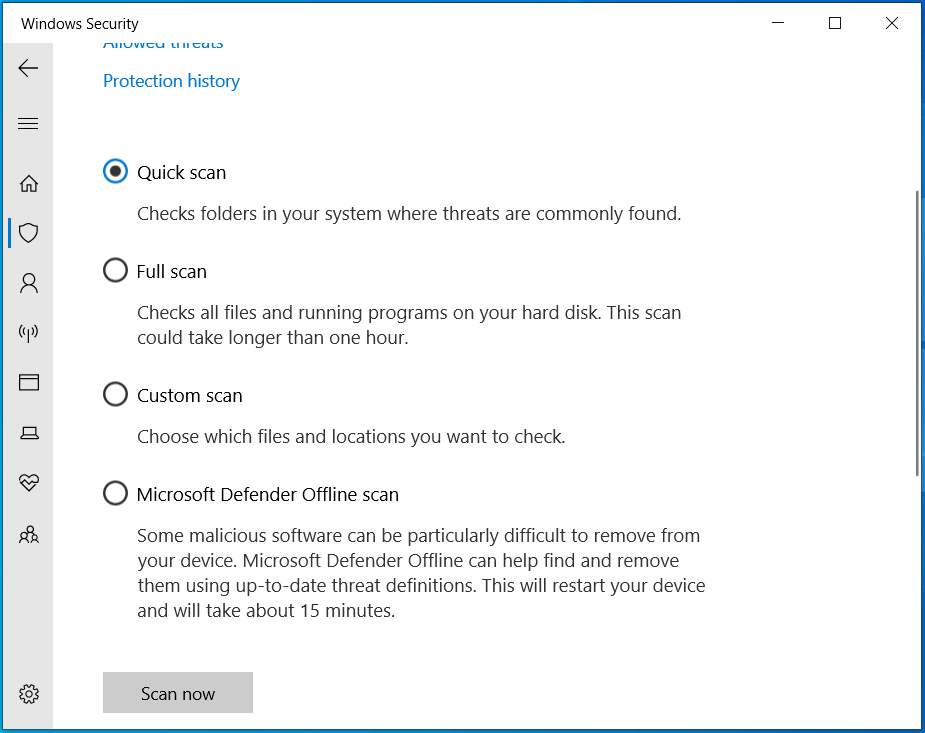
Step 1: In Windows Security, select Virus & threat protection.
Step 2: Click Scan options and choose a scan option.
Step 3: Execute the scan now.
Option 3: Back Up Important Files
You cannot say you are completely safe even if you have done the above two suggestions. Therefore, the last but the most important suggestion is to make a backup of your crucial data before accidents happen.
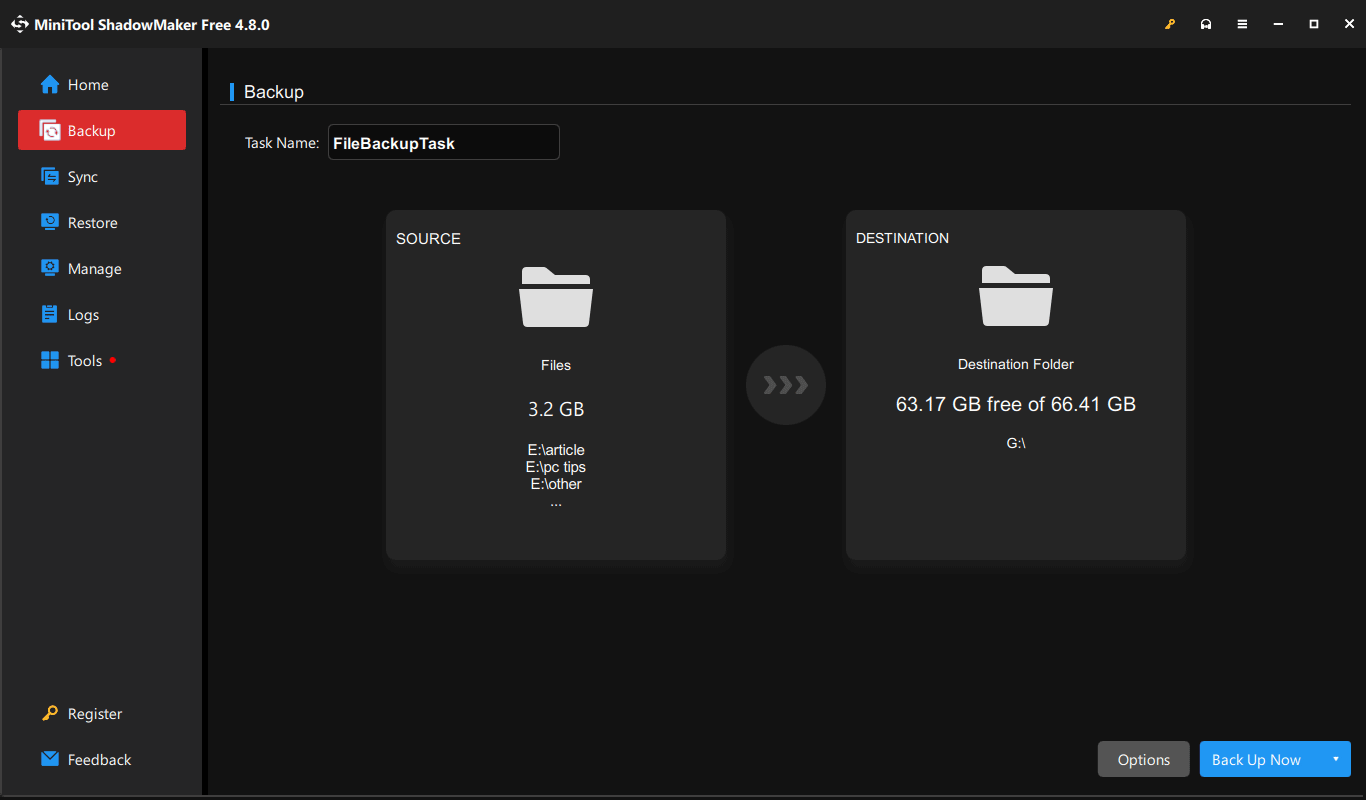
For data backup, it is recommended to use MiniTool ShadowMaker, a professional Windows backup software. It helps you:
- Back up files, folders, disks, partitions, and systems.
- Create backups for only changed data, namely incremental/differential backups.
- Configure a plan to regularly back up data.
Follow these steps:
Step 1: Download, install, and launch MiniTool ShadowMaker on your computer.
Step 2: Under Backup, choose the files you plan to back up by clicking SOURCE > Folders and Files.
Step 3: Specify a place to save the backup image, for example, an external drive under DESTINATION.
Step 4: Click Back Up Now to immediately execute the backup task.
Vimm’s Lair Alternatives
If you encounter some problems while using Vimm’s Lair like Vimm’s Lair not loading or Vimm’s Lair not working, you can rely on its replacements to download the ROM files you want. Below are some popular alternatives to Vimm’s Lair.
#1. The ROM Depot
The ROM Depot is dedicated to the preservation of outdated software. Currently, it has over 90 platforms that contain more than 100K files involving games, emulators, manuals, soundtracks, boxart, and many others. You are allowed to add your own files to the archive.
#2. CoolROM
CoolROM is a database and download site for ROMs and emulators of classic video game systems like Nintendo 64, Game Boy, and SNES. It also offers more info about this gaming phenomenon.
#3. ROMs Mania
ROMs Mania is a working online resource for free video games ROMs. It also holds the biggest collection of emulators and ROM games exclusively.
#4. The Old Computer
There are more than 500, 000 ROMs for Nintendo 64, Game Boy Advanced arcade games, NES, SNES, Nintendo DS, Sega, Commodore from the world’s largest retro gaming site. The Old Computer has many rare ROMs for over 510 different systems and the largest collection of MAME sets of any website.
#5. Project Amulet
Project Amulet is an INVITE-ONLY platform. It is an open-directory dedicated to the preservation and archiving of classic digital works.
Conclusion
That is all about the topic “Is Vimm’s Lair safe”. No ROM website is completely risk-free, and users should always exercise caution when downloading files online.
To stay safe online, follow the tips above, including verifying the website, enabling a firewall, using antivirus software, and backing up data.
While encountering issues with MiniTool ShadowMaker during backup, send an email to [email protected].
Is Vimm’s Lair Safe FAQ
However, downloading or sharing copyright-protected ROMs online is illegal and forbidden.
About The Author

Position: Columnist
Vera has been working at the MiniTool Team for over 10 years as a technical editor and content writer. She mainly focuses on disk and partition management, data recovery, Windows backup and restore, and PC troubleshooting. Through in-depth software testing and hands-on experience, she has helped users solve a wide range of computer problems and better protect their data on Windows devices.
User Comments :