
Copilot in OneDrive
Copilot in Microsoft OneDrive is an innovative AI-powered assistant that can transform the way you interact with your files and streamline your workflow.
You can use Copilot in Microsoft OneDrive to execute the following jobs:
- Quickly summarize files in your OneDrive: There is no need to waste time poring over lengthy documents to find the key points. With Copilot, you can quickly generate concise summaries for a single document or up to 5 files, allowing you to easily obtain insights and focus on the most important content.
- Compare the key differences between documents: Whether you are dealing with contracts, financial reports, or job application forms, sometimes all you care about is the significant differences between the documents. With Copilot, now you can quickly compare up to 5 documents without opening them, and highlight the key differences between them in an easy-to-read table format, thus saving a lot of time.
- Extract information from multiple files in your OneDrive: Copilot can analyze the contents of your OneDrive files and answer complex questions by extracting appropriate information from the data you have stored, converting your file storage into a valuable source of knowledge and insights.
- Generate insights from your documents: If you encounter difficulties and need inspiration, Copilot can help you unlock your thinking. It will provide you with an outline, ideas, and even drafts based on the files stored in OneDrive. For example, you can select relevant documents from OneDrive, and then let Copilot generate a draft for a project plan.
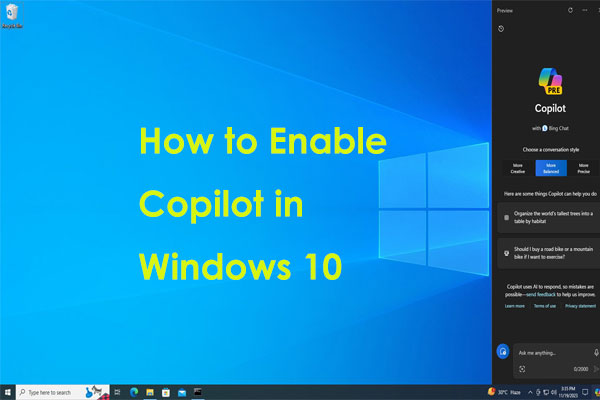
How to Enable OneDrive Copilot?
Copilot in OneDrive will be accessible directly for web and in the file while viewer in Microsoft Teams, OneDrive, and SharePoint. This feature is available for work and school customers with a Copilot for Microsoft 365 license.
How to Use Copilot in Microsoft OneDrive?
Getting started with Copilot in OneDrive is easy.
- Simply hover over a supported file in your OneDrive.
- Click on the Copilot button to choose from a menu of suggested actions or ask your own question.
- You can also select 5 files and click the Copilot option in the command bar to get started.

Whether you are summarizing a report or need insight from a file, Copilot is just a click away.
2. Copilot only works with files in your OneDrive that you have permission to access.
3. Copilot in OneDrive only applies to text files. At the time of writing, Copilot in Microsoft OneDrive doesn’t support images, videos, and other file types.
4. If the OneDrive account is signing in to a family account associated with Microsoft 365, then only the subscription holder can access the tool.
Further Reading
Other than OneDrive, we also want to share a professional PC backup software with you, which is MiniTool ShadowMaker. This freeware boasts many powerful features, including system backup, file backup, folder backup, partition backup, file sync, disk cloning, and more. It’s worth a try!
MiniTool ShadowMaker TrialClick to Download100%Clean & Safe
Final Words
What is Copilot in Microsoft OneDrive? How to enable and use Copilot in Microsoft OneDrive? Now, you should have the answers. Besides, you can also try MiniTool ShadowMaker to back up or sync your files.
User Comments :