
What’s New in MiniTool Video Converter 6.1
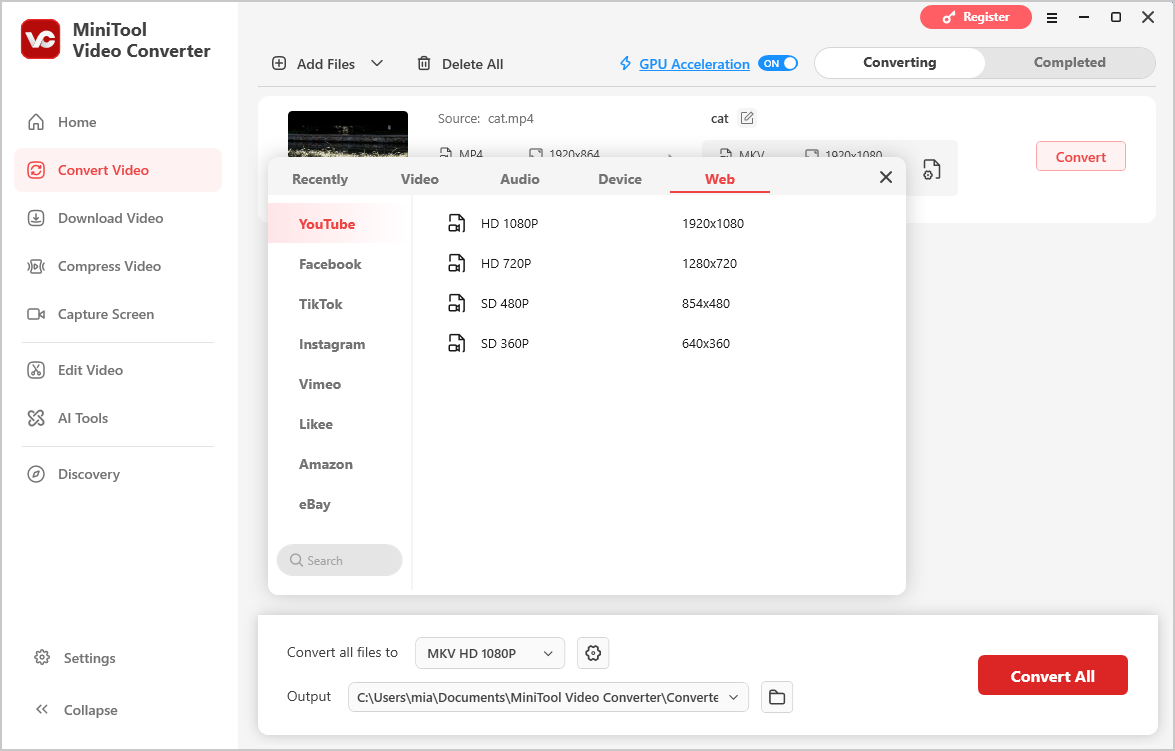
- Added a new social media category with more export presets for video conversion.
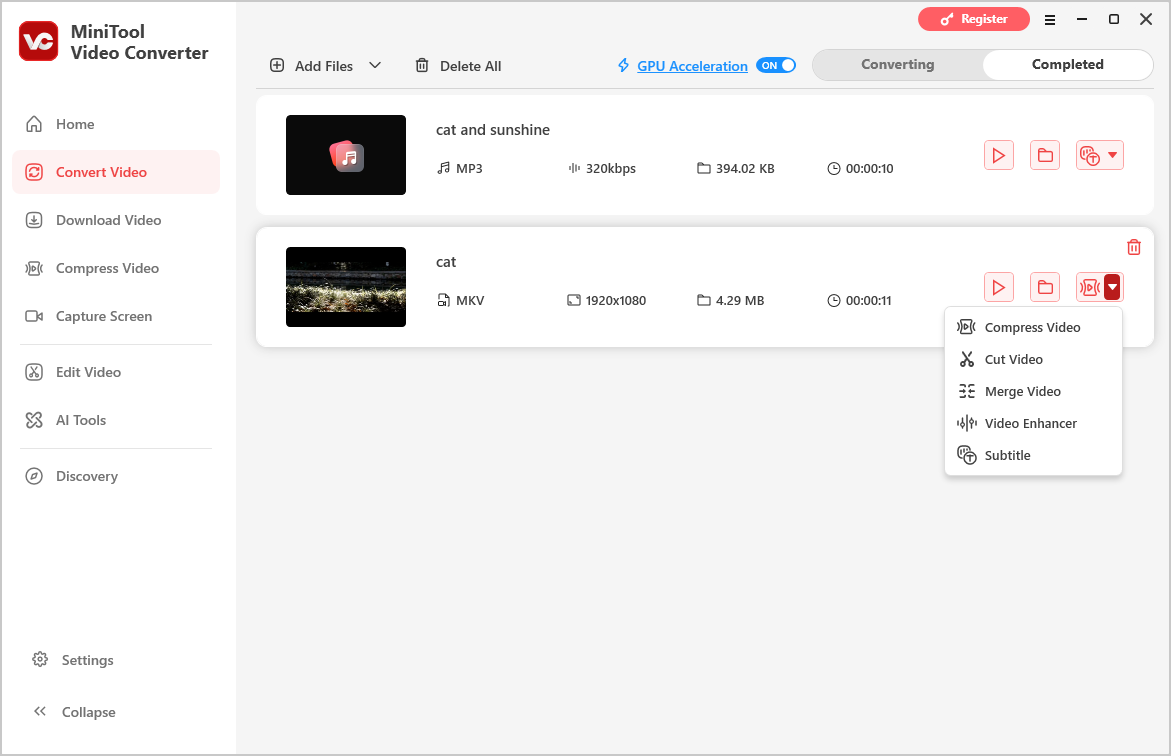
- Improved integration among video conversion, compression, cutting, merging, transcription, and enhancement features.
- Increased startup speed.
- Refined video merging timeline controls.
- Supports converting Apple iTunes-edited videos.
MiniTool Video Converter FreeClick to Download100%Clean & Safe
Added a New Social Media Category with More Export Presets for Video Conversion
MiniTool Video Converter 6.1 adds video conversion options for social media platforms through a new Web category in the output format menu. This includes export presets for YouTube, Facebook, Vimeo, Instagram, TikTok, Likee, Amazon, and eBay.
Improved Feature Integration
MiniTool Video Converter 6.1 adds quick access to video conversion, compression, cutting, merging, enhancement, and transcription features under the Completed tab, making it easier to switch between tasks and streamline workflows.
Increased Startup Speed
MiniTool Video Converter 6.1 improves startup speed, reducing waiting time when launching the software. This enhancement helps streamline workflows and makes everyday multimedia tasks more efficient.
Refined Video Merging Timeline Controls
MiniTool Video Converter 6.1 improved the playhead position and clip selection display in the merge timeline. These refinements make it easier to arrange clips, apply transitions, and edit multiple videos, providing a more intuitive and efficient merging experience.
Supports Converting Apple iTunes-Edited Videos
MiniTool Video Converter 6.1 adds support for converting videos edited in Apple iTunes, making it easier to convert iTunes-edited videos into other formats for playback, editing, or sharing.
User Comments :