
In this guide, we explore seven SD card clone software, such as MiniTool ShadowMaker, DiskGenius, Macrium Reflect, and Hasleo Disk Clone, covering their features, pros, and cons. By comparing them, you can choose the right tool, whether you’re a beginner or an advanced user.
Overview of SD Card Cloning
SD card cloning is the process of creating an exact copy of an SD card onto another card. Unlike a simple file copy-and-paste, cloning can capture everything on the card, including the file system, hidden data, and configuration files.
It is usually used to upgrade to larger SD cards or duplicate systems, such as Raspberry Pi and other embedded devices. Cloning an SD card helps prevent the need to reinstall systems and reconfigure settings from scratch.
Key Factors When Selecting SD Card Clone Software
When choosing an SD card cloner, prioritize tools that deliver essential features such as sector-by-sector cloning and user-friendly interfaces.
- Sector-by-sector copy: To clone a Raspberry Pi or Steam Deck SD card, use the software that can create an exact, bit-for-bit copy. This ensures hidden partitions and system-level files are replicated exactly, allowing the new card to function immediately without reconfiguration.
- Intelligent partition resizing: When cloning to a larger SD card, ensure the software can automatically resize partitions to fit the entire card, avoiding a manual adjustment afterward.
- Capacity handling: Look for the SD card copier that can handle the target card’s capacity, which may be smaller or larger than the source card.
- Operating system compatibility: Verify the tool works on a Windows computer.
- Ease of use: For beginners, it is essential to choose a tool with an intuitive user interface for easy navigation.
- Reputation: Choose trusted tools to avoid data corruption during SD card cloning.
#1. MiniTool ShadowMaker: Beginner-Oriented Tool
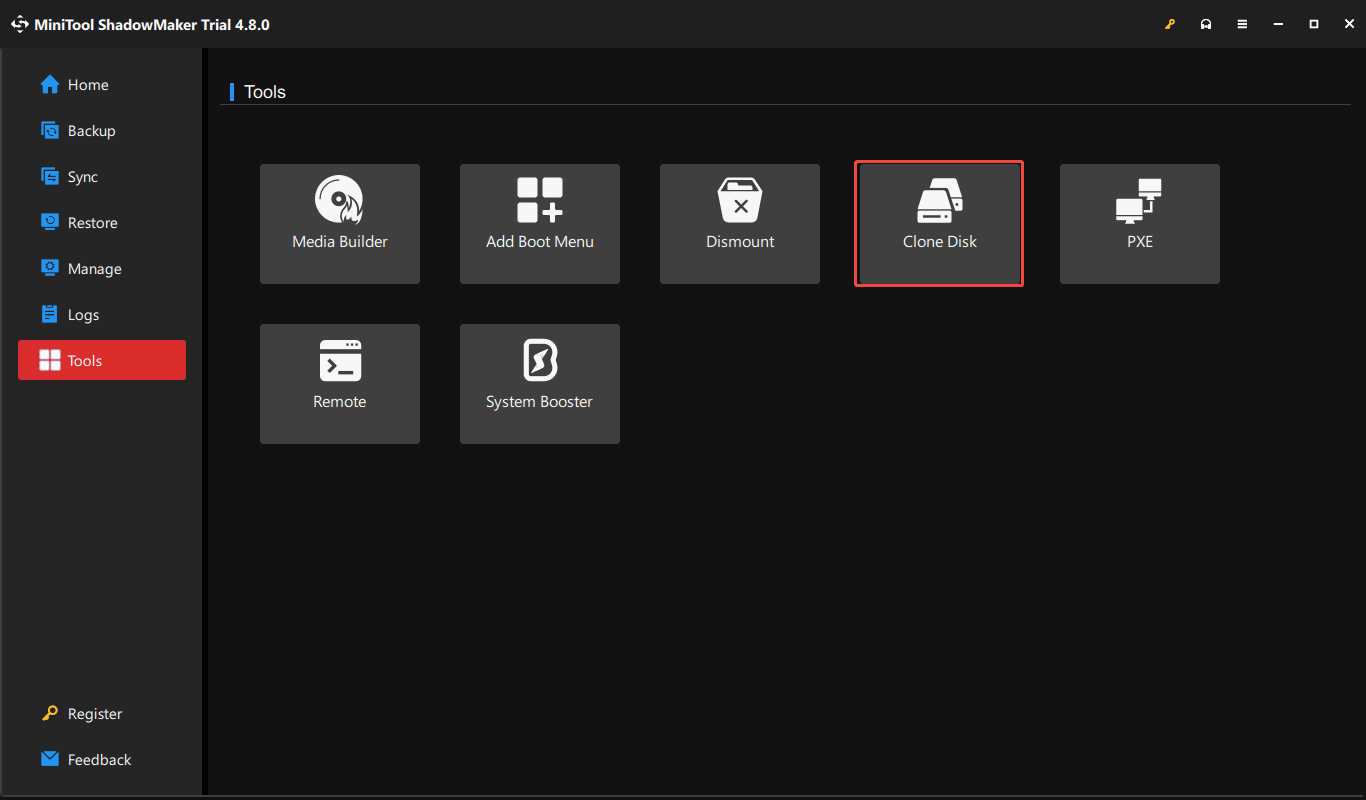
MiniTool ShadowMaker, designed for individuals and businesses, is a beginner-oriented backup, recovery, and cloning tool. It offers a simple wizard-driven interface for performing system & disk backup and disk cloning tasks.
With the cloning feature, it is straightforward to clone SD cards for quick data transfer and storage upgrades.
Key Features
- Offers the Clone Disk feature to clone a hard drive (HDD/SSD), USB flash drive, SD card, or memory stick to another drive.
- Delivers two cloning options, including Used sector clone and Sector by sector clone, respectively copying the used sectors only or copying all sectors (used and unused) for exact replicas of the entire card.
- Effectively clones a larger SD card to a smaller one.
- Allows choosing between keeping the same disk ID as the source drive or creating a new ID to maintain disk consistency.
- Effectively clones SD cards with multiple partitions, ensuring all data is transferred.
- Creates a bootable USB drive or CD/DVD to run the SD card cloning outside the operating system.
Pros and Cons
Pros
1. An intuitive step-by-step wizard streamlines the SD card cloning process.
2. Sector-by-sector cloning is supported.
3. Free and Trial Edition offer essential cloning features, making it accessible for basic SD card tasks.
4. The tool can clone to smaller drives.
Cons
1. The software is only available in Windows, no native support for Linux or macOS.
2. Cloning an SD card with bad sectors may fail.
3. An SD card reader/adapter is required.
Personal Experience
Downloading and installing MiniTool ShadowMaker are simple. After launching this free SD card clone software, it displays a wizard-driven interface, simplifying the process of cloning, making it accessible for novice users to complete a clone in just a few clicks.
It allows an option to perform a sector-by-sector copy, ensuring unused space and hidden data are duplicated exactly. This is useful to maintain the integrity of complex SD card configurations.
Despite its ease of use, a separate SD card reader is necessary to establish the connection with the PC, adding an extra step compared to internal drive cloning.
#2. DiskGenius: Partition Management Suite
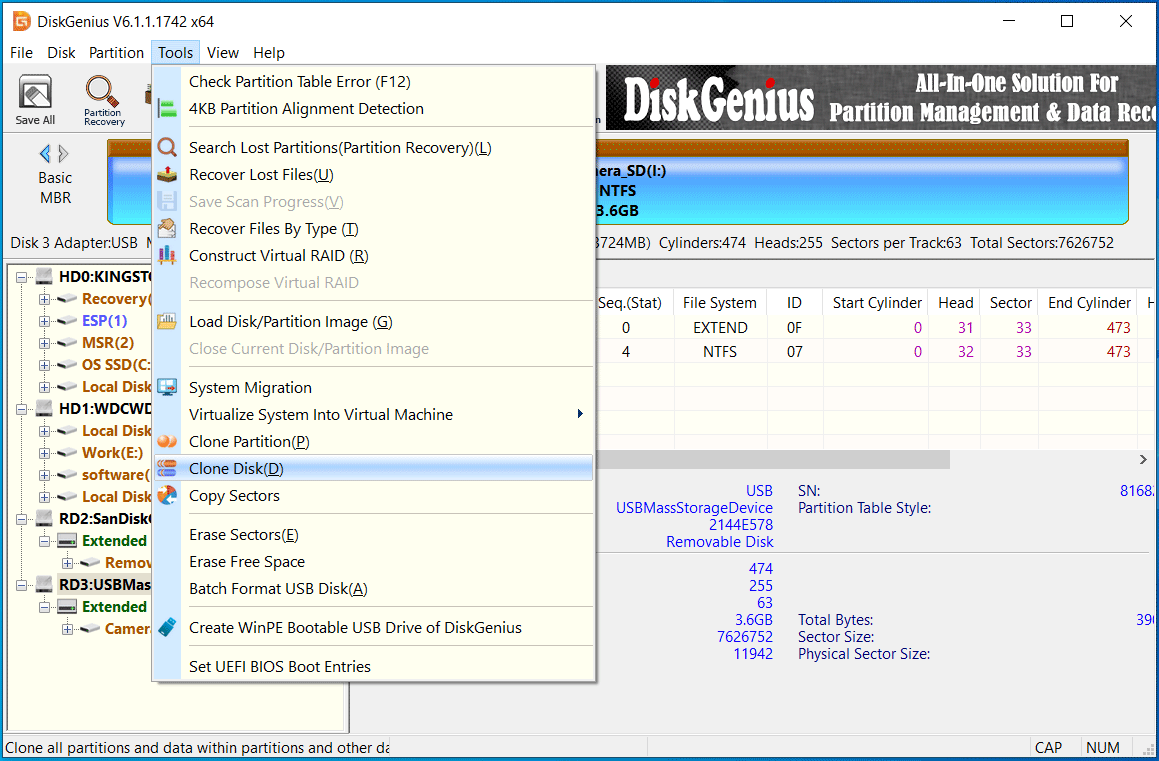
DiskGenius is an all-in-one partition management toolkit with versatile options to resize partitions, perform data recovery, and clone the drive. Designed for advanced users and IT professionals, it enables precise disk operations and robust data handling.
The software excels at cloning an SD card, making it a practical choice for handling complex or specialized storage setups.
Key Features
- Provides comprehensive copy options to migrate the system, copy the entire drive (HDD, SSD, SD card, memory stick, and SD card), and perform partition-specific cloning.
- Allows cloning an SD card to another card, whether it is smaller or larger than the source drive, providing flexible partition adjustments during cloning.
- Offers three cloning modes, supporting copying all sectors, valid sectors, and all files.
- Properly handles read/write errors, ensuring the cloning process runs smoothly.
- Clones an SD card to multiple SD cards at the same time.
- Creates a WinPE bootable USB drive for cloning.
Pros and Cons
Pros
1. Supports precise sector-by-sector cloning.
2. Enables resizing partitions during cloning.
3. Allows cloning SD cards to various storage types (hard drives, USB drives, and SD cards).
4. Offers the ability to handle disk errors and bad sectors.
Cons
1. Requires an external SD card reader to connect the card to a PC.
2. Displays an interface with feature-dense menus and options, presenting a steep learning curve for beginners.
Personal Experience
Cloning an SD card with DiskGenius is generally a smooth experience.
The process is efficient, and its sector-by-sector copy feature ensures every bit of data is copied accurately. This feature is particularly useful for cloning a bootable card, as it preserves the integrity of the system in embedded devices.
However, the user interface is not beginner-friendly, as it features a variety of options and a non-intuitive layout, which may confuse those seeking a simpler cloning experience. Some advanced options may require a steep learning curve.
Overall, DiskGenius stands out as a robust and industrial-grade solution for complex disk cloning tasks.
#3. Hasleo Disk Clone: Streamlined Cloning Solution
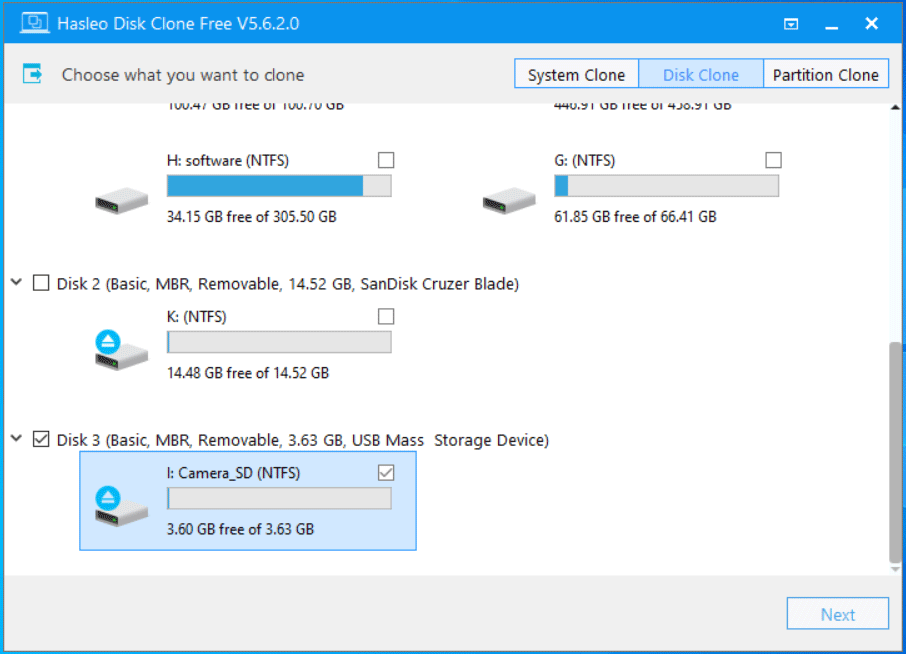
Designed for home users, Hasleo Disk Clone is a streamlined, user-centric utility that delivers a hassle-free, smooth cloning experience.
This tool can handle system, disk, and partition cloning tasks, providing consistent reliability in any data migration scenario.
By facilitating rapid SD card migration, this clone software makes it a go-to tool for those who seek a high-speed duplication process.
Key Features
- Migrates Windows to an SSD/HDD, clones the entire hard drive/USB drive/SD card to another, and copies a specific partition.
- Only copies the modified blocks on the source partition since the original full clone using the Delta Clone option.
- Offers four options to edit the disk layout during cloning, for example, manually resize and move partitions on the target drive, or keep the disk layout.
- Performs sector-by-sector cloning to create an exact byte-for-byte replica.
- Aligns disk partitions to 4K, 1M, or Cylinder.
- Runs a conversion between MBR and GPT during cloning.
Pros and Cons
Pros
1. Offers a completely free edition for disk and partition cloning, with no hidden costs.
2. Provides a clean and beginner-friendly user interface.
3. Supports sector-by-sector copy.
4. Easily adjusts the partition size and location when cloning to a larger card.
Cons
1. Delta Clone is limited to NTFS.
2. It is necessary to reboot into Pre-OS mode (WinPE) to clone the removable drive.
Personal Experience
This SD card clone software offers a clean and intuitive interface, making it easy to navigate for users with limited technical skills. As a free solution, it delivers full cloning functionality with solid performance.
However, Hasleo Disk Clone has some limitations. The Delta Clone feature is restricted to NTFS, indicating it cannot be used with common SD cards that typically use FAT32 or exFAT.
Additionally, SD card cloning requires a reboot to WinPE rather than executing the task in Windows. Creating a WinPE bootable emergency drive is only available as a paid feature.
#4. Macrium Reflect: Professional-Grade Utility
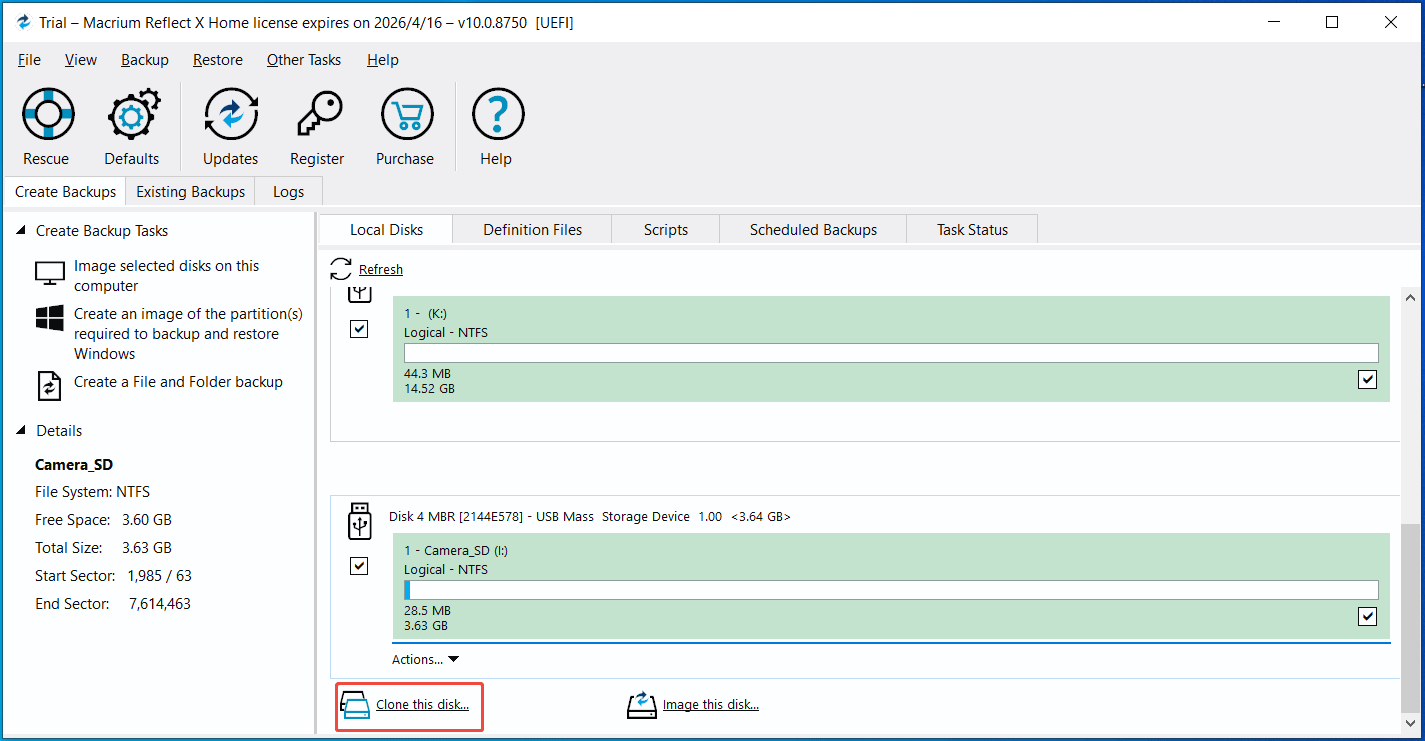
Macrium Reflect is a professional-grade disk imaging and cloning suite, designed for home users and IT professionals.
It demonstrates solid performance and dependable reliability in practical scenarios, making it suitable for cloning SD cards for Raspberry Pi, Steam Deck, and Android devices.
Key Features
- Supports Forensic Sector Copy, cloning all sectors from the source drive, including used or unused sectors.
- Only copies the used sectors on the source drive via the Intelligent Sector Copy mode.
- Verifies the file system on the source drive before cloning.
- Shrinks or expands partitions when cloning an SD card to a larger or smaller card.
- Offers the Rapid Delta Cloning (RDC) feature to only copy the changes between the source and target drives.
Pros and Cons
Pros
1. Delivers flexible copy modes to copy only the used sector or all sectors.
2. Performs easy partition resizing during cloning.
3. Supports Rapid Delta Cloning (RDP).
4. Allows creation of bootable rescue media for cloning and recovery.
Cons
1. The interface is information-heavy with a learning curve steeper than some alternatives.
2. The extra space remains unallocated when cloning to a larger SD card if not using the Fill Space feature.
Personal Experience
Macrium Reflect is professional and feature-rich SD card clone software. The interface is structured and professional, though it carries a slight learning curve for home users.
When cloning SD cards, it performs reliably, and the process is fast & accurate with extensive support for file systems.
One thing to note is that unallocated space may be left after cloning to a larger card. To avoid this, an extra step is required: drag the partitions manually to the target drive and then use the Fill Space option to ensure full disk utilization.
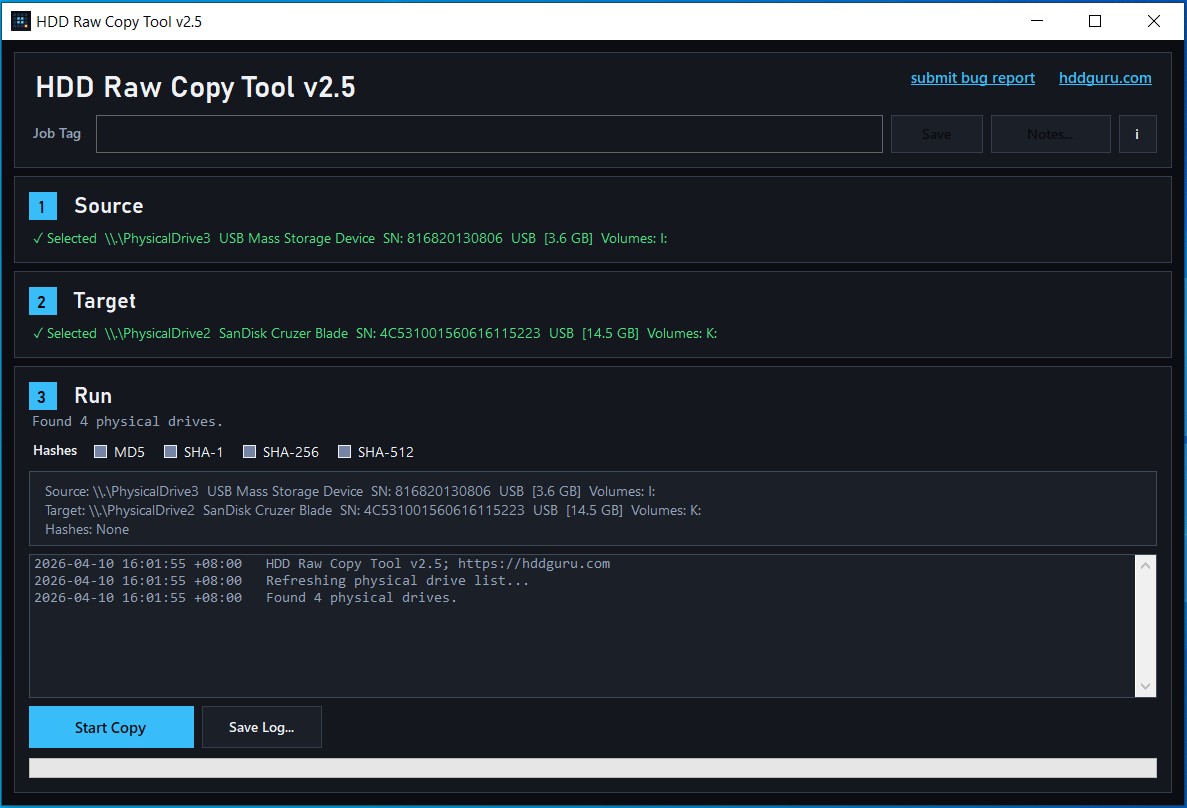
#5. HDD Raw Copy Tool: Bit-Level Copy Solution
HDD Raw Copy Tool is a free, bit-level disk cloning and backup solution for Windows, designed for home users, corporate users, and digital forensic experts.
This tool works at the raw media level, copying sectors from the source media and writing them to another device or an image file.
This indicates everything, including partition tables, boot records, hidden partitions, and file system metadata, is captured. This mode ensures high data integrity, making it a practical choice for backup, migration, recovery, and forensic work.
Key Features
- Creates an exact copy of the entire SD card at the bit level.
- Saves the SD card as a raw image file on another drive.
- Capable of cloning an SD card with bad sectors since it reads raw data.
- Supports a wide range of interfaces and media, including SSDs, HDDs, USB external drive enclosures, and flash media through a card reader (SD/MMC, MemoryStick, and CompactFlash).
- Doesn’t depend on the operating system and file system on the source media, indicating it can clone cards formatted for Windows, Mac, or Linux.
Pros and Cons
Pros
1. Copies every byte of SD cards, ensuring cloning accuracy.
2. Works independently of the operating system and file system.
3. Skips bad sectors during cloning.
4. Completely free to use, with both installer and portable versions available.
Cons
1. The cloning process is slow due to bit-level copying.
2. Unallocated space is left when cloning to a larger SD card.
3. Advanced features are not supported, such as partition resizing.
4. The software doesn’t support cloning to a smaller card.
Personal Experience
HDD Raw Copy Tool is a lightweight, free SD card clone software, effectively creating an exact 1:1 replica of your cards.
It provides both a Windows installer for standard use and a portable version without installation, presenting greater flexibility.
The interface is easy to use, though it lacks advanced options, with a minimalist ‘Source-to-Target’ wizard that is accessible even to beginners.
However, cloning to a larger card often leaves unallocated space, requiring a manual adjustment. The process can take a long time to complete due to the sector-by-sector approach.
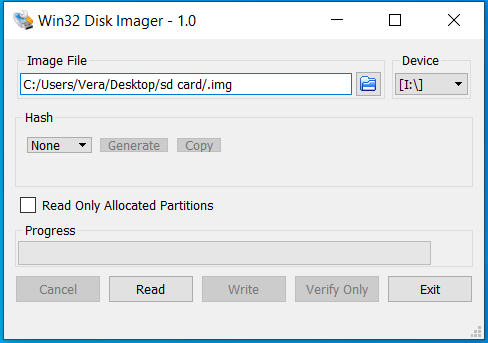
#6. Win32 Disk Imager: Lightweight Image-Based Cloning
Win32 Disk Imager is a free, lightweight, and image-based cloning tool. It is specially designed to write bit-for-bit raw disk images to removable storage devices for an exact clone. This makes it particularly suitable for duplicating SD cards in devices like the Raspberry Pi.
This SD card copier can be compatible with Windows XP, 7, 8.1, 10, and 11, primarily utilized by embedded developers, professionals, and hobbyists.
Key Features
- Reads an existing SD card to create a .img file on your computer and writes the file to another card, providing a straightforward way to produce an exact clone.
- Works with SD, SDHC, and SDXC memory cards.
- Copies everything on the SD card, including boot sectors and partition layout, ensuring a bootable replica.
- Includes a read verification feature to confirm data integrity after writing the image.
- Skips unused sectors during read-back, reducing image size and improving overall efficiency.
Pros and Cons
Pros
1. Completely free and open-source.
2. Small footprint and quick to launch.
3. Provides a minimal interface with a simple read/write workflow.
Cons
1. No direct disk-to-disk cloning, focusing on image read/write.
2. Lacks advanced options like partition resizing.
3. Creates a huge image file equal to the full size of the card, regardless of how much data is actually used (e.g., 2GB used on a 64GB card).
Personal Experience
The installer of Win32 Disk Image is small, only 12MB, reducing download time and system resource usage.
After launching this SD card clone software, the simple interface offers a clear and straightforward read-and-write workflow, making the cloning process easy to follow.
However, this software lacks direct disk-to-disk cloning, requiring creating an image before writing it to another card, which adds extra steps.
Additionally, it produces large image files and lacks partition resizing functionality, making it best suited for simple use cases rather than complex cloning needs.
#7. BalenaEtcher: Cross-Platform Image Flashing
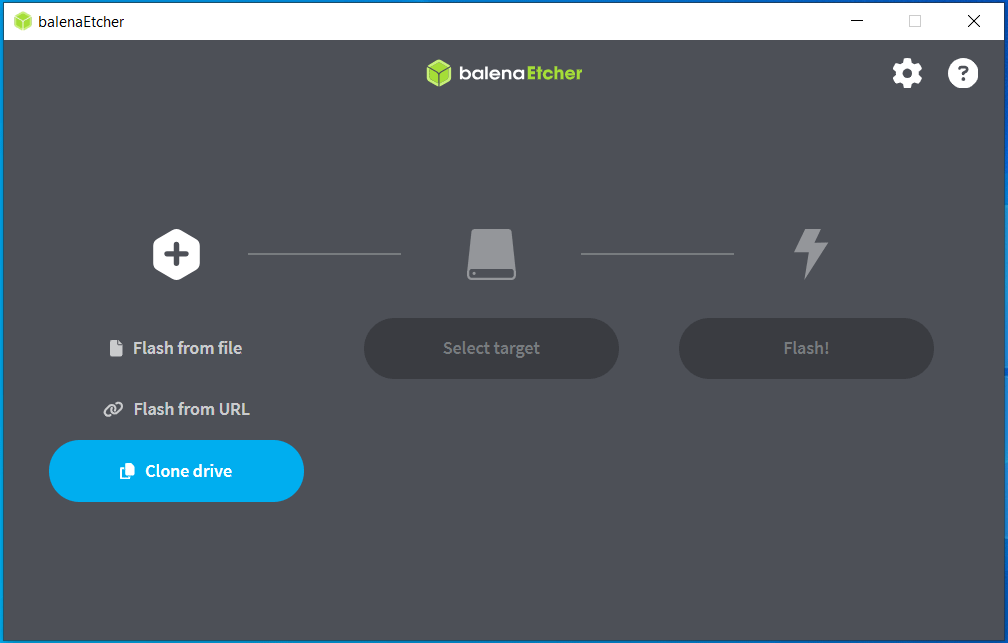
BalenaEtcher is a free, cross-platform, and open-source utility designed to flash system images to USB flash drives and SD cards. Designed for beginners and developers, this tool can work with Windows, macOS, and Linux.
For its simple and reliable solution for SD card cloning and image writing, it is a viable choice for Raspberry PI and other embedded devices.
Key Features
- Writes image files (.img, iso, .zip) of operating systems to SD cards.
- Automatically verifies written data after flashing.
- Flashes compressed files directly without manual extraction, saving time and storage space.
- Offers the Clone drive feature to create an exact, bit-for-bit copy of an SD card.
- Hides system drives by default to reduce the risk of selecting the wrong drive.
Pros and Cons
Pros
1. Delivers a clean, modern interface with a simple 3-step workflow.
2. Supports multiple platforms, including Windows, macOS, and Linux.
3. Validates the written data to ensure cloning accuracy and reduce errors.
4. Remains open source and free to use.
Cons
1. Does not allow for resizing partitions or managing multiple partitions.
2. Imposes strict size requirements, requiring the target SD card to be equal to or larger than the source card.
3. Leaves unallocated space on the target card when cloning to a larger one.
Personal Experience
Using balenaEtcher to clone an SD card to another one is a smooth experience thanks to its minimalist, intuitive interface. It provides a streamlined process: select image, select target, and flash, making it a preferred choice for cloning bootable SD cards.
One of its standout advantages is its exceptional cross-platform compatibility, as it can run consistently on Linux, Windows, and macOS. Moreover, the tool enhances safety by hiding system drives, reducing the risk of accidental overwrites.
During cloning, this SD card clone software doesn’t provide options to resize partitions. After cloning to a larger card, unallocated space is left, requiring manual setup. In addition, the target drive must be at least as large as the source.
SD Card Cloning Software: Comparison Table
| Tool | Ease of Use | Key Strengths | Limitations | Best for |
| MiniTool ShadowMaker | Easy. | Disk imaging backup and disk cloning (sector-by-sector). | System disk cloning often requires the Pro edition. | General users who need backup and cloning. |
| DiskGenius | Moderate. | Partition management and system/disk/partition cloning. | Interface requires a steep learning curve. | Advanced users need control. |
| Halseo Disk Clone | Easy. | Free, comprehensive cloning methods. | NTFS-only Delta Clone; WinPE needed for SD card cloning. | Beginners require free full-feature cloning. |
| Macrium Reflect | Moderate. | Professional-grade features, including Rapid Delta Cloning, Forensic Sector Copy, and Intelligent Sector Copy. | Advanced features come at a cost; some complexity for first-time users. | Professional & advanced users. |
| HDD Raw Copy Tool | Easy. | Skips bad sectors, portable, no installation needed. | No partition adjustment for cloning. | Advanced users require forensic/exact SD card cloning. |
| Win32 Disk Imager | Easy. | Bit-for-bit raw image reading and writing. | No direct cloning; large image files. | Raspberry Pi & Retro gamers. |
| balenaEtcher | Easy. | Clean user interface, cross-platform. | No advanced features for cloning. | Beginners need OS flashing. |
Final Verdict
The 7 SD card clone software reviewed here has key features, pros, and cons, catering to a wide range of user needs.
MiniTool ShadowMaker and Hasleo Disk Clone offer a straightforward interface and solid performance in cloning for general users. For more advanced tasks, choose Macrium Reflect and DiskGenius, which provide greater flexibility and control.
HDD Raw Copy Tool excels in creating exact, bit-level duplication. Win32 Disk Imager and balenaEtcher are suitable for simple, image-based cloning, especially for Raspberry PI.
SD Card Clone Software FAQ
About The Author

Position: Columnist
Vera has been working at the MiniTool Team for over 10 years as a technical editor and content writer. She mainly focuses on disk and partition management, data recovery, Windows backup and restore, and PC troubleshooting. Through in-depth software testing and hands-on experience, she has helped users solve a wide range of computer problems and better protect their data on Windows devices.
User Comments :