
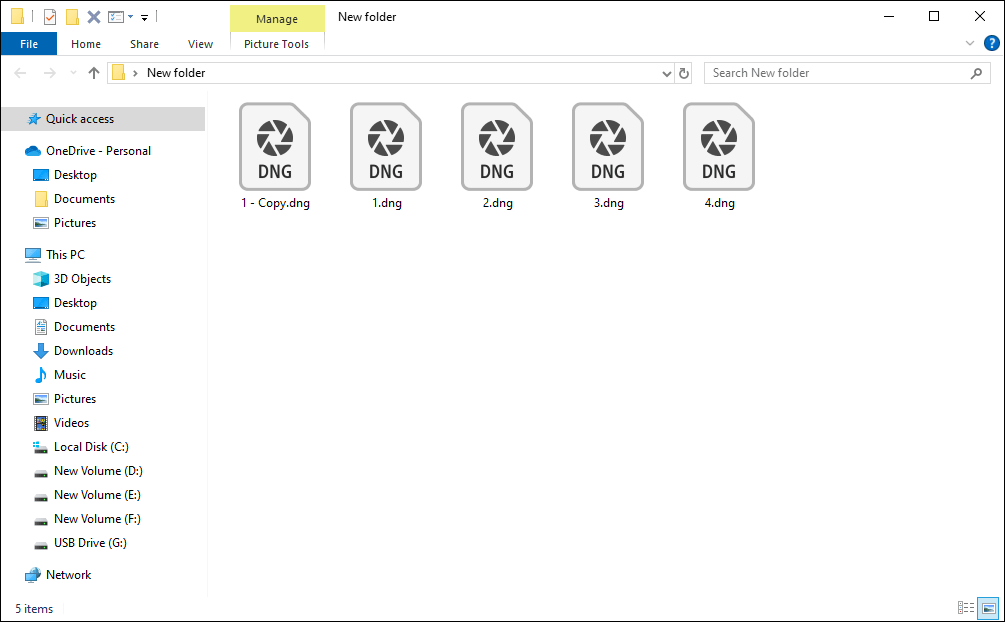
DNG, referring to Digital Negative, is a RAW file format used to store uncompressed file data for digital photographers. People tend to save pictures in the DNG file format due to its wide compatibility. However, it is annoying to encounter the DNG files not displaying as thumbnails issue.
This problem might be triggered by an incompatible operating system, improper settings, not enough system resources, etc. Read the following content and try the introduced methods to resolve the problem.
Solution 1: Install RAW Image Extension
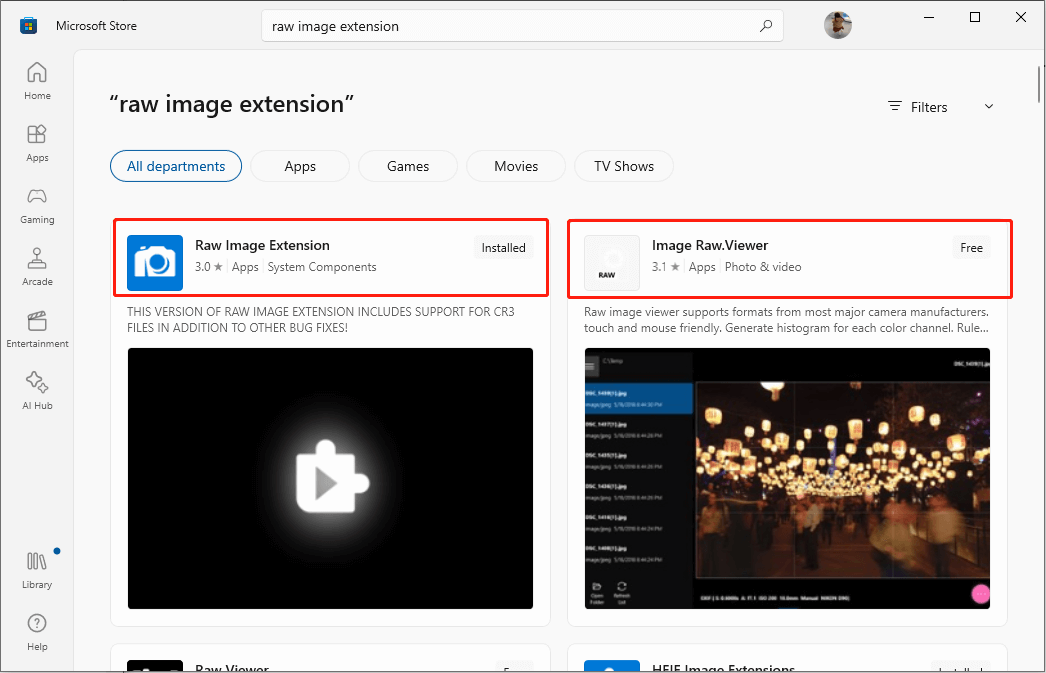
Files with the DNG file extensions are RAW files. DNG files not showing thumbnails probably because the Windows operating system doesn’t support them. You can try to install the RAW Image Extension from Microsoft Store to address this problem.
Step 1: Type Microsoft Store into the Windows search bar and hit Enter to open it.
Step 2: Type RAW Image Extension into the search bar, then press Enter to locate the system component.
Step 3: Click Get to install this app.
Alternatively, you can get the Image Raw. Viewer to have a try. This app supports plenty of RAW formats, such as ARW, NEF, PEF, DNG…
Afterward, go to check if the DNG thumbnails appear. If the problem persists, please move on to the next method.
Solution 2: Configure Visual Settings
DNG files preview not loading happens if you have disabled the display of thumbnails. Follow the steps below to configure visual settings.
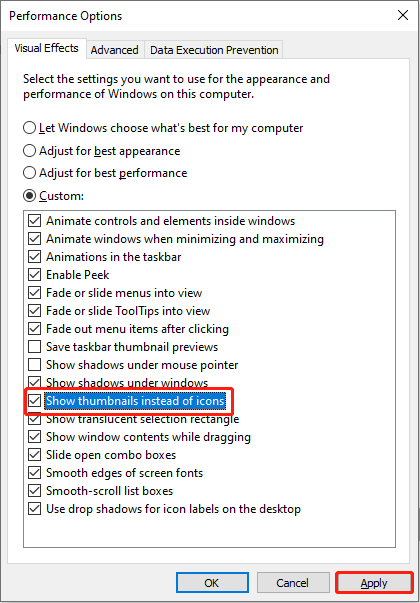
Step 1: Type Adjust the appearance and performance of Windows in the Windows search bar and hit Enter to open the Performance Options window.
Step 2: Make sure the Show thumbnails instead of icons option is checked. If not, select it and click Apply to save the change.
Step 3: Press Win + E to open File Explorer.
Step 4: Select View on the top toolkit, then choose Options.

Step 5: Uncheck Display file icon on thumbnails under the View tab and click Apply.
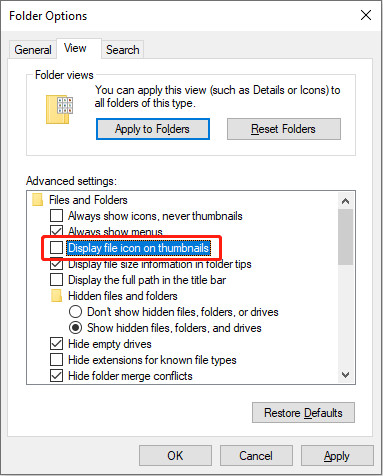
If you find both the two options are unchecked by default, try the next solution.
Solution 3: Rebuild the Thumbnail Cache
Another method is to clear thumbnail cache and rebuild it by restarting your computer. This method works if the DNG files not displaying as thumbnails issue is caused by insufficient system resources.
Step 1: Press Win + R to open the Run window.
Step 2: Type cmd into the box and press Shift + Ctrl + Enter to run Command Prompt as administrator.
Step 3: Type del /f /q %localapdata%\Microsoft\Windows\Explorer\ThumbCache* and press Enter.
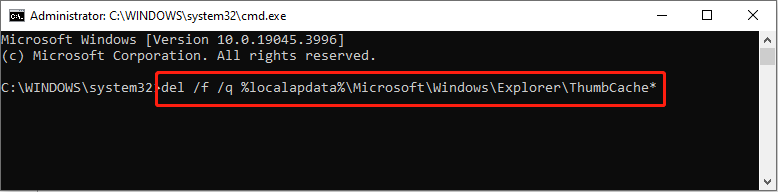
After this, restart your computer. The computer will rebuild the thumbnail cache during the boot process.
Solution 4: Convert DNG Files to Other Formats
The last method is converting DNG files to other image formats such as JEPG. If you’re not necessarily in pursuit of extremely high-quality images, you can convert DNG files to other common image formats.
MiniTool Power Data Recovery FreeClick to Download100%Clean & Safe
Final Words
To sum up, DNG files not displaying as thumbnails is a simple problem. You can attempt to fix missing DNG thumbnails with the methods above. Try them one by one to see which one works in your situation.
User Comments :