
Many Windows 11 users report that they are forced to sign in to work or school account during setup when they try to install the system. This post from MiniTool teaches you how to continue to install Windows 11 without a Microsoft account.
Microsoft announced in February 2022 that a new setup and first run of Windows 11 Pro would require a Microsoft account. Previously, only Windows 11 Home required customers to sign in or create a Microsoft account the first time they ran the system.
Many users say that they don’t want to be forced to sign in to work or school account during setup when installing Windows 11 on their newly purchased PC. The following are solutions:
Way 1: Use OOBE\BYPASSNRO
How to bypass the Microsoft account requirement during Windows 11 setup? You can do that by using the OOBE\BYPASSNRO command in Command Prompt. Here is how to do that:
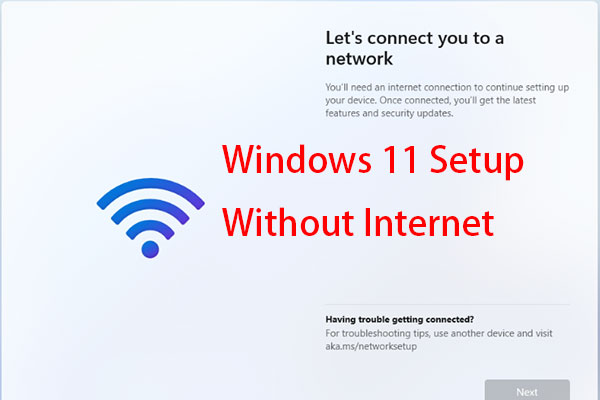
1. Start a new Windows 11 installation. On the Let’s connect you to a network screen, press the Shift + F10 keys together to open Command Prompt.
2. Type the following command and press the Enter key.
OOBE\BYPASSNRO

3. Then, your Windows will restart and you need to follow the on-screen instructions to continue the setup. When you are in the Let’s connect you to a network screen, you can click the I don’t have internet option.
4. Net, you can continue to set up a local username, password, and security questions.
Way 2: Use Rufus
How to bypass “forced to sign in to work or school account during setup”? Insert a USB Flash drive into a PC that can boot normally. Make sure that USB has at least 8 GB.
1. Download Rufus from the official website. Then, run it to enter its main interface.
2. In the Boot selection part, click the dropdown and select DOWNLOAD.
3. Then, you need to choose the version, release edition, language, and architecture. Click Download.

4. Once the download completes, the boot selection will be automatically the ISO file that just downloaded and you can click START to continue.
5. Then, it will ask you to customize Windows installation. You need to check the Remove requirements for an online Microsoft account option.

6. Then, you can use the ISO image to install Windows 11 and you will not be asked to sign in to work or school account during setup.
MiniTool ShadowMaker TrialClick to Download100%Clean & Safe
Final Words
How to bypass forced to sign in to work or school account during setup? How to install Windows 11 without a Microsoft account? This post provides 2 ways for you. You can also choose to clone the disk and you don’t need to set up Windows 11.
User Comments :