
The current verification systems on Twitter may confuse you because some parody accounts or impersonators are even verified as genuine ones. Now you can install Eight Dollars, an extension for browsers, and use it to verify users on Twitter. MiniTool Software will show you how to get Eight Dollars on Chrome, Firefox, and Edge.
You should know that Twitter was purchased by Elon Musk. Now, Twitter is not stable as before because it is in the era of the old and the new. This social media platform has run into many issues due to this. For example, Twitter has two verification systems now. But only one can verify the legitimate accounts.
At present, Twitter Blue subscribers have a checkmark next to their accounts. However, there are many parody accounts or impersonators. Twitter even gives these fake accounts a check mark. It’s unscientific.
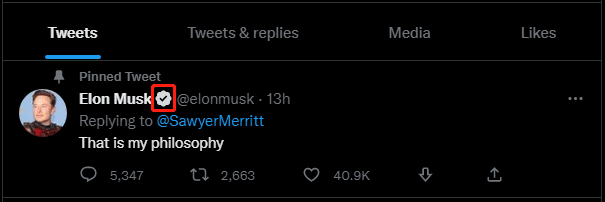
On the other hand, some genuine brands have an official badge to help verify it, but that only appears in certain areas of Twitter. This may confuse other users.
To help users verify Twitter accounts, a new extension appears. It is called Eight Dollars. It can tell you the differences between Twitter Blue check marks and verified accounts.
About Eight Dollars
Eight Dollars is a new extension for browsers. It can tell the difference between actual verified accounts and Twitter blue users. It can also help Twitter users differentiate between users that paid for verification and users that were given Twitter Verification.
Now, this extension is available on both Google Chrome and Firefox. But Edge users can also get it with some extra steps.
How to Install Eight Dollars on Chrome, Firefox, and Edge?
In this part, we will show you how to get Eight Dollars on Google Chrome, Mozilla Firefox, and Microsoft Edge.
How to Install Eight Dollars on Chrome?
Step 1: Open Chrome.
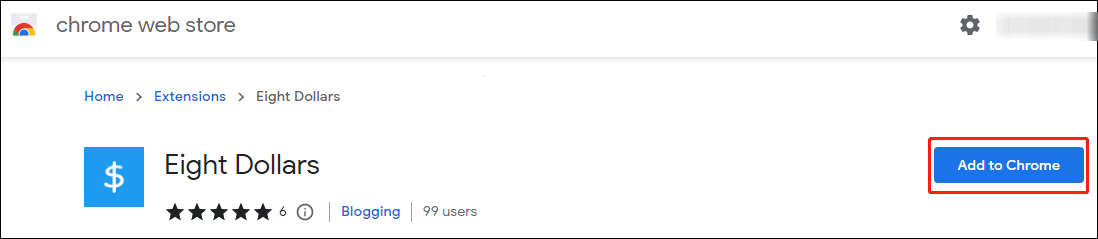
Step 2: Go to Eight Dollars extension for Chrome add page.
Step 3: Click the Add to Chrome button.
Step 4: Click Add extension on the pop-up window.
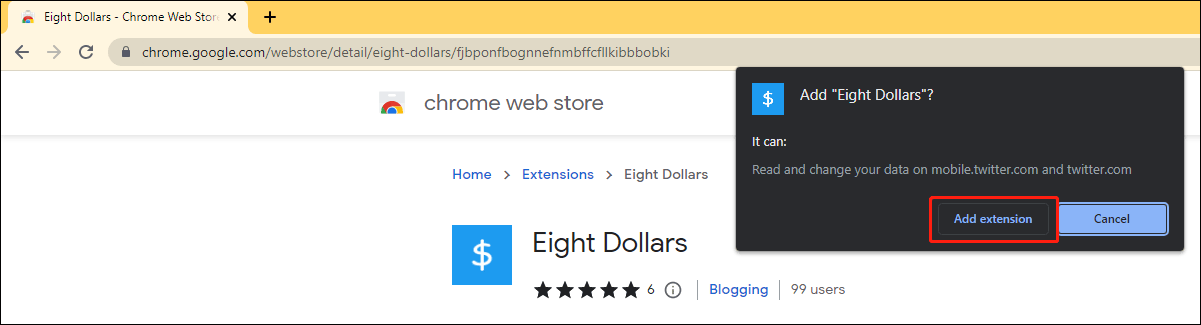
The Eight Dollars extension will be installed on Chrome immediately. It will be turned on by default.
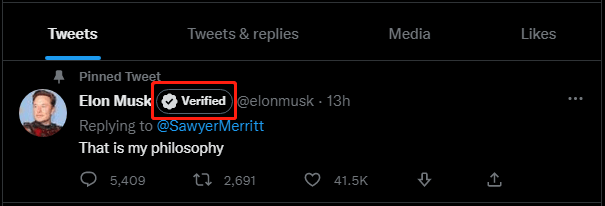
Now, you can refresh your Twitter page and see the checkmark becomes a mark with the word “Verified”. The following is an example.
How to Install Eight Dollars on Firefox?
If you want to get Eight Dollars on Firefox, you can use these steps:
Step 1: Open Firefox
Step 2: Go to Eight Dollars extension for Firefox add page.
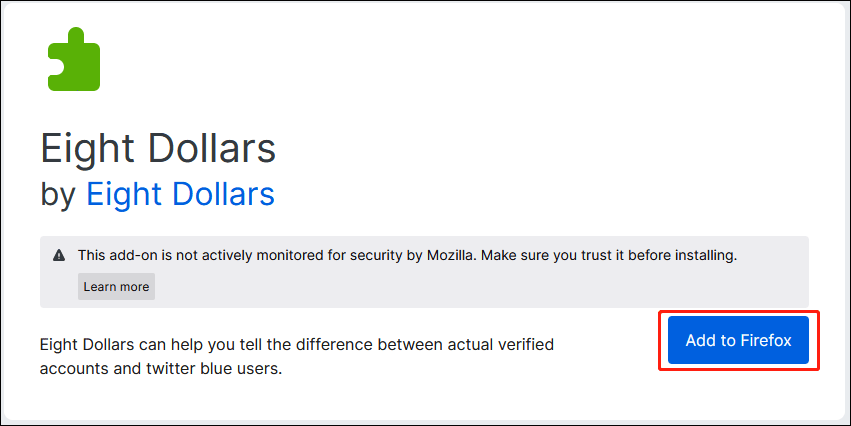
Step 3: Click the Add to Firefox button.
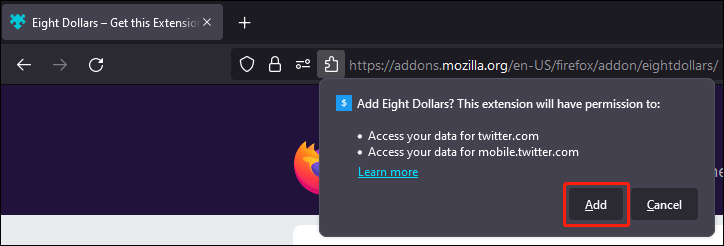
Step 4: Click the Add button on the pop-up window.
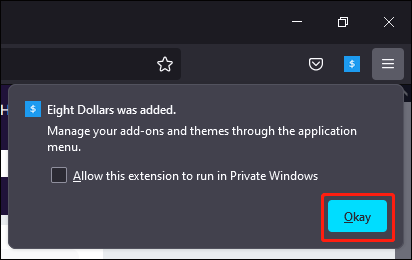
Step 5: Click Okay.
How to Install Eight Dollars on Edge?
If you want to install Eight Dollars on Edge, you need to first enable the developer mode, then download the extension from GitHub for further installation.
Step 1: Open Edge.
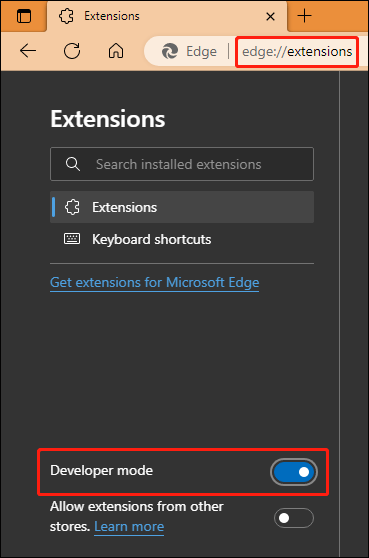
Step 2: Go to edge://extensions.
Step 3: Turn on the button next to Developer mode (on the left menu). This is to enable the developer mode.
Step 4: Download the Eight Dollars zip file from GitHub.
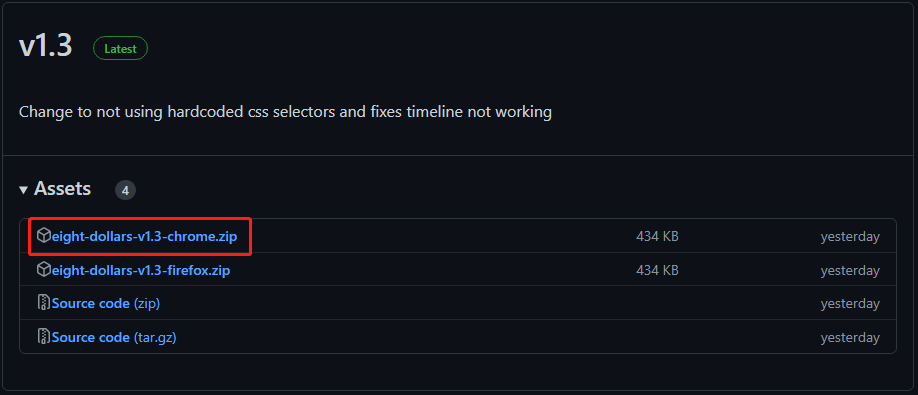
Step 5: Extract the downloaded folder to a location and you should remember the location.
Step 6: Go to edge://extensions again.
Step 7: Click Load unpacked.
Step 8: Select the Eight Dollars folder from your computer.
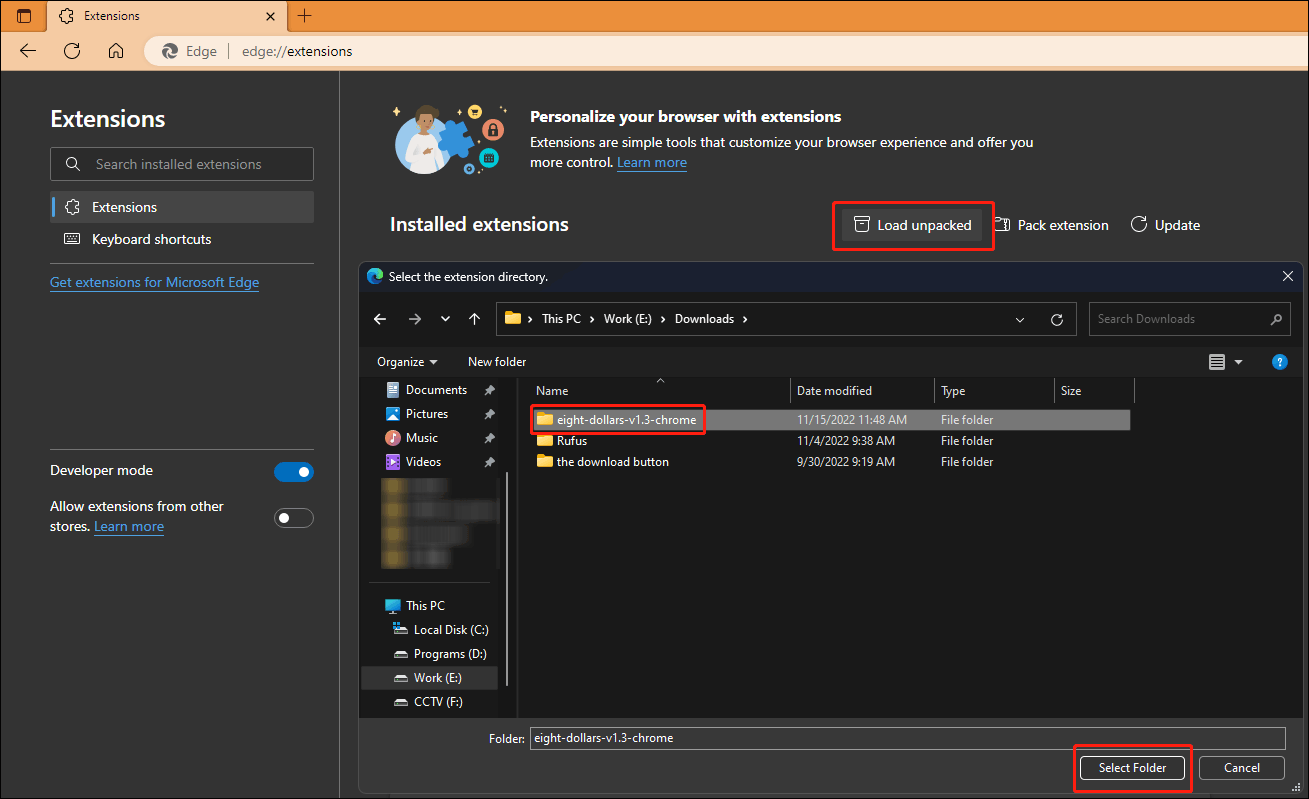
After these steps, the Eight Dollars extension will be installed on Edge and it is also enabled by default.

Bottom Line
These are the methods to install the Eight Dollars extension on Chrome, Firefox, and Edge. You can select a method according to the web browser you are using. Besides, Twitter may take measures to solve the account verification issue in the future. But we don’t when.
Should you have other related issues to be fixed, you can let us know in the comments.
About The Author

Position: Columnist
Stella has been working in MiniTool Software as an English Editor for more than 8 years. Her articles mainly cover the fields of data recovery including storage media data recovery, phone data recovery, and photo recovery, videos download, partition management, and video & audio format conversions.
User Comments :