
Microsoft has released a new version of Windows Template Studio and it comes to the new version 2.5. And some new changes of the Windows Template Studio 2.5 will be listed in the following paragraphs. Keep on your reading.
Microsoft Launches the Windows Template Studio 2.5
What Is Windows Template Studio?
Windows Template Studio, also called WTS, is a Visual Studio 2017 Extension which can be used to increase the creation of the new Universal Windows Platform apps using a wizard-based experience. The resulting UWP project is a well-formed, readable code that incorporates the latest Windows 10 features while implementing proven patterns and best practices.
The Windows Template Studio was first launched in 2017. And you can click here to get more basic information about the Windows Template Studio.
New Changes Windows Template Studio2.5
Microsoft is always working on to improve its feature since it has been released. And recently, the new version 2.5 Windows Template Studio has been released, which will bring a few improvements of the Windows Template Studio compared with the previous one.
And the changes are listed in the following.
- Improve the startup time splitting templates by platform or language.
- Improve guidance on Suspend and Resume feature.
- Support for VS 2019.
- Fix some bugs.
- Navigation View uses WinUI Library.
- Pages updated with current Fluent guidance.
There are the main changes in the Windows Template Studio2.5. However, Microsoft also has increased some improvements of the multiple ink pages and a page for data grids from the Windows Community Toolkit. For example, it has upgraded the platform version to 10.0.17763.0 and min target version to 10.0.17134.0. The Adaptive Cards has been increased to 1.1.0.
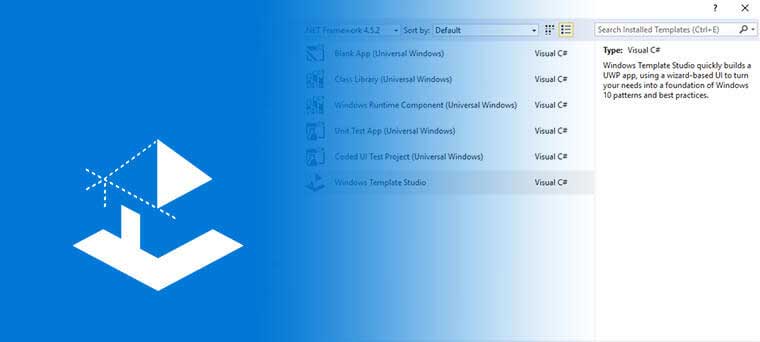
So, with these new features, you can upgrade your previous one to the Windows Template Studio 2.5. We believe you can get some extraordinary experience from the new version Windows Template Studio. And if you already have the Windows Template Studio, it will update to the Windows Template Studio 2.5 automatically. If you don’t have it yet, you can get it from Visual Studio Marketplace.
However, there is one thing you need to pay attention to. Updating sometimes would give rise to data loss. So in order to keep data safe, you had better create a backup image before updating to the Windows Template Studio 2.5 so that you even can use the backup image to perform some recovery solutions when some accidents happen. Here, the professional Windows backup software – MiniTool ShadowMaker is recommended.
Besides these improvements of Windows Template Studio 2.5, Microsoft also claims that they will make some changes in the future release, such as:
- Support multiple projects in a single solution.
- Identity Login.
- Improve Visual Studio VS2019 support.
- Adaptive Grid page
- More…
It would be an expecting thing the release of the new version of the Windows Template Studio. And if you are interested in this Windows Template Studio 2.5, you can get one and have a try.
Final Words
After reading this post, you can get the main information that Microsoft has launched the Windows Template Studio 2. And it has brought some new improvements in this new version. Before updating to the new one, please remember backing up your data firstly by using MiniTool ShadowMaker.
User Comments :