
When performing system restore, you may encounter the issue of to use system restore you must specify which Windows installation to restore. However, this post from MiniTool will show you how to solve it.
You may encounter the error of to use system restore, you must specify which Windows installation to restore. This system restore error may be caused by the corrupted files in the system or the corrupted BCD files.
When encountering this error, you can’t perform system restore successfully. And in the following section, we will show how to solve the issue of to use system restore you must specify which Windows installation to restore.
Solution 1. Run Chkdsk
In the first, we will show you the first way to fix the error of rstrui exe you must specify which Windows installation to restore. In this way, you can check disk first.
Now, here is the tutorial.
Step 1: Boot your computer from the Windows installation media, then click Repair your computer to continue. After entering Windows Recovery Environment, click Troubleshoot > Advanced Options > Command Prompt to continue.
Step 2: Then input the command chkdsk C: /offlinescanandfix and hit Enter to continue. (The C represents the drive letter.)
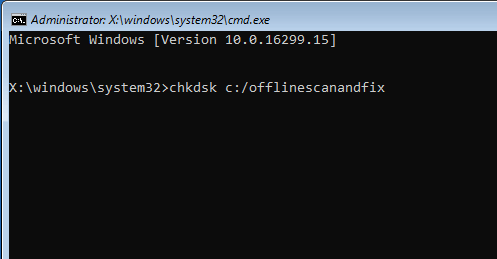
When all steps are finished, reboot your computer and check whether the issue of to use system restore you must specify which Windows installation to restore is solved.
If this solution is not effective, try the following solutions.
Solution 2. Run System File Checker
The second solution to fix the issue of rstrui exe you must specify which Windows installation to restore is to run System File Checker. In this way, you can scan and fix the corrupted system files.
Now, here is the tutorial.
Step 1: Boot from the bootable media and open Command Prompt as the way mentioned in the above part.
Step 2: Then type the commands to know your system’s drive.
cd /
Dir
If you see ‘User’s’ folder in the list, this means it is your system drive. If not, change your drive by giving the alphabet of your volume.
Step 3: Then input the following command and hit Enter to continue.
sfc /scannow /offbootdir=C:\ /offwindir=C:\Windows
When it is finished, you can reboot your computer and check whether the issue of to use system restore you must specify which Windows installation to restore is solved.
Related article: Quickly Fix – SFC Scannow Not Working (Focus on 2 Cases)
Solution 3. Run DISM Tool
The third solution to fix the issue of to use system restore you must specify which Windows installation to restore you must always restore the drive that contains Windows is to run DISM tool.
Now, here is the tutorial.
Step 1: Boot your computer from the Windows installation media, then open Command Prompt as the way mentioned in the above part.
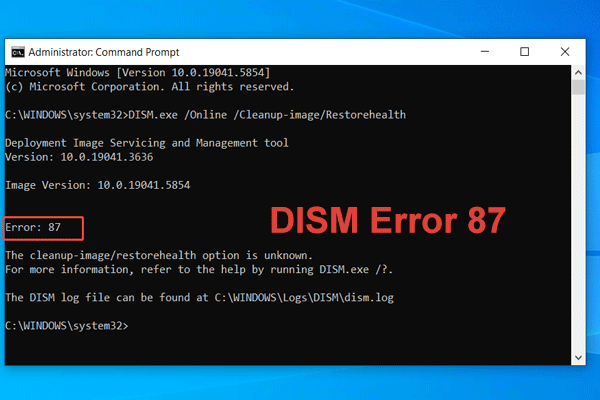
Step 2: In the Command Prompt window, type the command DISM /Image:C:\Windows /Cleanup-Image /RestoreHealth /Source:esd:E:\Sources\Install.esd:1 /limitaccess and hit Enter to continue. Here E is the drive letter of USB drive. You can change it if there is a need.
When it is finished, reboot your computer and check whether the issue of to use system restore you must specify which Windows installation to restore is solved.
Solution 4. Repair BCD Corruption
As we have mentioned in the above section, this system restore error may be caused by the corrupted BCD files. So, in order to solve it, you can repair BCD corruption.
Now, here is the tutorial.
Step 1: Boot your computer from the installation media, then open Command Prompt as the way mentioned in the above section.
Step 2: In the pop-up window, type the following command:
Bootrec /Fixmbr
Bootrec /FixBoot
Bootrec /RebuildBCD
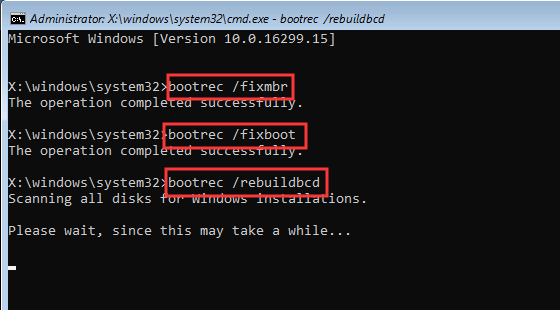
When it is finished, reboot your computer and check whether the issue of to use system restore you must specify which Windows installation to restore is solved.
Related article: Step-by-Step Guide to Repair and Fix MBR Windows 7/8/8.1/10
Solution 5. Run Automatic Repair
If the above solution is not effective, you can try running automatic repair.
Now, here is the tutorial.
Step 1: Boot your computer from the installation media, click Repair your computer, then go to the Windows Recovery Environment.
Step 2: Then choose Troubleshoot > Advanced Options > Startup Repair to continue.
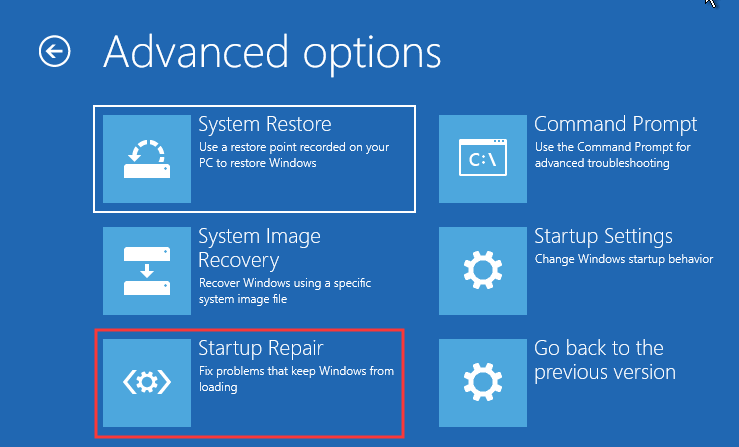
Then it will fix problems. When it is finished, reboot your computer and check whether the issue of rstrui exe you must specify which Windows installation to restore is solved.
As a matter of fact, besides the system restore point, you can also create a system image to keep your PC safe. What’s more, you can use the system image to restore your computer to a previous state when there is a need. And you will not encounter this issue of to use system restore you must specify which Windows installation to restore or other system restore errors.
Final Words
To sum up, this post has introduced what may cause the issue of to use system restore you must specify which Windows installation to restore and how to fix it. If you encounter the same issue, try these solutions.
User Comments :