
Best Black Friday SSD Deals 2018
I’ll talk about the best Black Friday SSD deals 2018 to help you figure out which SSD is the most suitable for you.
Buying Guide for SSD
Before purchasing, you should ask yourself 3 questions.
Question 1: which type of SSD is best for me, SATA or NVMe?
You have to figure out the sort of drive you want based on your needs. The 2.5-inch SATA drives and NVMe M.2 drives are two popular kinds.
- 5-inch SATA drives: the 2.5-inch SATA drives have high compatibility (they work well on PCs, games consoles and USB 3.0 enclosures for portable use). Besides, they offer wonderful bang-for-the-buck. Yet, the downside is that the sequential speeds of them are only about 550MB/s.
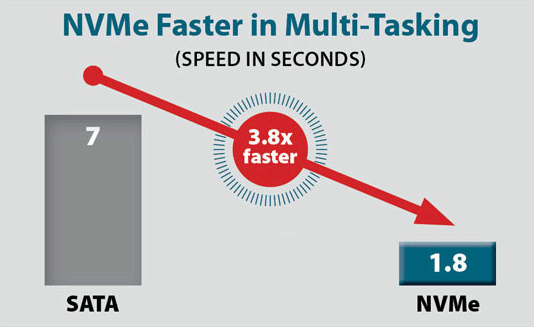
- NVMe M.2 drives: in general, the sequential speeds of NVMe M.2 drives are at least two times faster than that of SATA drives. Besides, they offer better performance at a higher price. Yet, they have poor compatibility – most computers don’t give support to the high-speed NVMe standard and the small M.2 form factor. So, you must check your PC or devices first to see whether an NVMe M.2 SSD is supported.
Question 2: how much memory do I need for SSD?
The price of SSD is getting slower, making it affordable for more ordinary people (though it’s still much expensive than the traditional HDD). This happens due to the recent drops in flash memory prices.
Having an SSD with large capacity brings many benefits, including:
- You don’t need to uninstall games or move media & downloads to a mechanical HDD frequently in order to release free space on SSD.
- A large capacity SSD is slightly faster than a small capacity SSD.
- The service life of an SSD with large capacity is a bit longer.
Yet, larger capacity means more money; you have to balance it.
- In a general way, a 240GB drive is actually a good starting point for most people.
- For game lovers and people who have media collection, a 480GB drive is a better choice.
- Yet, if you want to keep the SSD for a long time, a 1TB SSD is almost the largest drive you can get before the price starts rising.
Question 3: do I need to install an SSD to PS4 to improve loading speed?
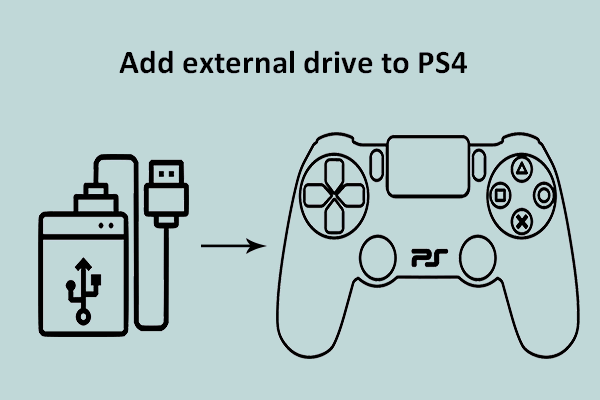
If the capacity of the internal hard drive on PS4 or PS4 Pro is not sufficient, it will affect the performance. So you may need to add an SSD to PS4/PS4 Pro.
Here’s how to add external hard drive to PS4:
Black Friday’s Hot Products
- Samsung 860 Evo 1TB + Assassin’s Creed Odyssey for £160 (was £237): it is one of the public’s favorite SATA SSDs. Now, it’s good chance to get a 1TB model over on Ebuyer.
- ADATA XPG SX8200 480GB NVMe SSD for £103 (was £117)/960GB for £212 (was £299): it is one of the fastest models of ADATA drives and it is now available for a low price.
- WD Black 500GB NVMe SSD for £104 (was £230)/1TB for £200 (was £400): as a strong NVMe SSD, its speed is obviously faster than a standard SATA SSD.
- Crucial MX500 1TB SATA SSD for £130 (was £144): after balancing the drive performance and price, it is regarded as one of the best SATA SSDs.
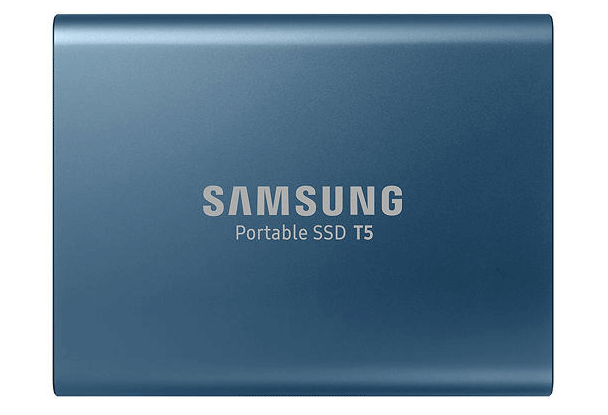
- Samsung T5 portable SSD 250GB for $80 (was $130): it is an extremely fast portable SSD.
- Samsung 860 EVO 500GB for $73 (was $110): it is a good choice for people who needs a 2.5-inch SATA SSD to reduce Windows boot times and improve game load times.
- Samsung 970 Evo 500GB for $117 (was $150): this SSD is recommended to most people due to its good reliability and performance.
Of course, there are many other products worth buying; you are expected to discover yourself.
User Comments :