
Similar to the original Switch, you also have the option to archive your digital game saves on a microSD card to free up additional space on Nintendo Switch 2.
However, standard microSD cards will not function for gaming purposes on the Nintendo Switch 2; putting one into the Nintendo Switch 2 will only display your captured screenshots and video clips.
If you plan to download more games than what the console’s 256 GB of internal memory can hold, you will eventually need to purchase a microSD Express card.
Therefore, the following questions may arise:
- What is the microSD Express card?
- What are the best microSD Express cards for Nintendo Switch 2?
- What requirements need to be met for the Nintendo Switch 2 microSD Express cards?
First, check the must-know information for a microSD Express card.
About the microSD Express Card
A microSD Express card is a more advanced and quicker version of a microSD card that utilizes the PCIe and NVMe interface, representing a major enhancement.
MicroSD Express is crucial for Nintendo Switch 2, offering speeds nearly four times higher than standard microSD cards, reaching close to 900 MB/s.
This performance can surpass many 2.5-inch SSDs in gaming PCs, leading to significantly faster game loading times and data transfers.
Important Considerations for Nintendo Switch 2 microSD Express Cards
Before learning about the best microSD Express cards for the Nintendo Switch 2, below are some key things you should know:
| Capacity | Choose a size that suits your needs. The Nintendo Switch 2 has 256 GB of internal storage and supports a microSD Express card of 256 GB or more for a larger game library. |
| Speed | Look for the maximum read and write speeds, particularly for substantial game downloads. |
| Brand reputation | Choose well-regarded brands like Lexar, SanDisk, or Samsung to guarantee quality and reliability. |
| “Express” technology | To play games from the card, you must use a “microSD Express” card, identifiable by an “EX” marking on the packaging. |
After learning the detailed information of Nintendo Switch 2 microSD cards, read on to look at the best microSD Express card options.
The Best microSD Express Cards for Nintendo Switch 2
Below are some of the best options for Nintendo Switch 2 microSD Express cards.
Best Overall
For the best overall option, Lexar’s 1 TB microSD Express cards offer enough storage for both indie and AAA games.
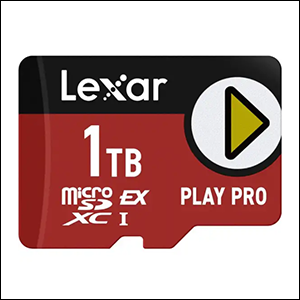
| Lexar Play Pro microSD Express Card | |
| Capacity | 256 GB, 512 GB, and 1 TB |
| Format | microSDXC Express (SD 7.1 form-factor) |
| Performance | Read: up to 900 MB/s |
| Write: up to 600 MB/s | |
| Warranty | Lifetime limited warranty |
| CONS | The priciest option |
Best Official
Option 1. SanDisk microSD Express Card
Throughout the years, SanDisk has become one of the most prolific SD card manufacturers, and it now offers a microSD Express card.
The SanDisk microSD Express card is a dependable option recognized for its steady and robust performance, supported by SanDisk’s esteemed reputation.
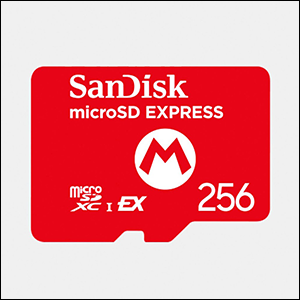
| SanDisk microSD Express Card | |
| Capacity | 128 GB, 256 GB, and 512 GB |
| Format | microSDXC Express |
| Max Sequential Read Speed | Up to 880 MB/s |
| Max Sequential Write Speed | For 256 GB and 512 GB: up to 650 MB/s |
| For 128 GB: up to 480 MB/s | |
| Warranty | Limited lifetime warranty |
Option 2. Samsung microSD Express Card
Samsung’s microSD Express card is the product that Nintendo is selling directly, which certainly adds to its credibility.
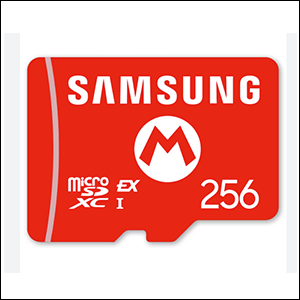
| Samsung microSD Express Card | |
| Capacity | 256 GB |
| Format | microSDXC Express (SD 7.1 form-factor) |
| Performance | SD Express mode: read speed up to 800 MB/s; write speed up to 400 MB/s |
| Standard UHS-I Mode: read speed up to 90 MB/s | |
| Warranty | Limited 3-year warranty |
Best Budget Option
Option 1. Onn microSD Express Card
Onn is Walmart’s budget technology brand. It serves as a solid budget-friendly alternative that remains a suitable option for the Switch 2.
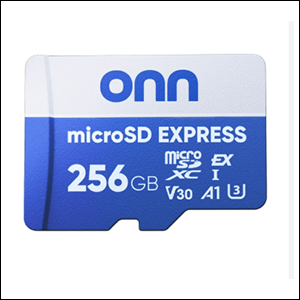
| Onn microSD Express Card | |
| Capacity | 256 GB and 512 GB |
| Format | microSDXC Express |
| Max Sequential Read Speed | Up to 800 MB/s |
| Max Sequential Write Speed | Up to 600 MB/s |
| CONS | The data transfer rates were a bit slower than the console |
Option 2. GameStop microSD Express Card
The GameStop microSD Express card is an excellent option, particularly with its 1 TB variant and approximately 800 MB/s read speed.
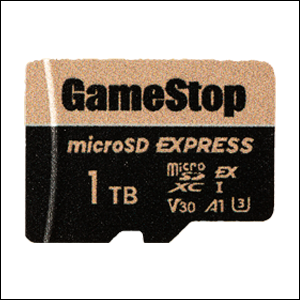
| GameStop microSD Express Card | |
| Capacity | 256 GB, 512 GB, and 1 TB |
| Format | microSDXC Express |
| Max Sequential Read Speed | Up to 800 MB/s |
| Max Sequential Write Speed | Up to 700 MB/s |
| Warranty | One-year warranty |
| CONS | The actual manufacturer is not specified publicly |
How to Format the microSD Express Card on Nintendo Switch 2
After buying a new microSD Express card, you may want to know how to format it. There are two methods to do it.
#1. Format the microSD Express Card on a Nintendo Switch 2 Console
Here’s the breakdown on how to format a microSD Express card on a Switch 2 console:
Step 1. Choose System Settings from the HOME Menu.
Step 2. Select System.
Step 3. Verify that your console has the most recent system version.
Step 4. Scroll down and choose Format microSD Card.
Step 5. If asked, type your Parental Controls PIN.
Step 6. Review the information displayed on the screen, then select Continue to move forward.
Step 7. Choose Format to confirm. The console will restart afterward.
#2. Format the microSD Express Card on a PC
Another SD card formatting method is formatting it on a computer. We highly recommend that you format a microSD Express card using the best SD card formatter – MiniTool Partition Wizard.
It provides file systems like NTFS, FAT32, exFAT, and Ext4, among others. Its user-friendly interface and wizards make the process easy for you.
MiniTool Partition Wizard FreeClick to Download100%Clean & Safe
Follow the steps to format your microSD Express card using MiniTool Partition Wizard.
Step 1. Connect your card to your PC and launch this tool.
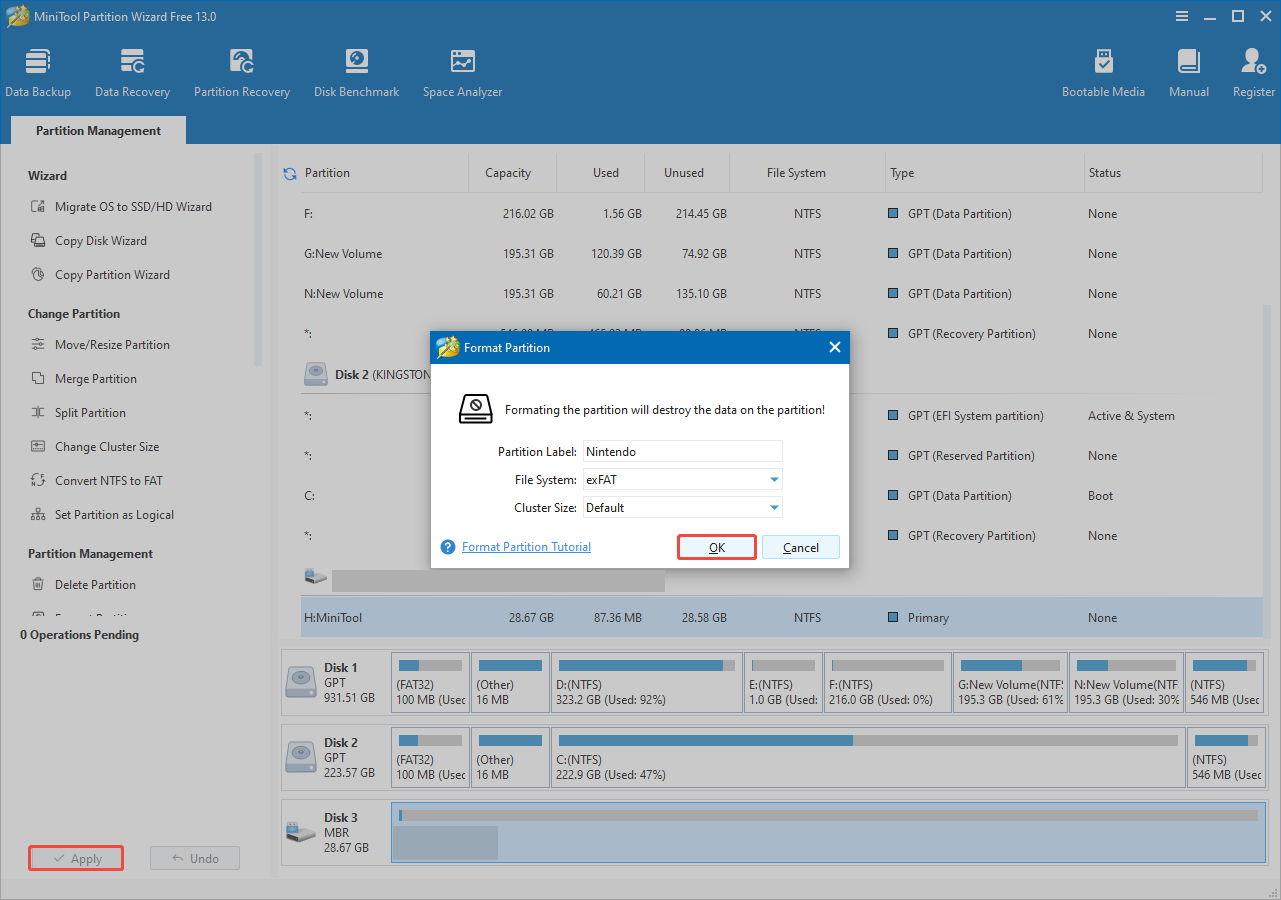
Step 2. In the main interface, right-click your microSD Express card, then click Format.
Step 3. In the pop-up window, specify the file system, partition label, and cluster size, and then click OK.
Step 4. Click Apply to start the format process.
How to Recover the Nintendo Switch 2 microSD Express Card Data
If you experience game data loss on the Nintendo Switch 2 microSD Express card, a reliable data recovery tool can help you fix this issue.
MiniTool Power Data Recovery is a free data recovery software that allows you to recover game data on Nintendo Switch 2 safely. Click the button below to get it and use it to recover 1 GB of files for free.
MiniTool Power Data Recovery FreeClick to Download100%Clean & Safe
Here’s how to recover Nintendo Switch 2 game data using this data recovery tool.
Step 1. Connect the microSD Express card to your computer and launch this tool.
Step 2. On its main interface, select your microSD Express card partition under the Logical Drives tab and click Scan.
Step 3. Once the scanning process is completed, use the Path, Type, Filter, or Search features to locate the wanted files.
Step 4. Tick the boxes of the desired files and click Save. In the pop-up window, choose a different location to save recovered files and click OK.
Bottom Line
To sum up, this article introduces the best microSD Express cards for Nintendo Switch 2, including Lexar, SanDisk, Samsung, Onn, and GameStop.
Additionally, we provide a powerful SD card formatter and a dependable data recovery tool to help you format your card and rescue game data.
If you have any questions or suggestions when using MiniTool tools, please feel free to send emails to [email protected].
User Comments :