
Recently, many users have asked “what is mDNSResponder.exe”? Many users report that mDNSResponder.exe affects the efficiency of their system. If you are one of them, don’t worry, this post from MiniTool introduces some information about mDNSResponder.exe for you.
You are setting up a Mac firewall, or just use Activity Monitor to check what is running, when you notice something mysterious is running: mDNSResponder.exe.
What Is MDNSResponder.exe
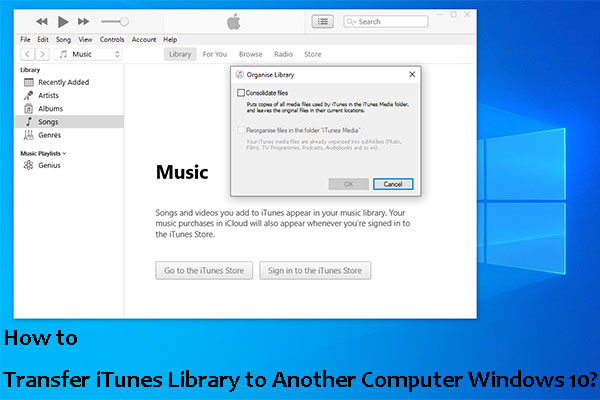
What is mDNSResponder.exe? MDNSResponder is the core part of the Bonjour protocol. Bonjour is Apple’s zero-configuration network service, which means the way Apple devices find each other on the network. Bonjour mDNSResponder.exe allows two computers on the same network to easily find each other, which means that the list of shared iTunes libraries is always up to date.
Bonjour mDNSResponder.exe not only supports iTunes sharing but also helps to populate the “shared” device list in the Finder. Bonjour also fills in the photo-sharing, Airplay compatible device list, and quickly finds printers.
If you are using a Mac firewall, you will see a pop-up window about mDNSResponder. Preventing this process from accessing the network will prevent Bonjour from working, making it more difficult for you to use the local network. In some cases, disabling Bonjour may prevent you from fully connecting to the Internet, so it is best to only allow mDNSResponder to access your network.
In most cases, you should not notice that mDNSResponder consumes a lot of CPU or memory. If you do, in most cases, restarting your Mac should solve the problem.
How to Uninstall MDNSResponder.exe
If you don’t use iTunes to share your library between computers or you are concerned that mDNSResponder.exe may make your system vulnerable to attack, you can uninstall it. Here is how to uninstall it.
Step 1: Press the Windows key + R key at the same time to open the Run box, then you should type appwiz.cpl and click OK to open the Programs and Features window.
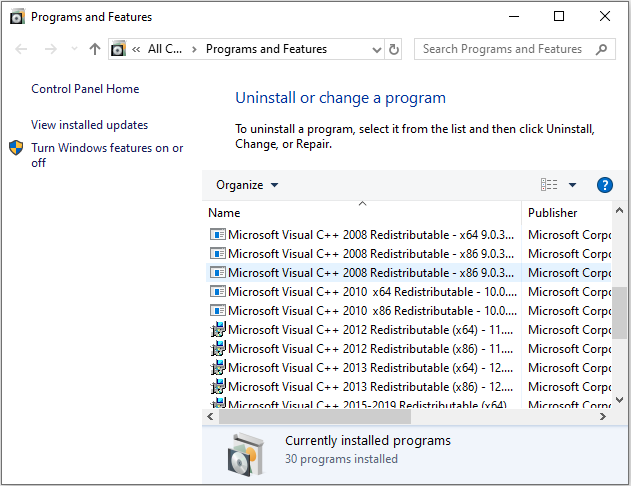
Step 2: In the Programs and Features window, navigate to mDNSResponder.exe. Then right-click it and choose Uninstall.
Then you have uninstalled mDNSResponder.exe successfully. Besides, you can try another method to remove it. You can follow the instructions below.
Step 1: You should open Task Manager again by pressing the Ctrl + Shift + Esc keys simultaneously.
Step 2: In the Task Manager window, you should click the Processes tab, scroll down, and find out the running process of the mDNSResponder.exe.
Step 3: Select it and then click End Task to terminate or stop the running process of the mDNSResponder.exe.
After terminating the running processes of the mDNSResponder.exe on your computer, you will remove the mDNSResponder.exe successfully.
Final Words
After you read this post, you may know the information on mDNSResponder.exe. Hope this post will be very helpful for you. If you have any related issues, you can comment on our post to let us know.
User Comments :