
Why PS Vita could not connect to PC? How to fix the issue if you meet it in Windows 10? PS Vita not connecting is a common annoying thing but you can try multiple ways to easily get rid of the trouble. Move to this post and you can find some troubleshooting tips offered by MiniTool.
PS Vita Could Not Connect to the Device or PC
PlayStation Vita, also known as PS Vita, is a handheld video game console from Sony. It has two models – PS Vita 1000 and 2000, and they have the same features but PS Vita 2000 has a smaller size and extended battery life.
To play games on a big screen, you can choose to connect PS Vita to your computer using a USB cable via Wi-Fi. However, the connection may fail and you may see a message to tell you that PS Vita could not connect to PC.
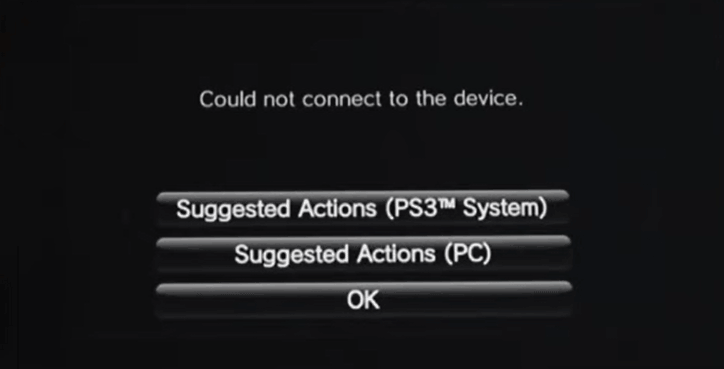
Many factors can trigger this issue, for example, outdated firmware/drivers, the Wi-Fi problem, router issue, etc. The good news is that PS Vita not connecting can be fixed via some methods and let’s go to try them one by one.
Fixes for PS Vita Could Not Connect to PC USB
Use CMA via Wi-Fi
If you cannot connect PS Vita to your PC via a USB cable, you can try other ways to connect it to the device. The first thing you can do is to use the Content Manager Assistant, CMA.
- On the screen of PS Vita, you can see a CMA icon and just click it to launch the game console.
- Just enable the Network Connection Settings on CMA to connect the console system and click the checkbox to set a checkmark.
- Choose (Content Manager) > [Copy Content] > (PC) > (Wi-Fi).
- Select [Add Device] and choose the computer you want to connect to the console system.
- Input the number displayed on the computer screen to the system to finish registration. Now, the connection is complete and you can play games on your PC.
Disable/Enable Wi-Fi or Flight Mode
Sometimes there is a problem with the Wi-Fi. You should check the wireless connection. Turn off flight mode and Wi-Fi. After 5-10 minutes, enable them again. Most times, this can fix the issue of PS Vita not connecting to PC.
Reset PS Vita
How to factory reset the game console to fix the issue – PS Vita won’t connect to PC? Follow the steps below.
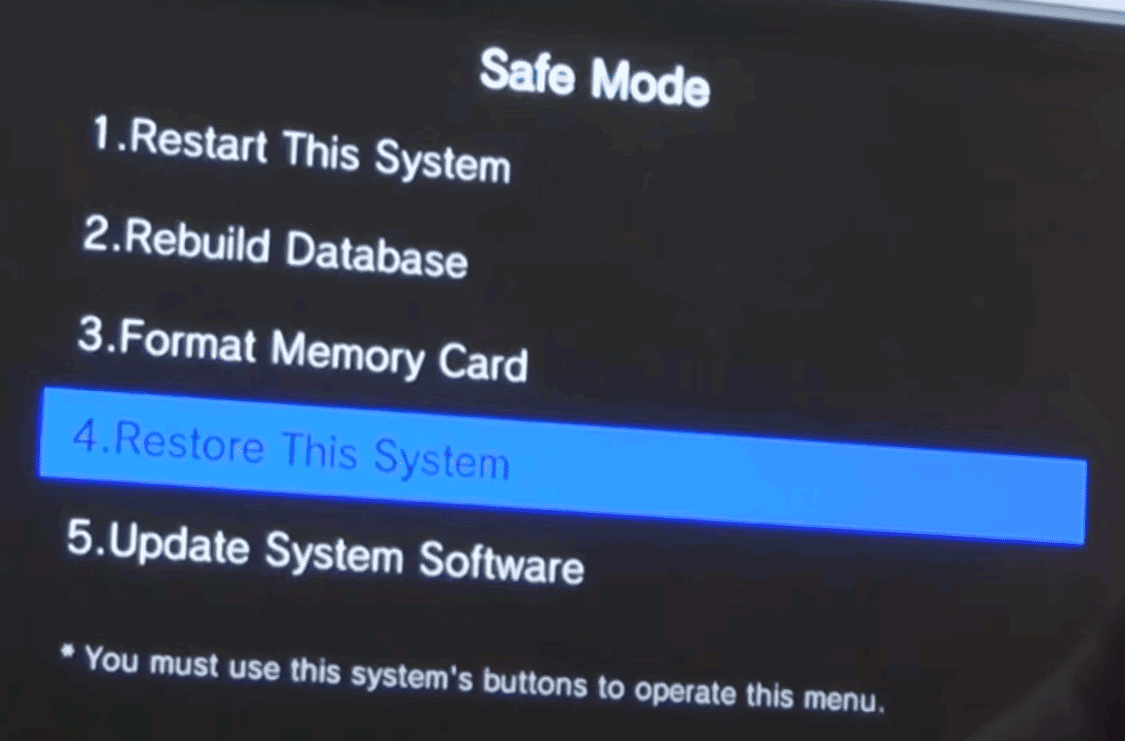
- Press and hold the R + PS + Power buttons for 5 seconds to boot PS Vita to Safe Mode.
- Choose Restore the PS Vita System or Restore This System. And then, follow the screens to finish the operation.
Update to the Latest Driver for PS Vita
PS Vita could not connect to PC due to an outdated driver and you should make sure the latest version is installed on your PC. You can search for a driver online, download and install it. Or go to Device Manager to perform the driver update. Also, you can ask a driver update tool for help. To know more information, refer to this post – How to Update Drivers in Windows 11/10? Try 4 Ways Here.
Uninstall CMA and Reinstall It
According to reports, it is useful to fix PS Vita not connecting by uninstalling CMA and reinstalling it. Besides, uninstall and reinstall QCMA. Then, check if the issue is fixed.
Final Words
PS Vita could not connect to PC? After trying these ways, you should fix this issue. If you have any ideas on the troubleshooting, let us know by leaving a comment below.
About The Author

Position: Columnist
Vera has been working at the MiniTool Team for over 10 years as a technical editor and content writer. She mainly focuses on disk and partition management, data recovery, Windows backup and restore, and PC troubleshooting. Through in-depth software testing and hands-on experience, she has helped users solve a wide range of computer problems and better protect their data on Windows devices.
User Comments :