
The new SecureDrive BT is provided with high security and capable of transmitting large amounts of data. Yet, since this portable drive is a hard disk, you need to be careful when moving it in order to avoid drops and knocks. Here in this post, I’ll show you more details about this drive.
As cloud becomes a popular way to store data, more and more people enjoy the convenience of it. Yet, there are still many people prefer local hard drive. Thus, many manufactures work on producing better hard drive.
SecureDrive BT – A New External Drive with High Security
The SecureDrive BT is designed and released by DataSecure recently. This new external drive is a good choice for people who have high requirements in security. It brings Military Grade AES256 bit encryption at your fingertips.
Main advantages of SecureDrive BT:
- Full disk hardware encryption
- 256 bit AES XTS mode
- Remote management capabilities
- Platform and OS Independent
- USB 3.0 Super Speed
- BadUSB protection
- Read only mode
- Bootable drive
- Preloaded with Antivirus
- Brute force anti-hacking self-destruct feature
- Inactivity AutoLock and step away AutoLock
- …
Here’s how to recover files deleted by virus attack.
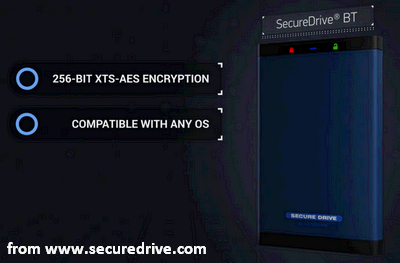
The appearance of SecureDrive BT is very normal, looks nothing different from other external hard disk drive. A dark blue metal finish for the aluminum chassis is used in this portable external drive; besides, a three-step peel-able diagram is located at the back to show you how to lock & unlock the device clearly. The software free design and completely OS are adopted encrypt the data inside BT Drives at rest.
In addition, it provides the easiest user experience to unlock the drive.
- 7-15 digit alpha numeric pin created by users
- Apple Touch ID
- Face recognition
There is nothing else except for the status lights and the flat USB connector. This hardware encrypted external portable drive is sturdy & durable and is provided with a two-year warranty (so you can choose it without worries). It is convenient enough to be carried around, with a size of 127 x 77 x 12.5mm and a weight of only 204g.
BT Drives Review
In this part, I’ll mainly focus on two aspects of this hardware encrypted external portable drive: usage and performance.
SecureDrive BT Usage
Unlike other similar storage drives, you have to connect the BT drive to a host client for activation before use. That is because there isn’t an internal battery. (It is regarded as a disadvantage of it; yet, I don’t agree. After all, the batteries are chemical products and likely to degrade over time.)
What if the external hard drive is not recognized on computer/laptop? Watch how I fix it:
- Before using the new drive, you have to do one thing – download corresponding apps. For instance, the Datalock app; it is available on both Google Play and Apple App Store. But it is only suitable for smartphone platforms, so you can’t get this app installed on Windows or Mac.
- After installing it properly, you should insert the drive into a host client (usually a computer or laptop). Then, you should connect it to the client through app (Bluetooth connectivity must be turned on; otherwise, the connection won’t be built).
- Afterwards, you have to set up a password according to system prompt. Now, please pair it with your device and make sure that you have entered the correct 8-digits you see near the USB connector. You can pair it with multiple numbers of devices; there is no limit. After the pair is finished, you can access data stored in the drive quickly, even if the mobile devices get lost suddenly.
SecureDrive BT Performance
A WDC Blue Mobile hard drive (WD10SPZX) is used in the SecureDrive. The spinning speed of the 1TB hard disk drive is at 5400RPM and the corresponding cache is 128MB. It provides a solid performance, as people expected.
The ultra-fast speed can help us to transfer a 10GB file in just under 95 seconds; this is amazing. It is a few times faster than other drives, for instance, the fastest SSD alternatives: the G-Technology G-Drive.
All in all, it is worth a try.
User Comments :