
Data recovery is always a heated topic. To successfully restore data from your device, you should know how it stores data. You can learn the difference between RAID recovery and hard drive recovery from this MiniTool post.
Data loss happens accidentally due to various reasons. Even if you use multiple hard drives or RAID arrays to store data, your data is prone to data loss as well. Before we delve into figuring out the difference between RAID recovery and hard drive recovery, we will briefly introduce you to how the RAID arrays and hard drive store data. A better understanding of the data storage mechanism helps perform secure data recovery on the different devices.
Data Storage on RAID Arrays and Hard Drive
How Is Data Saved on RAID Arrays
RAID arrays, Redundant Arrays of Independent Disks, is a data storage architecture that combines several disks into a logical unit. It saves redundant data to ensure data security. Even if one of the disks in the array is corrupted or damaged, you can still read data because the same data is stored on other hard disks as well.
Here are several methods for RAID arrays to save data:
- Striping: Data is split into block sizes and stored on other disks, allowing all disks to read data.
- Mirroring: Data on one disk is replicated to other disks. This requires more than one disk.
- Parity: This method demands at least three disks. Data is split into block sizes and saved on two disks among the three. The third disk is used to store data of the former two disks.
How Is Data Saved on a Hard Drive
Compared with RAID arrays, hard drives save data relatively simple. A normal hard drive stores data on its platter, which is coated with a thin magnetically material. Due to the simple data storage method, hard drives have no precautionary of data loss.
RAID Data Recovery vs HDD Data Recovery
You should know the difference in data saving between the RAID and the hard drive. Owing to these differences, data recovery on RAID arrays and hard drives is different as well.
RAID Recovery
RAID recovery refers to restoring data from a RAID storage architecture. As we mentioned above, a RAID array contains several disks. It is important to figure out which disk is damaged or working improperly. You can complete RAID recovery by rebuilding RAID arrays or recovering data from the target disk.
Hard Drive Recovery
Hard drive recovery is to extract data from the hard drive that is lost due to mistaken deletion, accidental formatting, device crash, etc. New data saved on the hard drive probably overwrites the lost data, making data recovery impossible. Hard drive recovery is usually completed with the help of data recovery services as long as the lost data is not overwritten.

How to Recover Data on a RAID Arrays /Hard Drive
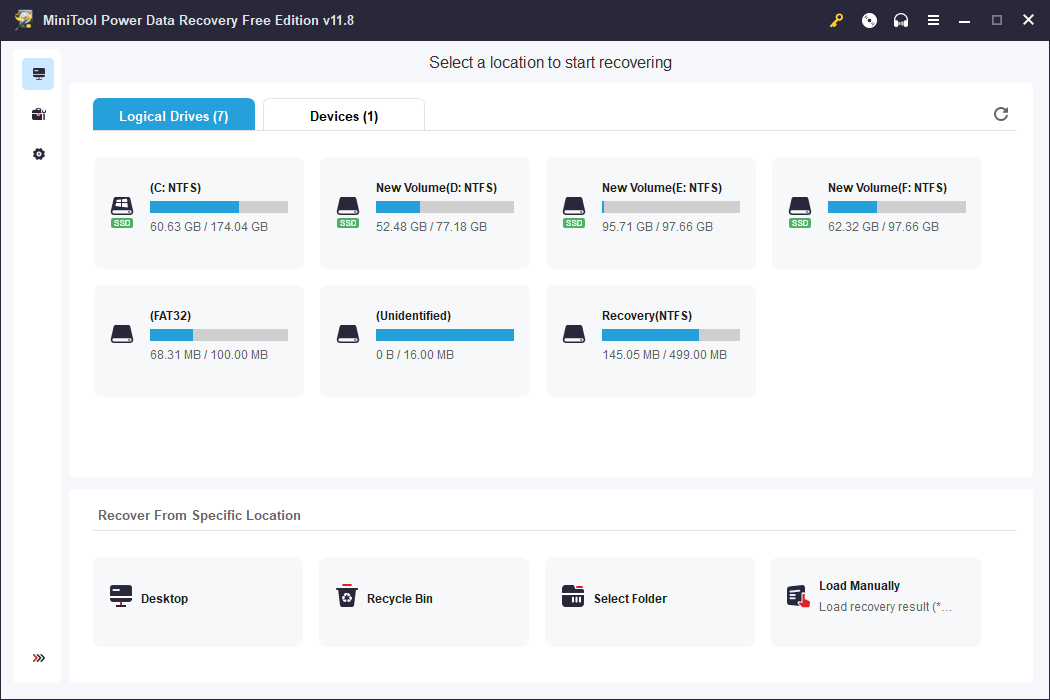
MiniTool Power Data Recovery is a powerful tool for both RAID arrays and hard drives. Despite the mentioned two cases, you can also run this software to retrieve files from SD cards, USB drives, memory sticks, etc. With professional tech support and a secure data recovery environment, this tool can be your ideal choice.
You can get MiniTool Power Data Recovery Free to perform a deep scan and recover 1GB of files without any penny.
MiniTool Power Data Recovery FreeClick to Download100%Clean & Safe
Bottom Line
After reading this post, you should know the difference between RAID recovery and hard drive recovery as well as the data storage mechanism on different devices. Hope you can get useful information from this post.
User Comments :