
Encountering the error message “login parameter is empty or not valid” when trying to log into your Microsoft account? Now read this post from MiniTool to get a couple of effective solutions to get rid of the Microsoft login error AADSTS90100.
Login Parameter Is Empty or Not Valid AADSTS90100
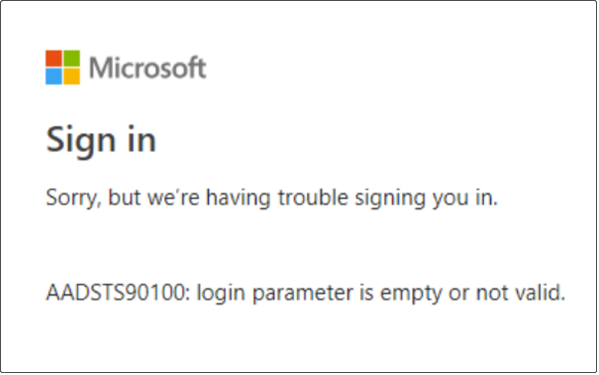
The full name of the Microsoft login error AADSTS90100 is “Sorry but we’re having trouble signing you in. AADSTS90100: login parameter is empty or not valid”.
This error occurs when you are trying to log into your Microsoft account, such as Microsoft Office applications.
Common causes of the “login parameter is empty or not valid” problem include a corrupt browser cache, misconfigured network settings, incorrectly installed applications, or server problems.
Now, let’s see how to get rid of this “Sorry but we’re having trouble signing you in AADSTS90100” error.
How to Fix Login Parameter Is Empty or Not Valid
Fix 1. Clear Browser Cache and Cookies
Outdated or corrupted browser cache and cookies can trigger the problem. So, to fix it, you need to clear the browsing data. Here we take Google Chrome for example.
Step 1. In Chrome, click the three-dot icon in the upper right corner. Then select Settings.
Step 2. In the pop-up windows, type cache in the search box and click Clear browsing data.
Step 3. Select the Time range to All time, then check what you want to delete. After that, click the Clear data button.

Wait for the process to complete. Then try to log into your Microsoft account again and check if the “login parameter is empty or not valid” error has gone.
Further Reading
If you have accidentally deleted important Chrome histories, you can use MiniTool Power Data Recovery to recover deleted history on Chrome.
Besides, MiniTool Power Data Recovery is effective in recovering not showing recent Word documents, Excel files, PDFs, pictures, videos, emails, etc. from computer hard drives, external hard drives, USB drives, SD cards, and more.
MiniTool Power Data Recovery FreeClick to Download100%Clean & Safe

Fix 2. Run the Network Troubleshooter
Network problems can be responsible for the Microsoft login error AADSTS90100 as well. And the Network troubleshooter can help diagnose and fix common internet connection problems. Follow the steps below to run the troubleshooter.
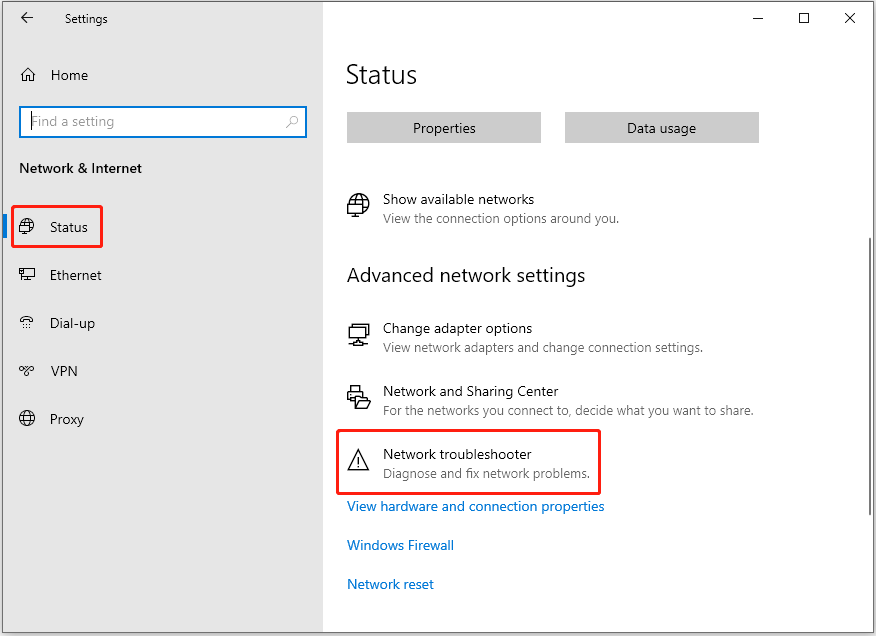
Step 1. Press Windows + I key combination to open Windows Settings.
Step 2. Select Network & Internet.
Step 3. In the Status section, click the Network troubleshooter option. After that, this troubleshooter will start to detect and repair network-related issues automatically. Just wait patiently until the process completes.
Finally, check if you can log into your account as normal. If you still cannot sign into the Microsoft account, try the next way.
Fix 3. Reset Network Settings
If the network troubleshooter fails to resolve the issue, you can reset the network settings.
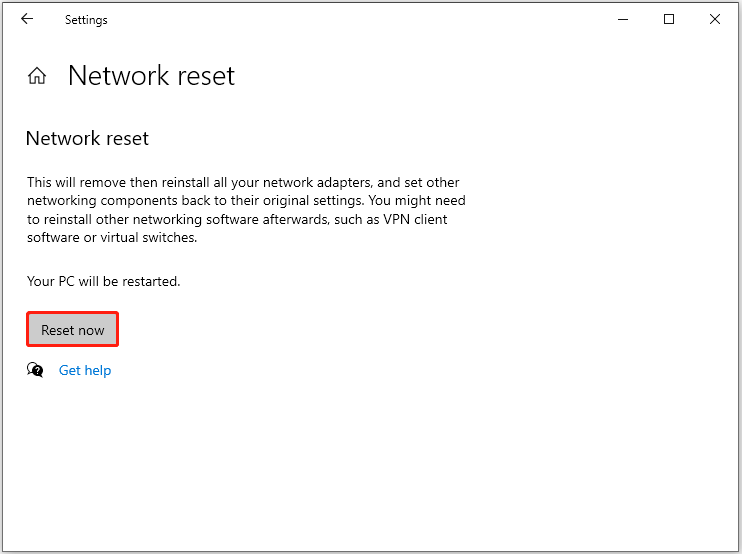
Step 1. Open Windows Settings by pressing the Windows + I keyboard shortcut. Then select Network & Internet.
Step 2. In the new window, click Network reset.
Step 3. Click the Reset now button to continue.
After the process is complete, check if the issue has been resolved.
Fix 4. Repair or Reinstall the Application
As said before, if the login parameter is empty or not valid error only occurs on a specific app, such as Outlook, then it may be because the program was installed incorrectly. In this case, you can try to repair the application.
Step 1. Open Apps and Features.
Step 2. In the right panel, scroll down to find and click the target program. Then click the Modify option.
Step 3. Follow the on-screen instructions to complete the program repair process.
If this is not helpful for the Microsoft login error AADSTS90100, try to uninstall and reinstall the problematic program.
Final Words
In a word, this article shows you how to deal with the Microsoft account sign-in error – login parameter is empty or not valid. Hope you can get rid of this issue by applying the solutions above.
Should you have come across any other great fixes for this error, welcome to leave them in the following comment zone.
About The Author

Position: Columnist
Shirley holds a bachelor’s degree in English and has been an editor at the MiniTool Team for many years. She specializes in IT-related content, with a focus on data recovery, file backup, disk management, and other technical topics. She is committed to delivering clear, accurate, and practical solutions to help users resolve common computer issues.
User Comments :