
Are you facing the Microsoft verification method not working issue on your Windows PC or phone? Do not worry. This MiniTool tutorial shows you several effective solutions to help you fix the “try another verification method error” and unlock your Microsoft account quickly.
Microsoft Verification Method Not Working, Try Another Verification Method Microsoft Account
Your Microsoft account may be temporarily locked due to unusual login activity or multiple incorrect password attempts. When you try to unlock your account, Microsoft will ask you to verify your identity using a phone code or another verification method.
However, sometimes after entering your phone number and proceeding with the verification, you may encounter an error message saying the verification method is not working and that you should try another verification method.
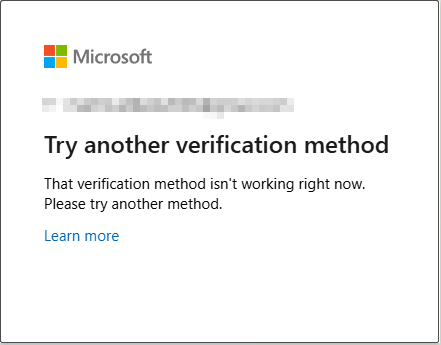
In the following section, I will guide you through effective solutions to resolve this issue and help you regain access to your Microsoft account.
How to Fix Try Another Verification Method Error
Way 1. Use the SMS Code
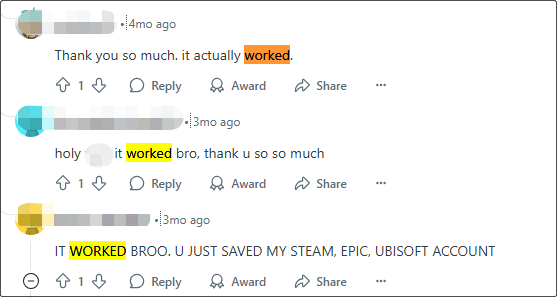
Many users on Reddit mentioned that after clicking the link https://account.live.com/proofs/manage and inputting the required information, they received the SMS code and successfully regained access to their accounts. So, you can give this method a try as well.
Way 2. Use Firefox to Reset the Password
Some users have reported that downloading the Firefox app and using it to reset their account password worked. It seems Firefox may avoid some of the issues that happen in other browsers during the verification process.
If you are stuck in the try another verification method loop, this simple method may help you get through the password reset successfully.

Way 3. Use a VPN
In some cases, Microsoft’s verification services may not work properly in certain countries or regions for some reason. Using a VPN can help bypass these limitations by changing your virtual location to a different country where verification services work normally.
Several users have found that using a VPN allowed them to receive the verification code and complete the identity check successfully. So, if you are still encountering the Microsoft verification method not working issue, try connecting to a VPN and repeat the process.
Exclusive 50% OFF MiniTool VPN
Way 4. Connect to Cellular Network Instead of Wi-Fi
According to user experience, using a cellular network instead of Wi-Fi can help bypass network restrictions that may interfere with the account verification process. In addition, you may consider opening your browser in incognito mode to avoid cached data and potential conflicts from the browser extensions.
If you are using a PC, accessing the incognito mode of your browser can also help resolve the Microsoft verification method not working issue.
Other Possible Solutions You Can Try
If all the methods above fail to help you complete the Microsoft account verification, you can try the following solutions.
- Update your browser or app: The older versions of your browser may not fully support Microsoft’s latest security verification flows. Updating it ensures the performance and compatibility.
- Temporarily disable browser extensions: Some extensions, like ad blockers, VPN plugins, etc., can interfere with the verification and cause it to fail. Turning them off can avoid this.
- Clear your browser cache and cookies: Browser cookies or cached data can sometimes cause verification failures. Clear them, and you will start the verification in a clean state.
MiniTool Power Data Recovery FreeClick to Download100%Clean & Safe
Bottom Line
How to fix the problem where you cannot complete the Microsoft account verification? The methods listed above should help you finish the verification and get your account back.
About The Author

Position: Columnist
Shirley holds a bachelor’s degree in English and has been an editor at the MiniTool Team for many years. She specializes in IT-related content, with a focus on data recovery, file backup, disk management, and other technical topics. She is committed to delivering clear, accurate, and practical solutions to help users resolve common computer issues.
User Comments :