
RoadCraft was released on May 20th, 2025, and is available for Windows, PS5, and Xbox Series X/S. This is a vehicle simulation game that brings an exciting game experience for gamers. It is essential to know the RoadCraft save file location in order to better manage the game. If you get this game, keep reading to figure out the file location.
Where Is the Save File Location in RoadCraft
You can easily find the game’s saved files in File Explorer on Windows. Here are the specific steps to find the files.
Step 1. Press Win + E to open File Explorer.
Step 2. Choose the C drive and find the target folder via the path below:
Users\username\AppData\Local\Saber\RoadCraftGame\storage\steam\user\SteamID\Main
To find the game configuration files, you can just open the Config folder.
Compared with heading to the target folder layer by layer, you can try the next steps to open the target folder swiftly.
Step 1. Press Win + R to open the Run window.
Step 2. Copy and paste %localappdata%/Saber/RoadCraftGame/storage/steam/user into the dialog and hit Enter.
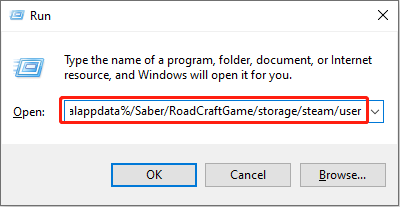
The User folder will be opened directly. You can click the corresponding SteamID folder to find your RoadCraft save file location.

How to Back Up RoadCraft Saved Files
Some game players prefer to launch a new game in RoadCraft, which requires removing the saved game files. Instead of removing the saved game files immediately, you should back them up in advance.
Apart from this situation, you are also advised to back up game files to avoid game data loss due to unexpected issues. Here are several methods for you to back up game files. You can keep reading and choose one that suits your case the best.
Use third-party file backup tools:
There are several versatile tools on the market. Choose one according to your requirements. MiniTool ShadowMaker is recommended because of its automatic file backup feature and three optional file backup types. You can set the backup interval according to your requirements.
Get this software by clicking the download button to experience its robust backup features for free within 30 days.
MiniTool ShadowMaker TrialClick to Download100%Clean & Safe
Step 1. After getting this software, launch it to enter the main interface and change to the Backup tab.
Step 2. Click SOURCE and head to the RoadCraft save file location to choose the target file.
Step 3. Click DESTINATION to choose a new destination for the backed-up files.
Step 4. Click Options next to the Back Up Now button to alter the backup configurations, such as backup intervals, backup types, and others. Click OK to save your changes.
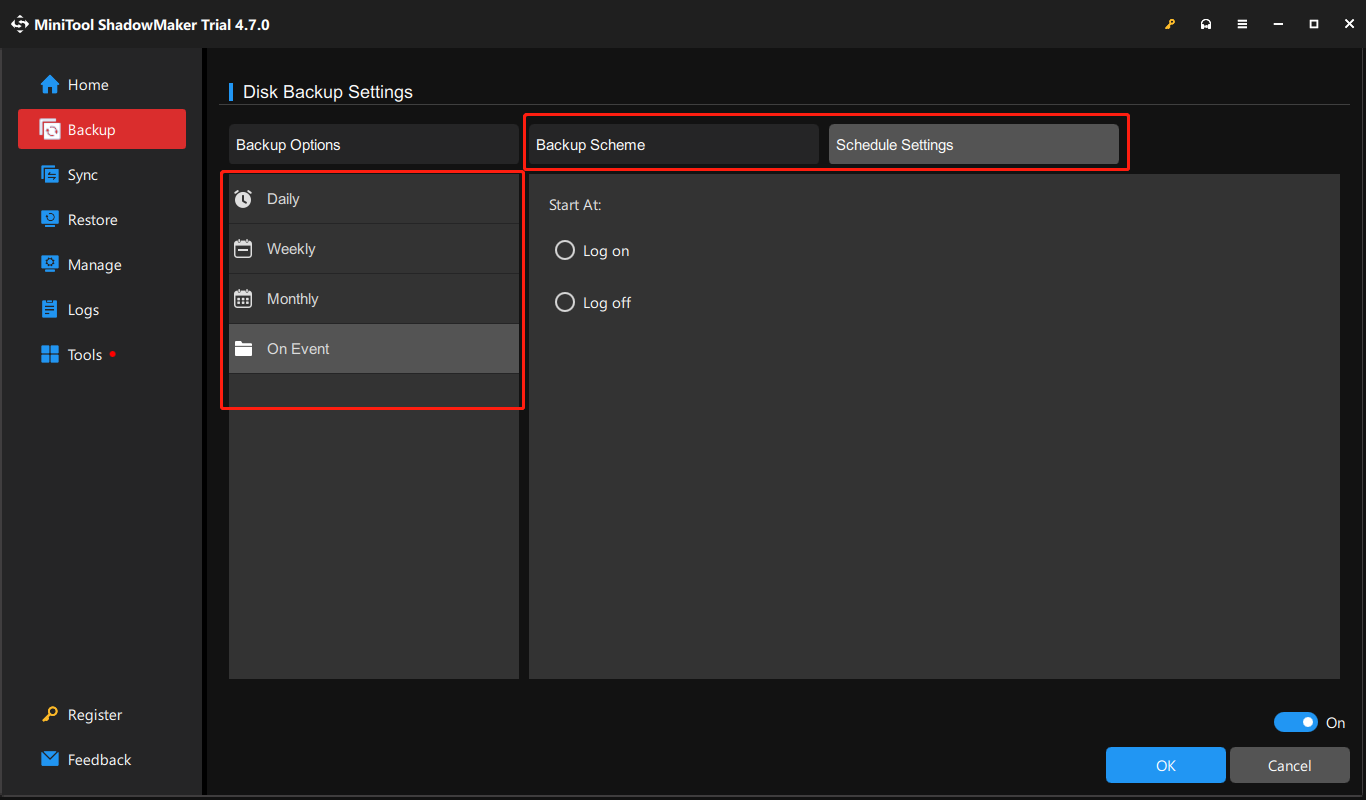
Step 5. Click Back Up Now to start the backup task.
Utilize cloud storage:
If you don’t want to install third-party software, you can select a preferred cloud storage to link the RoadCraft save file folder to the cloud storage and enable the file synchronization option, which will automatically back up the chosen folder to the cloud storage.
However, backing up files to cloud storage should pay attention to two conditions. Firstly, always keep your device connected to the internet well. An unstable internet connection can lead to the data synchronization process failing.
Additionally, there should be enough storage remaining for file backup. Otherwise, updating data can fail, or the new data will overwrite the old. The overwritten data cannot be restored.
Final Words
This post shows you how to find the RoadCraft save file location and introduces two approaches to back up the game files, which can avoid unexpected data loss. Hope there is some useful information for you.
User Comments :