
It is said that Windows 10 Check for updates may download optional updates. As a matter of fact, there is only one way for users to get the optional updates, and it is going to Settings page and press Check for update manually. Learn some related information from this article.
Most users may know that Windows 10 October 2018 Update (Windows 10 version 1809) was firstly launched on October 2. However, it was pulled soon due to the serious file deletion issue. After that, more and more issues were reported, and Microsoft began to fix them. Then, in November, Windows 10 October 2018 Update was re-released.

When Microsoft was solving the issues, it also gave a promise that it will deal with the Windows 10 update issues seriously and the unexpected issues will be reduced. Besides, it also told users how it releases a new Windows 10 updates and how to get the Windows 10 update version manually.
Windows 10 Patch Tuesday, “C” and “D” releases
On the second Tuesday of each month, the new Windows 10 updates with the security and non-security fixed will be released to customers. And these kinds of updates are called “B” releases which include both new security fixes and previously released improvements.
When all computers are patched on the second Tuesday, Microsoft will release the optional updates in the third and fourth weeks of the month, and these updates are known as the “C” and “D” releases.
The advanced users can only receive them when they enter the Settings page and press the “Check for updates” option. It means that Windows 10 Check for updates may download optional updates.
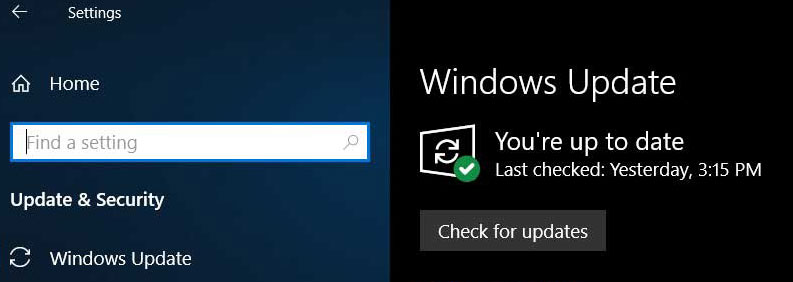
The “C” and “D” updates contain the non-security fixes, and they will be included in the next month’s Patch Tuesday releases.
Here, users should know that both “C” and “D” releases are not always buggy. Microsoft explains that these updates are just validated and production-quality optional releases. As a matter of fact, they are primarily for users who are “seeking” Windows updates.
“The intent of these releases is to provide visibility into and enable testing of, the non-security fixes that will be included in the next Update Tuesday release (we make these optional to avoid users being rebooted more than once per month),” Microsoft explains like this.
Both “C” and “D” release are different from the “B” Patch Tuesday updates. Actually, they occasionally address some new problems.
For instance, some users recently reported that Surface Book 2s are crashed with BSODs issues after installing the late November 2018 optional update. After that, the late November update of Windows 10 was released to the customers who were waiting for it by pressing the “Cjeck for updates” option.
Sometimes, the BSOD issue might cause data loss issue on the computer. If this problem happens, users can use a professional data recovery tool – MiniTool Power Data Recovery to restore all of the lost data which are not overwritten by new data.

While, to make the computer work normally after updating Windows 10, users need to be careful and read the list of the known issue in advance.
In addition, Microsoft confirms that its engineers validates both feature updates and the monthly updates to make sure that there are no unexpected bugs in them. The engineering team shows a combination of the activities which are outlined as follows:
- Pre-release Validation Program (PVP).
- Depth Test Pass (DTP).
- Monthly Test Pass (MTP).
- Windows Insider Program (WIP).
- Security Update Validation Program (SUVP).
Now, this is the end of year 2018. In the related news, Microsoft said that it will not release any optional releases due to the holidays as well as the monthly servicing will resume with the January 2019 security releases.
About The Author

Position: Columnist
Stella has been working in MiniTool Software as an English Editor for more than 8 years. Her articles mainly cover the fields of data recovery including storage media data recovery, phone data recovery, and photo recovery, videos download, partition management, and video & audio format conversions.
User Comments :