
Recently, Microsoft has released a new Windows 10 preview to Windows Insiders in the Fast ring, and that is Build 18323. This new build update brings some improvements like RAW image file format and light theme, as well as error fixes. Here's all you need to know.
On January 24, 2019, Microsoft announced on its blog that they were releasing Windows Insider Preview Build 18323 (19H1) to Windows Insiders in the Fast ring. But because of an outage in Microsoft’s build publishing system, it would take a few hours to begin rolling out to Windows Insiders.
Windows 10 19H1 Build 18323 brings two major improvements, such as RAW image file format and light theme. In addition, some issues are also fixed and known issues are introduced. In the following parts, we will show you some information about this new build.
Two Major Improvements in Windows 10 Build 18323
Add Support for RAW Image File Format
If you like taking photos in RAW image format and wish that RAW files on your camera can be supported by Windows, now this build brings you good news.
In Windows 10 Insider Preview Build 18323, there is a new store-delivered RAW codec package, dramatically improving native RAW file format support in Windows.
As long as you download the new RAW Image Extension (Beta) package from Microsoft Store, now you are able to view image thumbnails, previews, as well as camera metadata of previously unsupported RAW files in File Explorer.
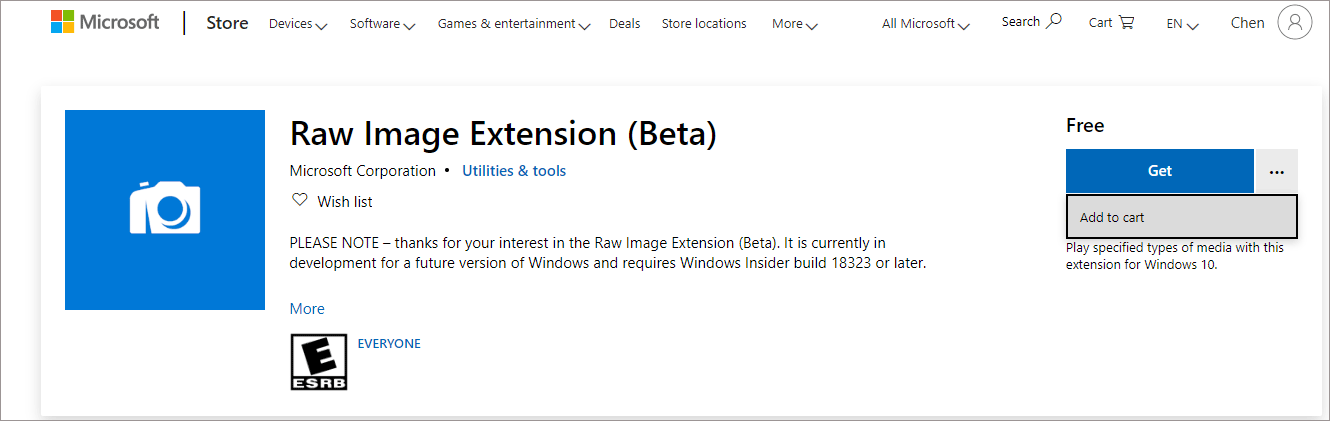
Besides, your RAW images at full resolution can be also showing up in any app like Photos or any other Windows app that utilizes Windows Imaging Component framework to decode RAW images.
Improve Light Theme
Since Windows 10 Build 18282, Microsoft has added the new feature Light Theme to Windows 10. In Windows 10 19H1 Build 18323, Microsoft has fixed many bugs or issues in Light Theme:
- The text in the battery flyout may become unreadable.
- White icons in notifications weren’t readable.
- The autoplay icon in the systray isn’t visible.
- The scrollbar in the network flyout isn’t visible in light theme.
- Not all supported app icons in the taskbar would switch colors on the taskbar when switching between light and dark theme (particularly on the secondary monitor)
- Network and volume icons in the notification area wouldn’t update from white to black until explorer restarted after switching to light theme.
General Changes, Improvements and fixes in Build 18323
- The new tamper protection setting in the Windows Security app can prevent bad actors from tampering with the most important security settings to keep your PC safe. And Windows will suggest turning this setting on in this app.
- Update Orchestrator Service stops working periodically.
- The night light is not working.
- Sometimes the quick actions section of Action Center would be missing.
- Closing an open Excel window from the taskbar may cause Excel to go non-responsive.
- WIN + Ctrl + <number> hotkey isn’t working.
- Action Center reliability in recent builds is impacted.
- You may see multiple Focus Assist notifications in the Action Center at a particular time.
- You are unable able to launch UWP apps from the Start menu sometimes.
- Narrator announces read-only at the end for links.
Actually, in addition, there are many bug fixes. Besides, some unknown issues are also introduced, such as creative X-Fi sound cards and Realtek SD card readers not functioning properly, the Windows Security app showing an unknown status for the Virus & threat protection area or not refresh properly, USB devices including mice and keyboards no longer work, and so on.
To learn more the improvements, bug fixes and known issues of Windows 10 H1 Build 18323, you can read Microsoft blog.
Final Words
Build 18323 is from the 19H1 branch, which represents the Windows 10 version 1903 update will arrive in the first half of this year.
About The Author

Position: Columnist
Vera has been an editor at the MiniTool Team since 2016, with over 9 years of experience in technical writing. She specializes in topics such as disk and partition management, data recovery, and PC backup and restore, helping users troubleshoot and resolve a wide range of computer issues.
User Comments :