
What is the July 2016 update rollup for Windows 7? How to get Windows 7 rollup July 2016 for Windows 7 SP1? If you are running Windows 7 now, you can follow the guide given by MiniTool to download and install it.
Although Windows 7 has ended its life for a long time (on January 14, 2020), some of you still stick to running a Windows 7 PC to do work or use in daily life. To keep Windows 7 safe, you need to upgrade it to the latest version. In its history, one of its famous update rollups is Windows 7 rollup July 2016.
Of course, Windows 7 rollup 2017 and monthly rollup in 2018/2019/2020/2022/2023 are also offered by Microsoft. The extended security updates support ended on January 10, 2023.
Today we will show you Windows 7 update rollup July 2016 in detail. This topic is still talked about now by many people.
Overview of Windows 7 Rollup July 2016
July 2016 update rollup is released for Windows 7 SP1 (Service Pack 1) and Windows Server 2008 R2 SP1. This rollup was released on September 13, 2016, to help solve issues in the included updates and improve the overall reliability of the update rollup. Also, it includes some improvements.
Back up Files Before Installing July 2016 Update Rollup Windows 7 SP1
If you need to install this famous update rollup, you had better create a backup for your PC since Windows update issues could happen, leading to data loss or system crashes. To do this thing, we recommend using MiniTool ShadowMaker, a piece of professional PC backup software, to help you back up important files and create a system image. Just get it via the download button below.
MiniTool ShadowMaker TrialClick to Download100%Clean & Safe
Step 1: Run MiniTool ShadowMaker Trial Edition.
Step 2: Go to the Backup page and you see this tool have selected system paritions. To back up data, go to choose important files to back up, and specify a path like an external drive.
Step 3: Click Back Up Now.

Windows 7 Rollup July 2016 Download for SP1 & Install
How to download Windows 7 rollup July 2016 and install it? From the official website of July 2016 update rollup for Windows 7 SP1 and Windows Server 2008 R2 SP1, you can find some ways. One way is to use Windows Update to check for updates. The latest version is not the July rollup for 2017, so try the other two ways.
Microsoft Download Center
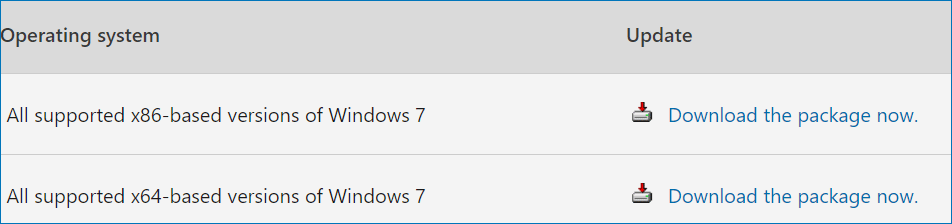
To install Windows 7 July 2016 rollup, you can download the package via Microsoft Download Center. Just visit the given website and click the Download the package now link based on your Windows version. Then, on the new page, click the Download button to get the update file.
Microsoft Update Catalog
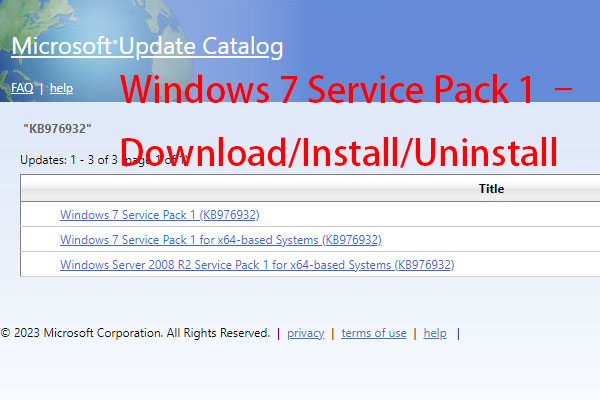
In addition, you can get the stand-alone package for this update via Microsoft Update Catalog – http://catalog.update.microsoft.com/v7/site/search.aspx?q=kb3172605. Then, choose the proper version and click the Download button. Then, use the download link to get the update file.

After getting the update file, double-click on it to run and finish the installation based on the on-screen instructions.
To apply this update, you should make sure your Windows 7 is running Service Pack 1. Besides, ensure April 2015 servicing stack update for Windows 7 and Windows Server 2008 R2 has also been installed.
That’s all the information on Windows 7 rollup July 2016. If you need, follow the given ways to download and install it for your Windows 7 SP1. To get a secure operating system, you had better upgrade to Windows 11. If you have an adequate budget, purchase a new PC with pre-installed Windows 11.
About The Author

Position: Columnist
Vera has been working at the MiniTool Team for over 10 years as a technical editor and content writer. She mainly focuses on disk and partition management, data recovery, Windows backup and restore, and PC troubleshooting. Through in-depth software testing and hands-on experience, she has helped users solve a wide range of computer problems and better protect their data on Windows devices.
User Comments :