
World Backup Day 2026 is coming and backup data immediately to avoid becoming an April fool. How to backup data or how to protect your data with ease? Try MiniTool ShadowMaker – the professional backup software.
Protect Your Data This World Backup Day 2026
What Is World Backup Day?
March 31st is World Backup Day, designed to raise awareness of the importance of backing up digital data. It reminds us that data loss can happen to anyone and at any time.
From personal photos and videos to work documents and system settings, our digital lives are becoming increasingly important. However, many people postpone or completely ignore backups until it’s too late.
World Backup Day encourages everyone to take proactive steps to protect their information before accidents happen.
Why Backing Up Your Data Matters
Data loss can be caused by a variety of reasons, such as hardware failures, accidental deletion, malware and ransomware attacks, or even simple human error.
The consequences of losing important files can range from minor inconveniences to significant impacts on work or personal life.
Backing up data regularly reduces risk, saves time, and provides peace of mind. It is not just about preventing data loss, but also about ensuring you always have access to critical information when needed.
Developing a backup habit is one of the simplest and most effective ways to protect your digital assets.
2026 Backup Trends You Should Know
In 2026, backups will become more intelligent and automated.
Cloud storage continues to grow, providing users with flexible remote and off-site backup options. Incremental and differential backups are gaining popularity because they save storage space while keeping data up-to-date.
Automation is also a major trend: scheduled backups and automatic notifications help users maintain a consistent backup process without manual intervention.
Understanding these trends helps individuals and businesses optimize their backup strategies and prepare for unexpected data loss.
The Best Backup Solution for You
Introducing MiniTool ShadowMaker
MiniTool ShadowMaker is a reliable and easy-to-use Windows backup software designed for both beginners and advanced users.
With this software, you can back up files, folders, partitions, disks, or your entire system with minimal effort. More importantly, it supports scheduled backups, incremental and differential backups, and multiple storage options.
MiniTool ShadowMaker helps ensure that your data is always protected and recoverable.
How to Back up Your Data with MiniTool ShadowMaker
MiniTool ShadowMaker has a trial edition, which allows you to experience its backup and restore features for free within 30 days.
MiniTool ShadowMaker TrialClick to Download100%Clean & Safe
Getting started with MiniTool ShadowMaker free is simple.
Step 1: Download, install, and then launch the software.
Step 2: Switch to Backup from the left menu.
Step 3: Click SOURCE to select the item(s) you want to back up.
Step 4: Click DESTINATION to assign a location to save the backup.
Step 5: Click Options to modify Backup Options, Backup Scheme, and Schedule Settings according to your requirements.
Step 6: Click Back Up Now to start the backup process.
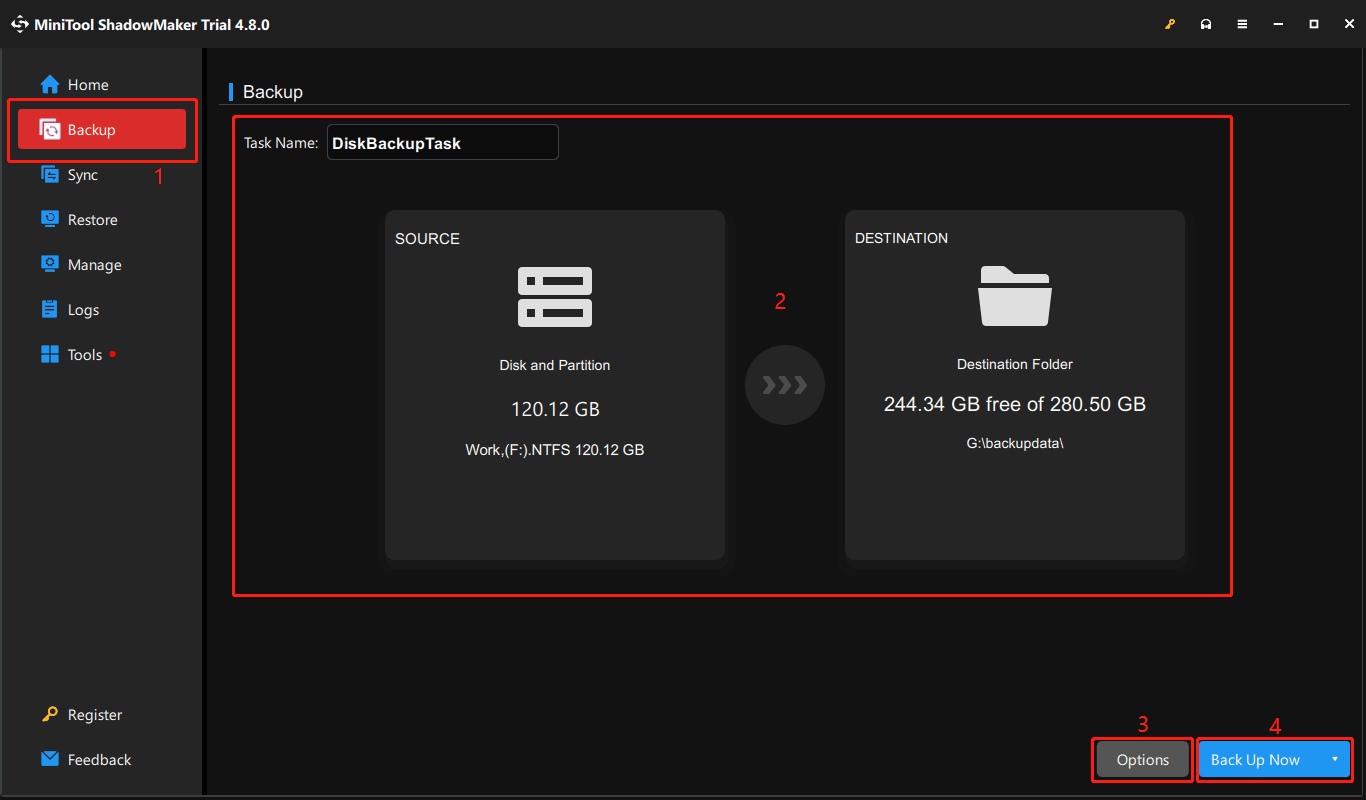
Wait patiently until the process completes successfully.
How to Restore Your Data with MiniTool ShadowMaker
Step 1: Open the software and go to Restore.
Step 2: Click the Restore button next to the backup file you want to restore.
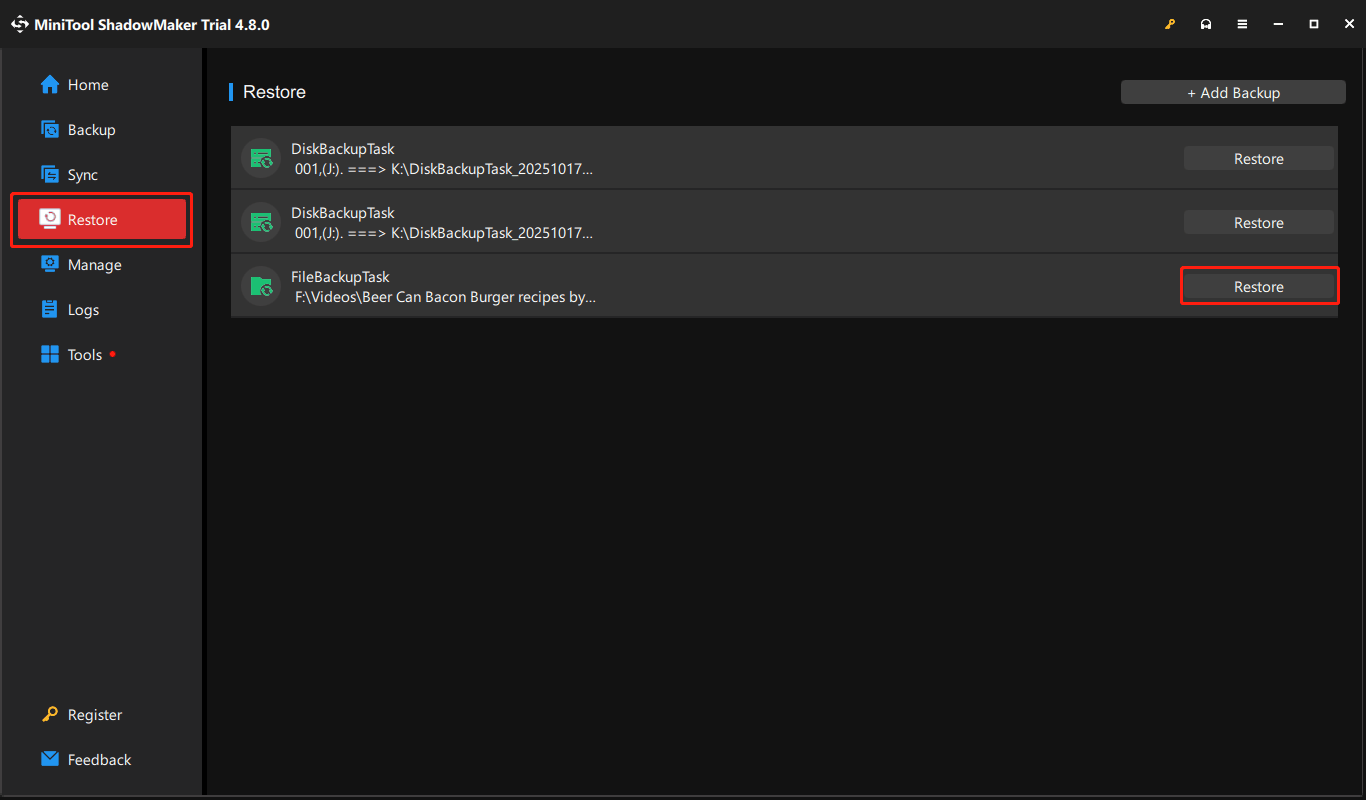
Step 3: Make sure the target backup is selected and click Next.
Step 4: Select the desired items and click Next.
Step 5: Choose the target location and click Start.
Step 6: Wait until the restore process ends. Then, click OK on the pop-up window.
Step 7: Click Finish to go back to Restore.
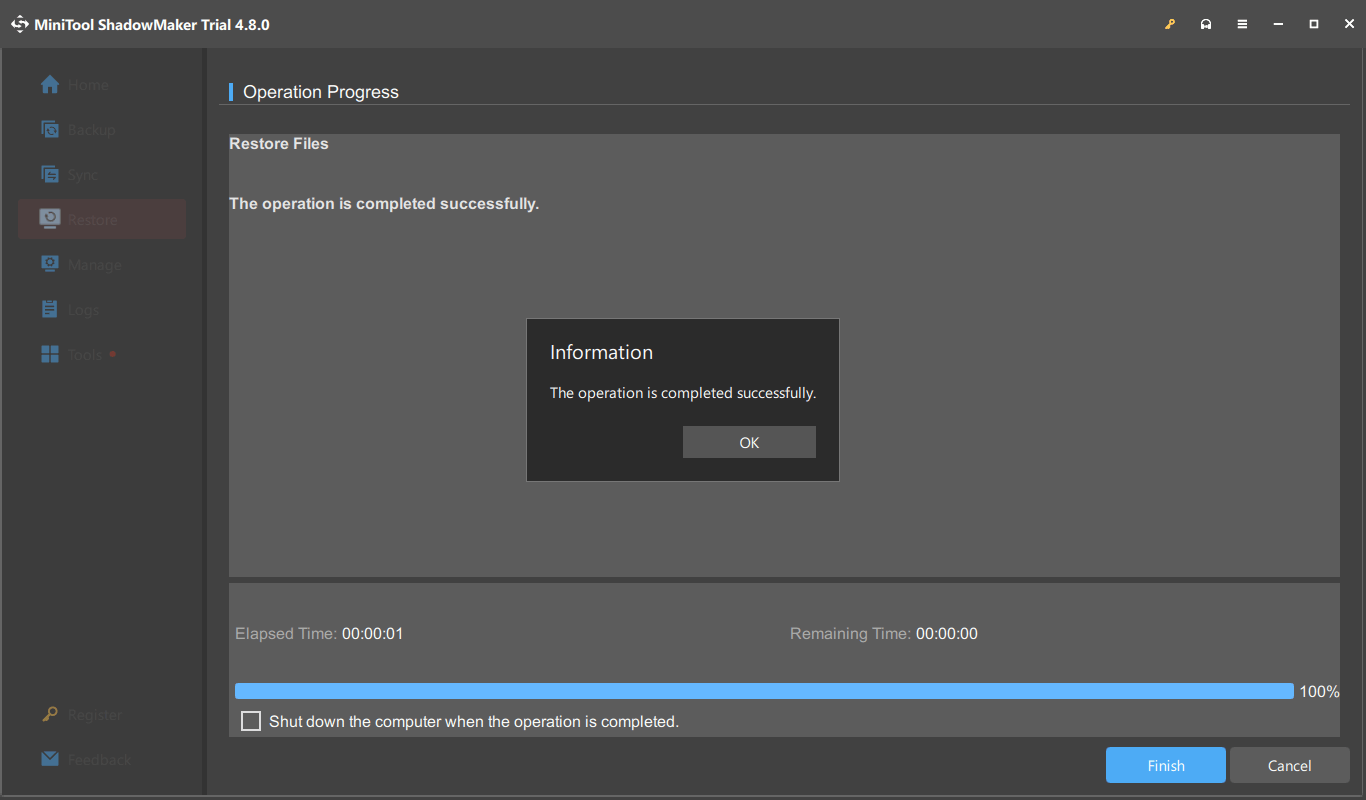
Now, you can check the restored items in the destination location.
Bottom Line
World Backup Day is a reminder to protect your important data before it is lost. Creating regular backups with tools like MiniTool ShadowMaker helps keep files safe and ensures quick recovery when needed.
If you have issues when using MiniTool ShadowMaker, you can contact us at [email protected].
About The Author

Position: Columnist
Stella has been working in MiniTool Software as an English Editor for more than 8 years. Her articles mainly cover the fields of data recovery including storage media data recovery, phone data recovery, and photo recovery, videos download, partition management, and video & audio format conversions.
User Comments :