
Microsoft Outlook is used widely as a personal information manager. Just like other apps, there are a lot of errors found in Outlook while using. For instance, the Your IMAP server closed the connection error message appears now and then with an error code: 0x800CCCDD. This post mainly focuses on how to solve this problem effectively.
Even if you did not use Microsoft Outlook, you definitely know it since this is a popular program included in Microsoft Office suite. Outlook can do a lot of things for users, the most often used functions are sending and receiving emails.
I advise you to get professional tools from home page to protect your system/device/drive and retrieve lost data.
Outlook Error: Your IMAP Server Closed the Connection
“Your IMAP Server Closed the Connection” Error
You may receive the “Your IMAP server closed the connection” error message (probably with an error code – 0x800CCCDD) when using an IMAP account to send & receive emails. It can occur if the server is logging out/terminating connection or you leave the connection idle for too long. This may be fixed by changing date & time, creating new Outlook Profile, changing Server timeouts setting, etc.
Obviously, the error indicates the failure of the Send/Receive feature in Outlook. The exact error message you may see:
Your IMAP server closed the connection.
Connection is closed. 12
Protocol: IMAP
Server: *
Port: *
Error Code: 0x800CCCDD
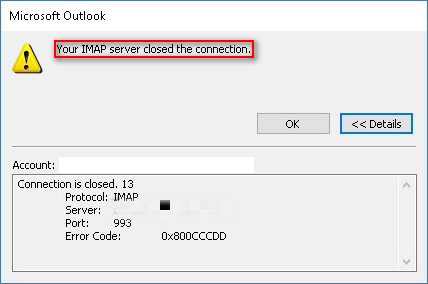
The 0x800CCCDD may be also followed by these messages:
- IMAP4rev1 Server logging out.
- IMAP4 server terminating connection.
- Your IMAP server closed the connection. This can occur if you leave the connection idle for too long.
What Causes 0x800CCCDD
One: PST file is corrupted.
PST is the data file of Outlook; if it’s get corrupted suddenly, you will see Your IMAP server closed the connection. In this case, you can delete the corrupt files to fix the error. If you can’t afford to do so, please use the ScanPST.exe utility to try to repair it.
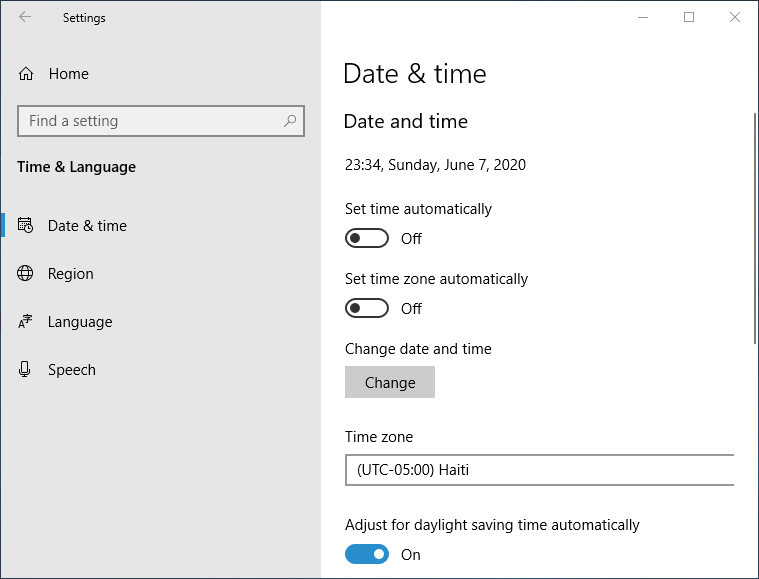
Two: date and time is not correct.
If your local date & time is way off when compared to that of the server, this error will also appear. The easy fix to this problem is changing the local date and time.
Three: Outlook profile is damaged.
If you see the error 0x800CCCDD while connecting via IMAP protocol, you should suspect damage with the Outlook profile.
Four: server timeout is insufficient.
The send & receive operations must be completed within a timeframe by default. So you may see the error after a server timeout if the internet connection failed.
Five: glitched temporary data.
Six: send/receive groups failed.
Seven: email provider doesn’t give support to IMAP.
How to Fix Your IMAP Server Closed the Connection
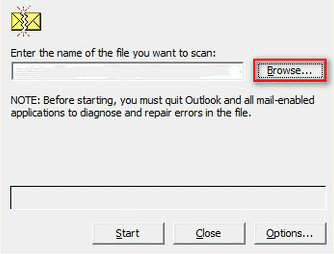
Method 1: Use SCANPST.exe Utility
- Close Outlook and related programs.
- Open File Explorer and type SCANPST.exe into the search bar.
- Double click on SCANPST.exe from the results to open the tool.
- Click Browse to set PST file path.
- Load the correct file into the Inbox Repair tool and click Start.
- Check Make backup of scanned file before repairing and click Repair.
Method 2: Change Date & Time
- Press Start + S to open Windows search.
- Type change date & time.
- Choose Date & time settings.
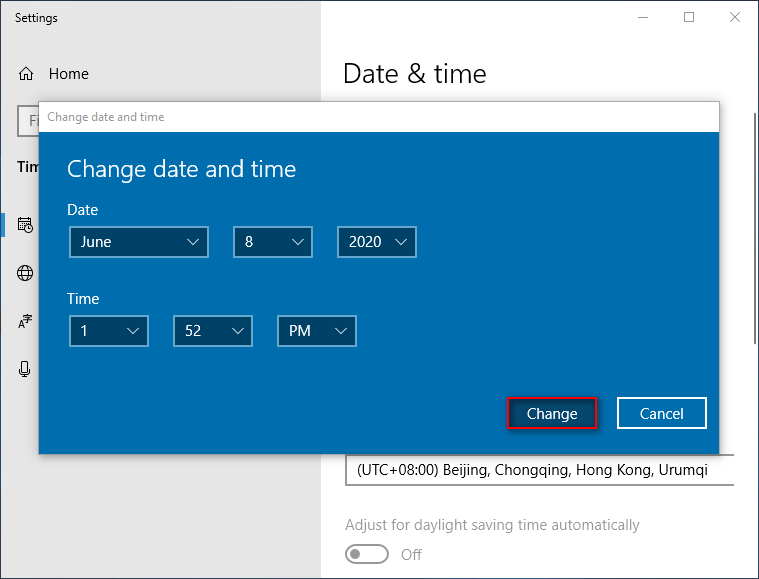
- Click on the Change button under Change date and time.
- Set the correct date and time values.
- Click on the Change button to confirm.
Method 3: Create a New Outlook Profile
- Close Outlook and related services.
- Open Control Panel.
- Type mail into the search box at upper right.
- Choose Mail (Microsoft Outlook) from the result.
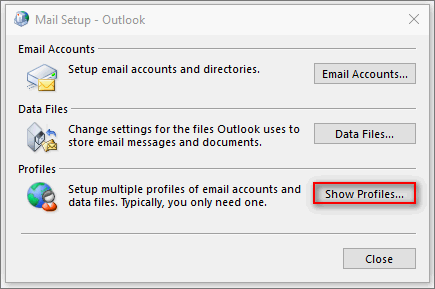
- Click on the Show Profiles… button.
- Select the Outlook Profile you’re using now.
- Click on the Remove button below and then click Yes to confirm.
- Run Outlook to configure email account.
- System will force the email client to create a new data file and attach it to the new profile.
How to recover deleted Outlook data file?
Method 4: Change Server Timeouts Value
- Open Outlook and choose File.
- Navigate to Account Settings > Account Settings and go to the Email tab.
- Choose the problematic email account and click Change.
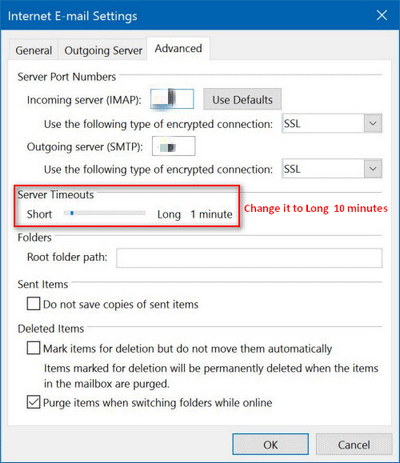
- Click More settings… and go to the Advanced tab.
- Change the Server Timeouts to Long (10 minutes).
- Click OK to confirm.
Optinal Methods
Other methods you can try:
- Re-add the problematic email account.
- Disable the Send/Receive Groups feature.
- Switch to a POP manual connection from IMAP.
User Comments :