
You may meet different issues when using OneDrive and many people are reporting this error code 0x8004def7. You can be stopped from accessing the OneDrive account because of this error code. So how to fix this issue when you are stuck in it? Please read this post on MiniTool and find the answers.
OneDrive Error 0x8004def7
Some people, when they try to sign in to the OneDrive account, encounter the OneDrive login error 0x8004def7. The triggers causing this error code can be different, for example, your storage capacity was exceeded, your network connection performed badly, your account was suspended, etc.
Before you start the next moves, you can try those tips:
1. Restart the computer and OneDrive.
2. Check your network connection.
3. Check if your account has been suspended.
Fix OneDrive Error 0x8004def7
Fix 1: Check the OneDrive Storage
You need to make sure you have enough storage space for your OneDrive operations. If your left storage can’t satisfy your demands, you can delete unwanted files to free up some space or upgrade the storage plan from Microsoft.
To check your storage, please sign in OneDrive via the web.
Step 1: Log into your OneDrive on the web browser and click Settings.
Step 2: Then click Options > Manage Storage.
Here you can check the storage space under the Storage Summary section on the right side.
Fix 2: Unlink and Relink OneDrive
Another method to fix the OneDrive error 0x8004def7 is to unlink and relink OneDrive. Here is the way.
Step 1: Click the OneDrive icon on the system tray and choose Help & Settings > Settings.
Step 2: Please click Unlink this PC > Unlink account.
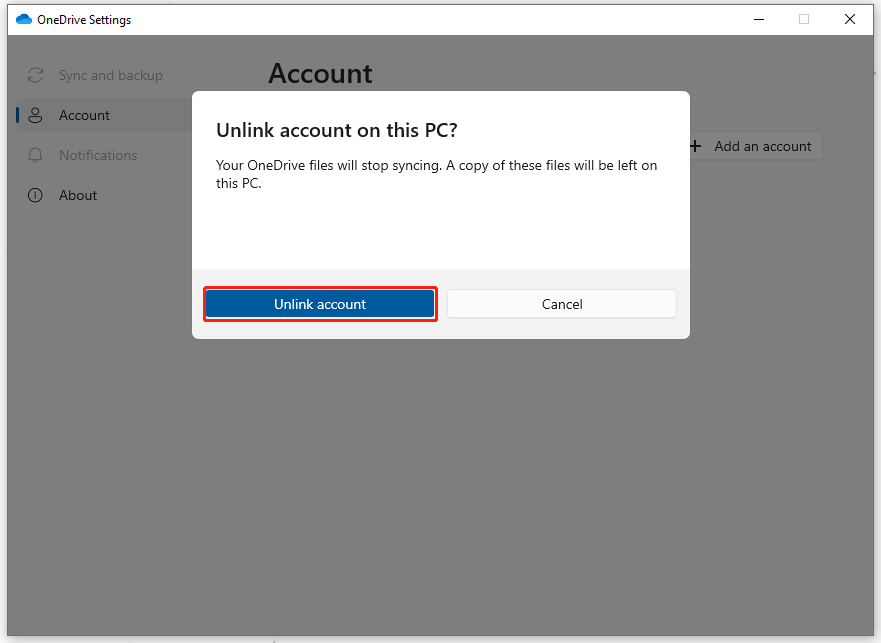
Then you can follow the next on-screen instructions to perform the task.
Fix 3: Update OneDrive
Outdated OneDrive can lead to the OneDrive login error 0x8004def7 and please follow the method to update OneDrive. First of all, open the OneDrive settings and click About.
Here, you can check your OneDrive version. Normally, it will update on its own when the update service advertises an update. If it does not, you can manually update Microsoft 365 applications no matter what you have installed.
Fix 4: Reset OneDrive
Resetting OneDrive can help repair some glitches or corruptions in the app.
Step 1: Open Run by pressing Win + R and type wsreset.exe to press Enter.
Then you will see a blank Command Prompt window opens and closes after a few minutes. Then you can check if the OneDrive error code 0x8004def7 persists. If yes, you may continue with the next steps.
Step 2: Open the Run dialog box and copy and paste this command – %localappdata%\Microsoft\OneDrive\onedrive.exe /reset.
If an error message pops up to tell you this command can’t work, try these two commands one by one and one of them can troubleshoot your issue:
- C:\Program Files\Microsoft OneDrive\onedrive.exe /reset
- C:\Program Files (x86)\Microsoft OneDrive\onedrive.exe /reset
Fix 5: Uninstall and Reinstall OneDrive
The last method is to uninstall and reinstall the OneDrive program.
Step 1: Open Run and type appwiz.cpl to open Programs and Features.
Step 2: Locate Microsoft OneDrive and right-click on it to choose Uninstall.
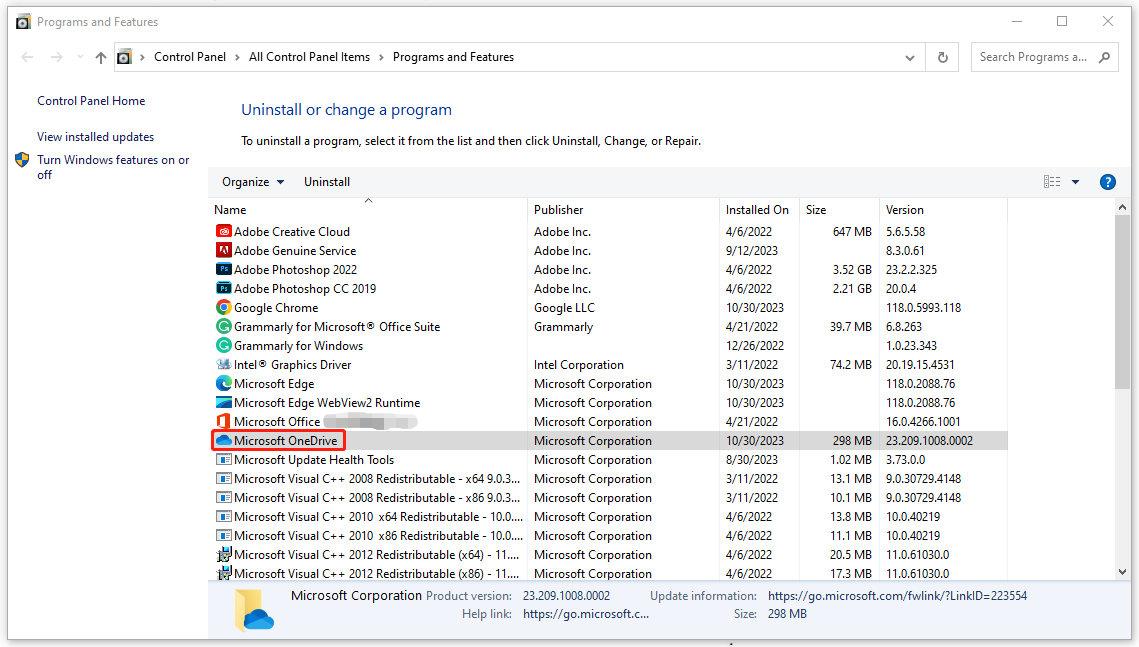
Step 3: When you have removed the app, please download and install OneDrive via the official source.
OneDrive Alternative: MiniTool ShadowMaker
MiniTool ShadowMaker is another choice for local data backup and sharing. Many functions that OneDrive has can be performed via MiniTool ShadowMaker. The greatest advantage of MiniTool ShadowMaker is its higher security and more functions, such as system backup, disk clone, universal restore, etc.
You can back up your important data to an external hard drive so that no cyber-attacks can destroy the data and you can access it easily.
MiniTool ShadowMaker TrialClick to Download100%Clean & Safe
Bottom Line:
This post will be helpful in resolving the error code 0x8004def7. If you are stuck on this issue, you can follow this post.
User Comments :