
Do You Want to Delete Your Google Activity
Your user data will be collected for the sake of improving speed, preventing against unexpected error, and more, no matter which browser or service you’re using. While you’re visiting Google sites (Chrome), using Google Apps, or enjoying the Google services (cloud storage), your activities will be collected and saved in your Google account. Your privacy is exposed. It’s no exaggeration to say that Google knows you better than you know yourself.
Though Google has guaranteed that it won’t collect users’ data for special use, your data is not perfectly safe. News was out that Google has leaked its own products and customer data unintentionally. An effective way to secure your data and online activities is to delete Google activity. How to delete your activity? How to clear search history on Google? This will be discussed in the next part.
MiniTool Power Data Recovery TrialClick to Download100%Clean & Safe
What Google Activity Stores
Your usage data will be collected by Google mainly for building an advertising profile. These data are stored in your Google activity whether you are using a mobile device or a desktop web browser.
- Google search history
- Map history
- Location history
- YouTube history
- Device access or usage history (for Android)
- Etc.
Clear Search History Google vs Clear Browser History
Does deleting Google activity means to delete the browsing history? Absolutely not. The history on your browser is stored locally; it is only a very small part of the data trail you left while surfing on the internet.
- Clearing the browser history stored locally is able to protect you against hackers, stopping them from gaining access to your device.
- But much more data are stored remotely, especially on Google’s servers. Clearing browsing history won’t do anything to the data stored there, so you need to clear your Google activity. The content below shows you how to clear Google search history stored locally and remotely.

How to Delete Google Activity Completely
Before that, you need to know how to access and download your Google history. If you want to take a look at your search data or keep your user data locally, you can download them from Google using the Takeout feature. If you want to take a look at your search data or keep your user data locally, you can download them from Google using the Takeout feature.
- Visit the Google Takeout webpage (sign in with your account if you’re not signed in before).
- Select data to include: select all the Google services from which you can get the user data you need.
- Click Next step.
- Choose file type, frequency and destination: configure the delivery method, frequency, and file type & size.
- Click Create export.
- Wait until you receive a notification telling you that the archiving process is done. You can now manage or download your archive.
Know how to recover deleted history on Google Chrome.
What should you do to delete Google activity? Please note that you can’t recover your activity history after deleting it.
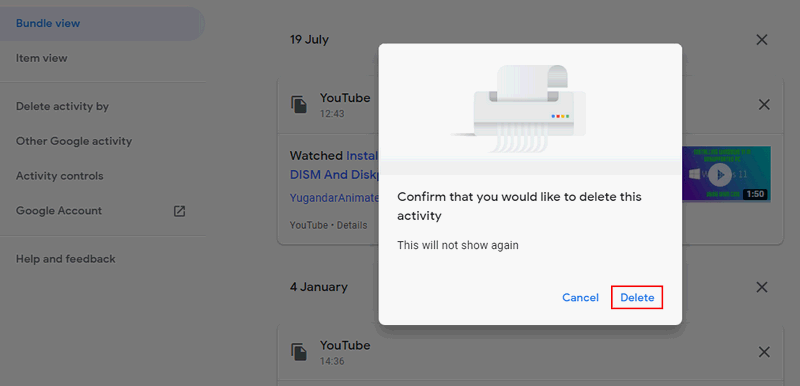
Delete Certain Activities Manually
- Visit the Google My Activity page.
- You can scroll down to browse your history and decide which you want to delete.
- Click on the X button.
- Click Delete in the pop-up window to confirm your action.
- Repeat step 3 and 4 to delete some other activities.
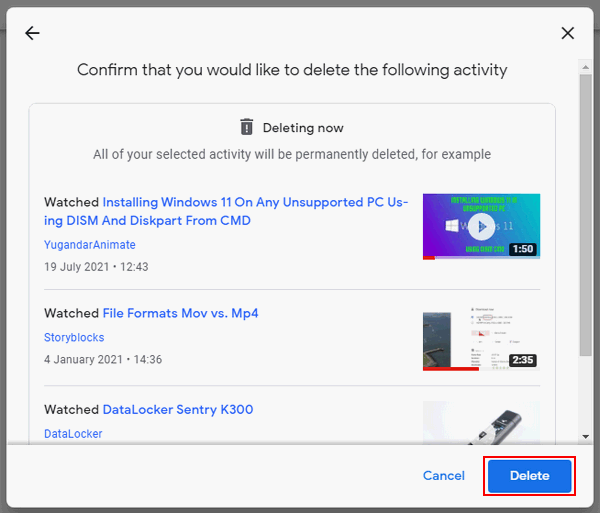
Delete All Your Activities within a Time Range
- Click on the three vertical dots icon at the right end of the activity search box.
- Select Delete activity by from the pop-up menu.
- Click Always. You can also choose from Last hour, Last day, and Custom range.
- Click on the Delete button to confirm and then wait.
Delete Google Search & Device Access Activity
How do I delete Google searches history?
- Keep on the My Activity page.
- Shift to Activity controls from the left pane.
- Locate the Web & App Activity section.
- Click Manage activity under it.
- Delete your activities manually or automatically by looking at the steps mentioned above.
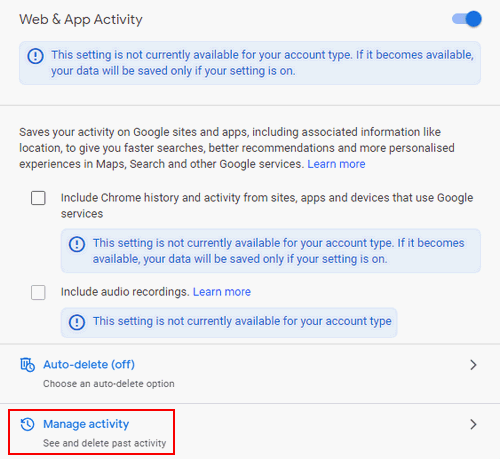
You can tell Google to delete your activities automatically by turning on the Auto-delete feature and specifying a time.
Delete Google Activity on Mobile
- Also, visit the Google My Activity page.
- Press Menu.
- Select Delete activity by.
- Choose All time.
- Press Delete.
How Do I Stop Google Chrome From Signing Me Out: Ultimate Guide?
User Comments :