How to Stop Win 10 from Automatically Installing Realtek Drivers
Learn how to stop Windows 10 from automatically installing Realtek audio drivers. Uninstall Realtek audio driver on Windows 10 permanently.
By Alisa

Learn how to stop Windows 10 from automatically installing Realtek audio drivers. Uninstall Realtek audio driver on Windows 10 permanently.
If Cortana can’t hear your voice commands, you can try the 5 tips in this tutorial to fix this issue.
How to pin a website to taskbar for quick access? Check the detailed guides to pin website to taskbar for Google Chrome, Firefox, Microsoft Edge browser, etc.
Google Chrome won’t update on your computer or Android? Check the solutions to fix can’t update Chrome error and Chrome update problems.
3 ways for how to change language on Google Chrome. You can easily change the language to display Google and Google search results on computer, Android, iPhone.

Learn how to change Google search settings when you search in Google Chrome browser. You can adjust filter, language, location, time search settings, etc.
Learn the new tab shortcut for Chrome. Also check how to open link in new tab with shortcut and how to force Chrome to open links in new tab on Windows/Mac.
Learn how to update Google Chrome on Windows 10, Mac, Android, iPhone to the latest version. Check the step-by-step guide.

This post lists 31 Windows 10 snipping tool shortcuts to allow you quickly capture screenshots in Windows 10. Check how to use the shortcuts for snipping tool.
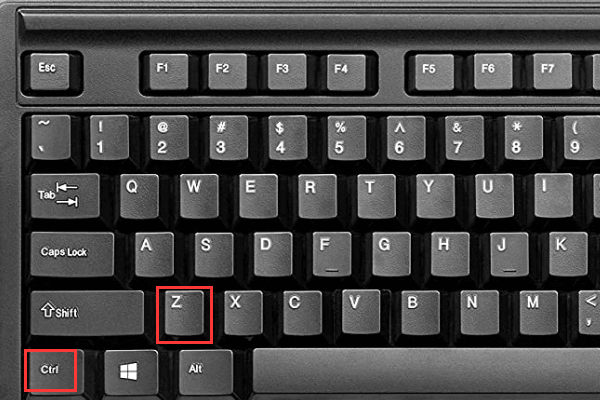
The Undo shortcut is Ctrl Z and the Redo shortcut is Ctrl Y for Windows Word, Excel, etc. The Undo/Redo shortcut key on Mac is Command + Z, Command + Shift + Z.
How to switch tabs in Chrome quickly? Learn how to switch between tabs in Chrome and the Chrome switch tabs shortcut.

What is the close tab shortcut in Google Chrome? Check the close tab or window shortcut for Chrome, Firefox, Windows, Mac.