
Windows 10 Update Methods: 5 Ways to Update Windows 10
In this post, we will show you some Windows 10 update methods to help you install the latest Windows 10 updates on your device.
By Stella

In this post, we will show you some Windows 10 update methods to help you install the latest Windows 10 updates on your device.
This post shows some common Chrome errors you might encounter when you browse a website using Chrome and some useful solutions.
In this post, we will introduce what is Steam Overlay and how to enable or disable Steam Overlay on your Windows 10/11 computer.
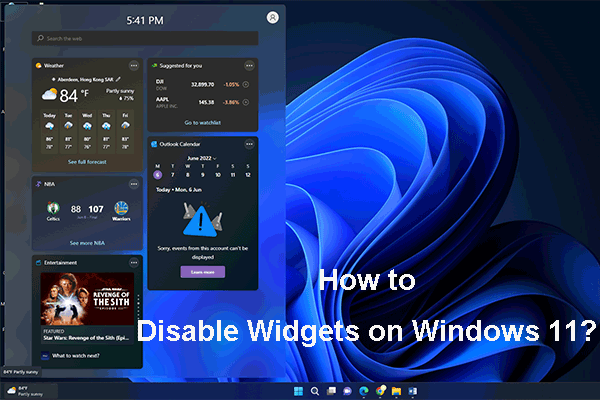
If you want to stop Windows 11 Widgets from popping up, you can try one of the methods mentioned in this post to disable Widgets on Windows 11.
In this post, we will introduce the bug fixes in Windows 11 Insider preview 25131 and how to download and install this build on your device.
In this post, we will introduce the new bug fixes in Windows 10 KB5014023 and how to get this optional update using two easy methods.
![How to Fix Elden Ring Controller Not Working on PC? [Solved]](https://images.minitool.com/minitool.com/images/uploads/2022/06/elden-ring-controller-not-working-on-pc-fixed-thumbnail.png)
If your Elden Ring controller is not working on PC, you can try the easy and effective methods mentioned in this post to solve the problem.
Windows 11 21H2 is widely available to all users whose computers are Windows 11 eligible. Here are the methods to get it on your device.
![[Best Fixes] Windows 10/11 Update Assistant Is Stuck at 99%](https://images.minitool.com/minitool.com/images/uploads/2022/05/windows-10-11-update-assistant-is-stuck-at-99-thumbnail.png)
If your Windows 11 Installation Assistant or Windows 10 Update Assistant is stuck at 99%, you can use the methods in this article to solve the issue.
This post introduces the new feature and bug fixes in Windows 11 build 25126, which is released to the Insiders in the Dev Channel.
This post introduces the new features, improvements, and bug fixes in Windows 10 build 19044.1793. You also know how to get it on your Windows 10 device.

In this post, we will introduce the new features and fixes in Windows 11 KB5014019, OS build 22000.708, and how to get it on your Windows 11 computer.