
What should do when WhatsApp desktop keeps logging out? How to stay logged in on WhatsApp desktop? Now you can get the answers from this article on MiniTool. Besides, free mobile data recovery software is introduced to help you recover WhatsApp messages.
WhatsApp is a widely used messaging application. It allows you to send text and voice messages, make voice and video calls, and share images, documents, user locations, and other content. You can download WhatsApp desktop and use it without a browser.
However, some users reported that their WhatsApp desktop keeps logging out. They are wondering how to stay logged in on WhatsApp desktop. Here a user describes his issue as follows.
Hi everyone.
I am using Windows 10. I have WhatsApp on my Desktop. Each time I close the app, it will require a sign-in when it opens again. I did not experience this when I installed the app on a Windows 11 desktop. I have checked through the settings of WhatsApp on my desktop but all to no avail. Having to sign in each time I open the app on my desktop is frustrating and annoying. Please any help?
answers.microsoft.com
Now keep reading to know how to address the issue.

How to Fix WhatsApp Desktop Keeps Logging Out
Fix 1. Enable Background Apps Permissions for WhatsApp
When a program like WhatsApp is prevented from running in the background, it may cause the software to fail to sync data, thus you will suffer from the “WhatsApp desktop keeps logging out” issue. In this situation, you need to allow WhatsApp to run in the background by following the steps below.
Step 1. Press Windows + I key combinations to open Windows Settings. Then click Privacy.
Step 2. Move on to the Background Apps section in the left panel, then switch the button next to WhatsApp to on.
After that, you can check whether the issue has gone.

Fix 2. Redownload and Reinstall WhatsApp From Microsoft Store
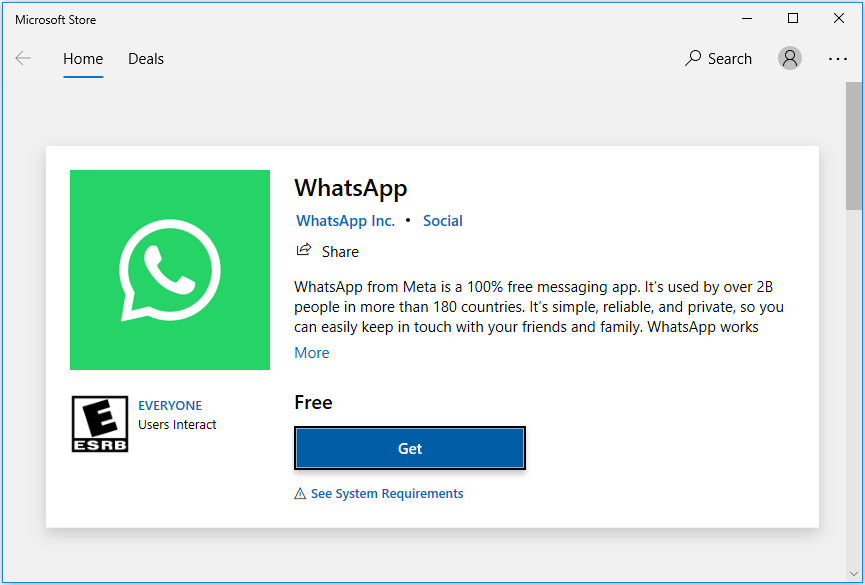
Many users indicate that reinstalling WhatsApp from the Microsoft Store solved the “WhatsApp desktop keeps logging out” issue. You can open Microsoft Store on your computer and search for WhatsApp, then click the Get button to get WhatsApp installed.
See Also: WhatsApp Desktop App Keeps Crashing on Windows 10.
Fix 3. Update Your Windows to the Latest Version
The latest Windows security patches fix vulnerabilities and bugs in Windows and related software, and they occasionally add new features. Therefore, updating Windows to the latest version is also an effective solution to the problem of “WhatsApp desktop keeps logging out” or “WhatsApp web keeps logging out”. For example, many users claim they can stay logged in to WhatsApp in Windows 11.

Fix 4. Use WhatsApp Web
If all the solutions mentioned above are not working, you can switch to using the web version of WhatsApp. WhatsApp Web is a browser-based WhatsApp application. WhatsApp Web and WhatsApp Desktop have similar designs, so they both have almost the same design, functionality, and messaging experience.
Bonus Time: How to Recover WhatsApp Messages
If you deleted WhatsApp messages or photos by mistake, you can try to use a piece of mobile phone data recovery software to get them back. MiniTool releases two mobile phone data recovery tools – MiniTool Mobile Recovery for Android & MiniTool Mobile Recovery for iOS.
MiniTool Mobile Recovery for Android is specially designed for Android users to recover lost, deleted, and even corrupted Android data from multiple Android devices, including Android phones, tablets, and SD cards.
You can click the button below to free download MiniTool Mobile Recovery for Android and give it a try.
MiniTool Android Recovery on WindowsClick to Download100%Clean & Safe
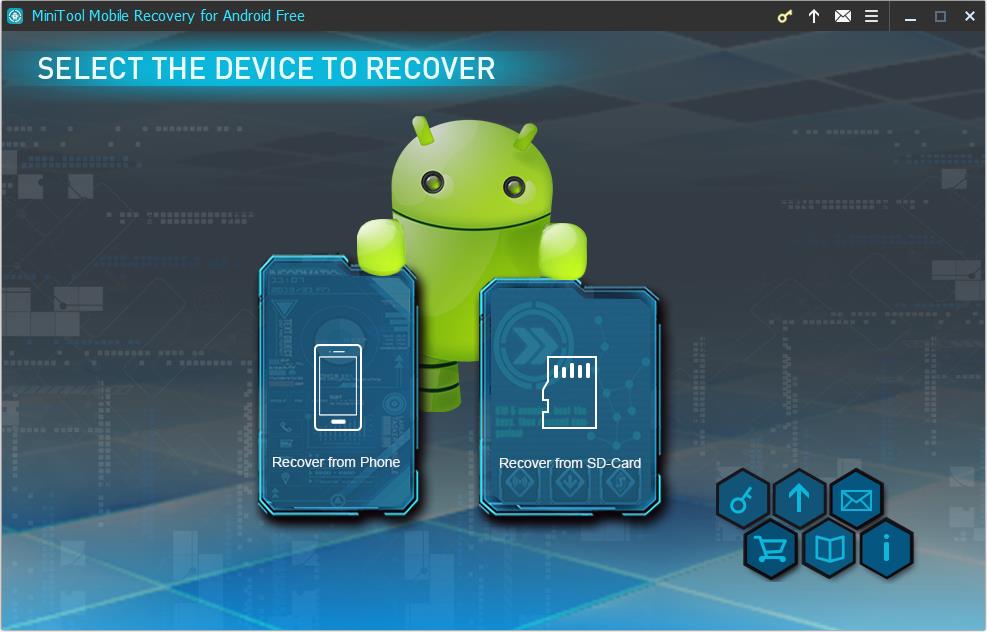
For an intuitive guide to restoring WhatsApp files on Android, you can refer to: How to Recover Deleted WhatsApp Messages on Android.
MiniTool Mobile Recovery for iOS can help to recover lost contacts, messages, photos, notes, videos, etc. from all iOS devices.
You can directly download MiniTool Mobile Recovery for iOS by clicking the button below.
MiniTool iOS Recovery on WindowsClick to Download100%Clean & Safe
![How To Recover Deleted WhatsApp Messages on iPhone [Best Way]](https://images.minitool.com/minitool.com/images/uploads/2018/10/iphone-whatsapp-messages-recovery-thumbnail.jpg)
Top Recommendation
If you want to recover deleted files from your PC, you can use MiniTool Power Data Recovery, a piece of free computer data recovery software. It is fully compatible with almost all Windows versions, including Windows 11/10/8/7.
It can help to recover folders (like recovering the missing Windows Pictures folder and recovering the Users folder), files, images, videos, audio, emails, and so on.
Click the button below to get MiniTool Power Data Recovery installed and recover your data.
MiniTool Power Data Recovery FreeClick to Download100%Clean & Safe
Bottom Line
Reading here, you should know how to fix the matter of “WhatsApp desktop keeps logging out” and how to get WhatsApp data back.
Should you have any questions about MiniTool software, please feel free to contact us via [email protected].
About The Author

Position: Columnist
Shirley holds a bachelor’s degree in English and has been an editor at the MiniTool Team for many years. She specializes in IT-related content, with a focus on data recovery, file backup, disk management, and other technical topics. She is committed to delivering clear, accurate, and practical solutions to help users resolve common computer issues.
User Comments :