
Games Keep Crashing on Windows 11/10 PC? Why & How to Fix?
Why do PC games keep crashing? What if games keep crashing on Windows 10/11 PC? Find reasons and solutions from this post.

Why do PC games keep crashing? What if games keep crashing on Windows 10/11 PC? Find reasons and solutions from this post.


Computer accidents like system crash, blue screen, etc. always happen unexpectedly. To keep the PC running properly, you need to fix some issues. Here MiniTool introduces some common system issues, for example, getting Windows ready stuck, System Restore stuck, blue screen error like IRQL_NOT_LESS_OR_EQUAL, etc.
Besides, keeping PC safe is also important since. Using antivirus software to block malicious programs or using a program to back up files is recommendable. But sometimes some issues like Windows Defender not turning on, OneDrive sync pending, etc. also happen.
No matter which situation you are encountering, backing up the PC after issues are fixed with the professional backup software, MiniTool ShadowMaker is strongly recommended since the backup can be used to quickly restore the PC to a normal state without spending much time on issue fixes.

Do you want to fix driver power state failure Windows 11/10? Here are step-by-step tutorials. Let’s see and try them out.

Are you looking for free cloning software like Acronis clone? MiniTool ShadowMaker is an Acronis True Image alternative for you to clone to SSD.
WD Sync software allows you to sync files to the My Cloud Device on your network. This post also introduces WD sync alternatives to help you sync files.
Windows shows you the error “you must enable system protection on this drive” when performing system restore? Here are two fixes for you!
WD backup software helps back up files to keep data safe but cannot backup the whole hard drive. This post shows you a WD backup software alternative.
Want to sync folders in Windows 10 to keep folders in different locations for backup? This post shows you how to sync two folders easily.

This post shows why the Hard Disk Quick 303 and Full 305 errors occur and offers some useful solutions. Also, it introduces a powerful backup tool.
File History Windows 10 is a feature of Windows to keep data safe. This post will show you a free File History Windows 10 alternative to protect your data.

Read this guide to learn how to use the User State Migration Tool to migrate your settings, documents, and programs across PCs.
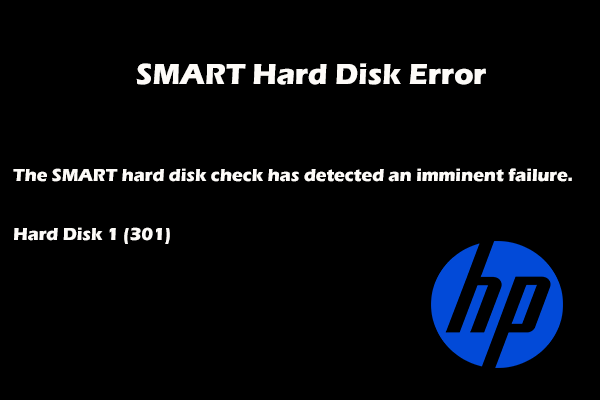
A SMART hard disk error is a common issue in HP PCs. This post covers several possible reasons and solutions to fix various error codes.