
Games Keep Crashing on Windows 11/10 PC? Why & How to Fix?
Why do PC games keep crashing? What if games keep crashing on Windows 10/11 PC? Find reasons and solutions from this post.

Why do PC games keep crashing? What if games keep crashing on Windows 10/11 PC? Find reasons and solutions from this post.



Computer accidents like system crash, blue screen, etc. always happen unexpectedly. To keep the PC running properly, you need to fix some issues. Here MiniTool introduces some common system issues, for example, getting Windows ready stuck, System Restore stuck, blue screen error like IRQL_NOT_LESS_OR_EQUAL, etc.
Besides, keeping PC safe is also important since. Using antivirus software to block malicious programs or using a program to back up files is recommendable. But sometimes some issues like Windows Defender not turning on, OneDrive sync pending, etc. also happen.
No matter which situation you are encountering, backing up the PC after issues are fixed with the professional backup software, MiniTool ShadowMaker is strongly recommended since the backup can be used to quickly restore the PC to a normal state without spending much time on issue fixes.

This post explores the causes and fixes of xhunter1.sys BSOD, such as deleting the file, running SFC, performing a clean boot, or reinstalling the game.
What is the STOP error code 0x0000004E? This BSOD error code makes trouble for users. To resolve this issue, this article has presented some methods for you.
How to prepare your PC for Windows 10 if you want to upgrade to this operating system from Windows 7/8? See the guide on preparation for Windows 10.
What is the wfplwfs.sys BSOD blue screen error? And how to fix this blue screen error? If you need more information about that, please read this article.
![[Easy Guide] Windows Deactivated Itself After Update](https://images.minitool.com/minitool.com/images/uploads/2023/05/windows-deactivated-itself-after-update-thumbnail.png)
If your Windows suddenly deactivated itself after installing Windows updates, this post will show you how to fix the problem quickly.
![[Full Fixed!] Disk Clone Slow on Windows 10/11](https://images.minitool.com/minitool.com/images/uploads/2023/05/disk-clone-slow-thumbnail.png)
How long does a disk cloning process take? What if this process takes an extremely long time? Keep reading this post to get the answes now!
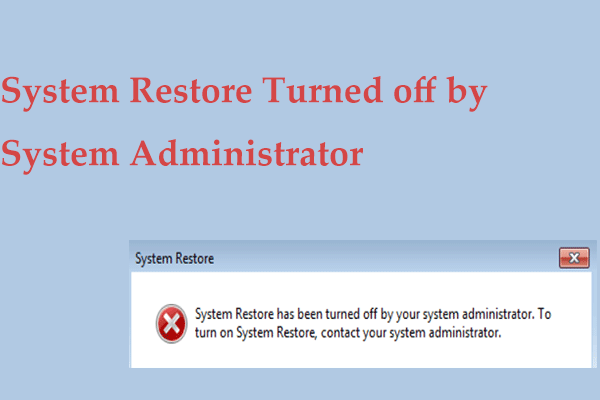
What if you receive the error “System Restore has been turned off by your system administrator” in Windows 10/11? Find fixes from this post now.
What is the Windows update error code 800700C1? How to fix the error code 800700C1? This article will give you a step-by-step guide to get rid of this error.
How to upgrade a processor/CPU in your PC? This is a complicated thing and you can follow this detailed guide to replace your CPU.
Why does CHKDSK take so long? What should you do if that happens? If you have no idea at the moment, keep reading this guide to get workable fixes!